

 Cart is empty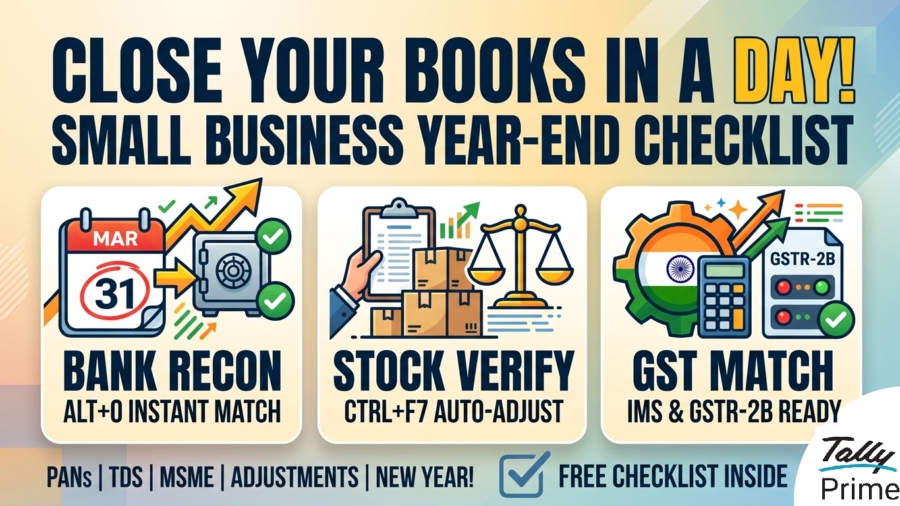
TL;DR
Year-End Accounting Checklist for Small Businesses: You can finish your March 31st closing in just 24 hours by using TallyPrime’s automation to move from a “year-end marathon” to a simple “final validation.” To close by tomorrow, focus on these three critical steps:
- Bank Reconciliation: Use Alt+O to import e-statements and match books with bank records instantly.
- Stock Verification: Run a physical count and use the Physical Stock Voucher (Ctrl+F7) to auto-adjust quantities.
- GST Matching: Import GSTR-2B JSON files (Alt+I) and use the new Inward Supplies Management (IMS) in TallyPrime 7.0 to reconcile ITC and avoid losing money to mismatches.
Introduction: Is Your Business Ready for March 31st?
In my years as an accountant, I’ve shared enough chai with business owners to know the symptoms of “March Madness.”
But look, it doesn’t have to be a nightmare. Yes, you can close your books in one day.
The secret isn’t working harder on March 31st; it’s adopting a “ready-to-close” mindset. Between us, if you’ve been using TallyPrime correctly, the year-end is just the final lap. We aren’t reinventing your accounts; we are simply validating the truth. Let’s get your records “portal-ready” so you can start the new year with a clean slate.
Can You Reconcile Your Bank Statement in Minutes?
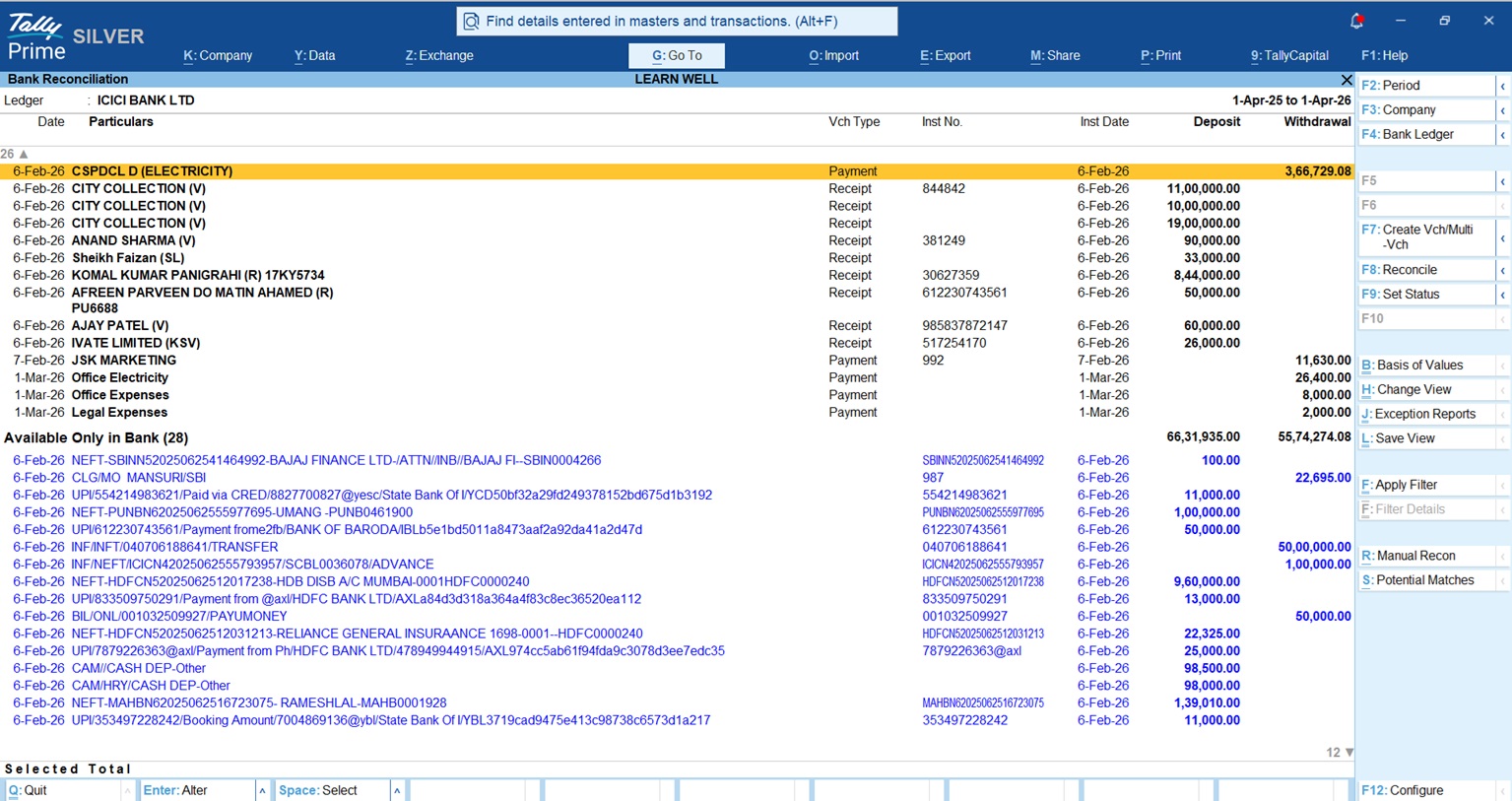
If you are still checking bank entries line-by-line against a paper statement, you’re losing hours you don’t have. TallyPrime’s automated bank reconciliation can cut this chore down by 90%.
By pressing Alt+O, you can import e-statements directly from your bank in Excel, CSV, or XML formats. TallyPrime’s PrimeBanking feature is incredibly smart, it suggests matches for entries based on instrument numbers and amounts.
Did you forget to record a few bank charges or interest credits? Don’t sweat it. You can create the entry right from the reconciliation screen without losing your place. The goal is a perfect marriage: your “Balance as per Books” must match your “Balance as per Bank” before the year ends.
Does Your “System Stock” Match Your “Physical Stock”?
For any retail or distribution business, your closing stock is the heartbeat of your profit calculation. A small error here doesn’t just mess up your inventory; it makes your tax bill dishonest.
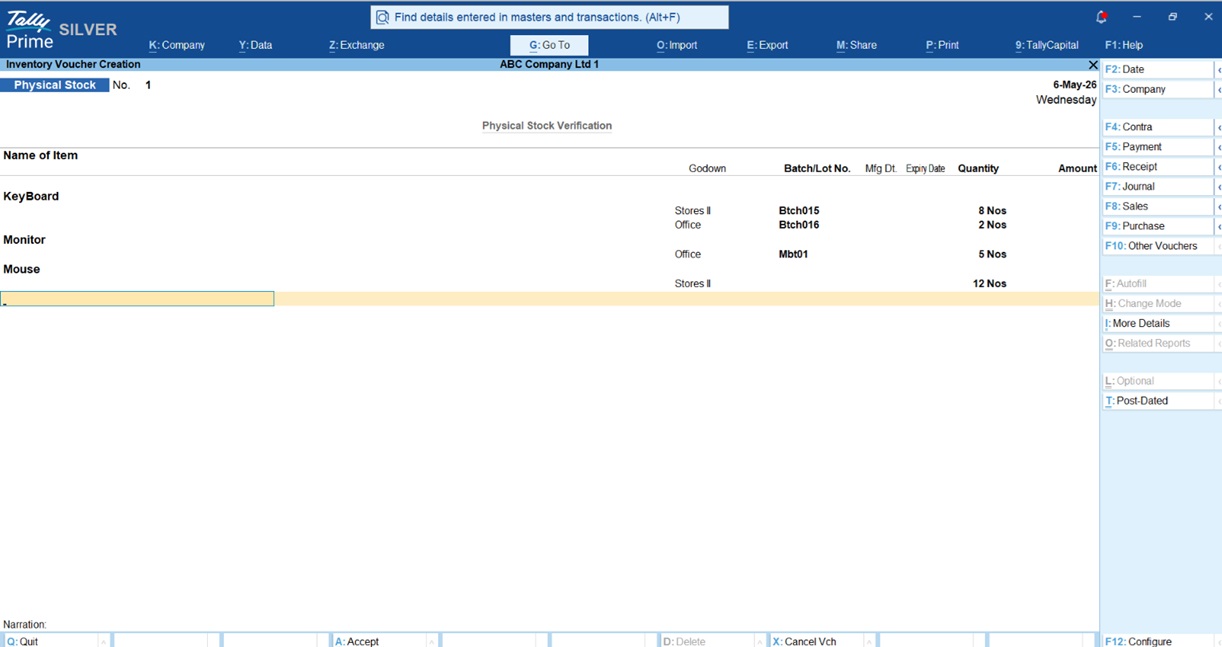
You need to perform a physical count to ensure your “System Stock” matches the reality on your shelves. If you count 95 items but Tally shows 100, you need to fix it immediately.
Don’t go through every old invoice. Instead, use the Physical Stock Voucher (directly via Ctrl+F7). Simply enter the actual 95 units you found. TallyPrime handles the “magic” behind the scenes, automatically recording the difference so your Balance Sheet reflects exactly what you own.
Are Your GST Records “Portal-Ready”?
Reconciling with the GST portal is how you ensure you aren’t leaving your hard-earned money on the table. In TallyPrime 7.0, this is easier thanks to the Inward Supplies Management (IMS) feature.
- For Sales: Head to your GSTR-1 report. Check the “Included in Return” section to ensure every invoice is ready for upload.
- For Purchases: This is where the 24-hour close counts. Import your GSTR-2B JSON file using Alt+I. TallyPrime 7.0 allows for direct ITC reduction in IMS, meaning you can manage amendments and recompute GSTR-2B instantly.
Did You Check for Missing PANs to Avoid High TDS?
Section 206AA of the Income Tax Act is a trap for the busy business owner. If you don’t have a vendor’s PAN, you are legally required to deduct TDS at a staggering 20% instead of the usual 1% or 2%.
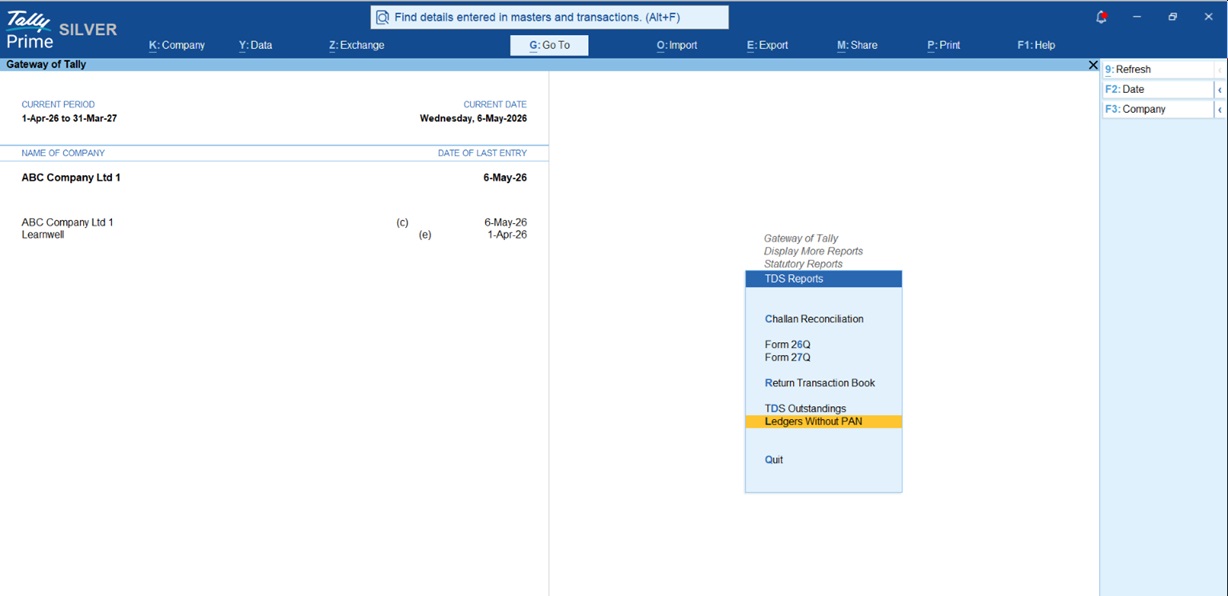
Don’t wait for an audit to find these. Follow this path: Gateway of Tally > Display More Reports > Statutory Reports > TDS Reports > Ledgers without PAN.
This report shows you exactly who is missing a PAN. If a vendor simply hasn’t provided one, enter PANNOTAVBL in the PAN field. This ensures your return is valid, even if you have to deduct at the higher rate. Fix this before March 31st to avoid a major headache with the tax department.
Are You Compliant with the New 45-Day MSME Payment Rule?
For the 2025-26 year-end, Section 43B(h) is the biggest change on the block. To support Micro and Small enterprises (note: this rule excludes Medium enterprises), the government will now disallow your expenses if you haven’t paid these vendors on time.
“Disallowance” is a fancy way of saying the taxman will add those unpaid bills back to your taxable income, and you’ll pay tax on money you’ve already “spent.”
- No written agreement: You must pay within 15 days.
- With a written agreement: You must pay within the agreed time, not exceeding 45 days.
Use the “Bills Payable” report in TallyPrime and filter it by MSME status. If you see a “Micro” vendor waiting for payment, clear it before March 31st to ensure you can claim that expense.
Real-World Examples: How I Saved Time
The “Go To” Savior One of my clients, a retail shop owner, was panicking over a ₹50,000 discrepancy in his bank balance. Instead of hunting through menus, he used Alt+G (Go To) and typed “Bank Reconciliation.” Within seconds, he imported his statement, and Tally highlighted a missing customer deposit. He recorded it right there and saved two hours of manual digging.
Also checkout this Add Bank Details in Group Summary TDL
Ready for the “Magic” Click?
Once the data is clean, it’s time for the “magic” click to move into the new financial year.
- Change Period (Alt+F2): This is the simplest way. Just change the period to 1-Apr-2026 to 31-Mar-2027. TallyPrime automatically carries forward your closing balances.
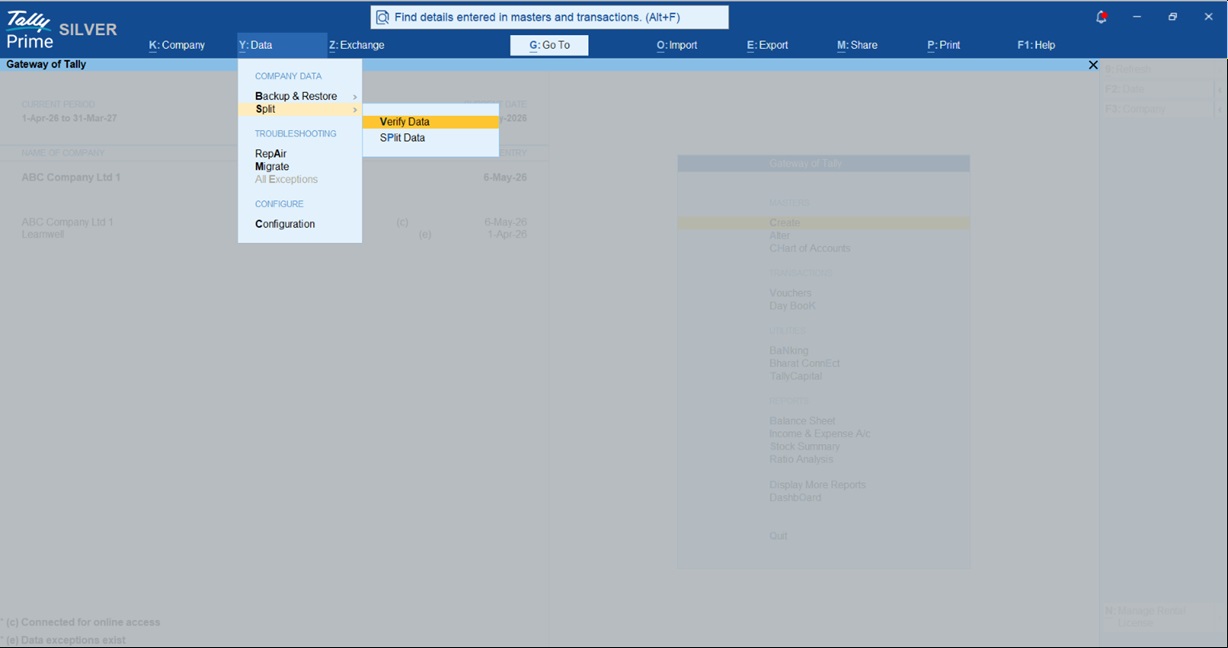
- Splitting Company Data: If your business is huge and Tally feels a bit slow, use the Split feature (Alt+Y > Split). This creates a fresh file for the new year. Just remember to use the “Verify Data” tool first to ensure there are no hidden errors before you split.
Your 1-Day Closing Checklist
Check these off on March 31st to finish your closing in record time:
- Bank: Reconcile all accounts using Alt+O to match “Balance as per Books” with the bank.
- Inventory: Run a physical count and update the Physical Stock Voucher (Ctrl+F7).
- GST: Match GSTR-2B with your Purchase Register and use IMS to manage ITC.
- Sales: Check GSTR-1 to ensure all invoices are “Included in Return.”
- TDS: Clear the “Ledgers without PAN” report and use PANNOTAVBL where needed.
- MSME: Pay all Micro and Small vendors within the 15/45-day limit to avoid expense disallowance.
- Adjustments: Record depreciation and outstanding expenses via Journal Vouchers (F7).
- New Year: Press Alt+F2 and step into the new Financial Year!
Frequently Asked Questions (FAQs)
Q1: Do I need to create a new company every year? No! Just use Alt+F2 to change the period. Tally carries everything forward. Only use “Split” if your data is very large and slowing down.
Q2: What if my stock count is off by a few units? Use the Physical Stock Voucher (Ctrl+F7). Enter the actual count, and Tally will auto-adjust the difference to match reality.
Q3: Is the 45-day MSME rule mandatory? Absolutely. For Micro and Small vendors, if you miss the deadline, you lose the tax deduction for that expense this year.
Q4: Can TallyPrime find my bank errors? Yes. Auto Bank Reconciliation flags mismatches between your entries and the bank’s e-statement so you can fix them instantly.
Q5: What is the fastest way to find a year-end report? Use the Alt+G (Go To) button. Type the report name, and Tally takes you there without the menu-hopping.
“The best way to handle ‘March Madness’ is to stay ‘Tally-Ready’ all year round, closing your books shouldn’t be a marathon; it’s just the final lap.”
