

 Cart is empty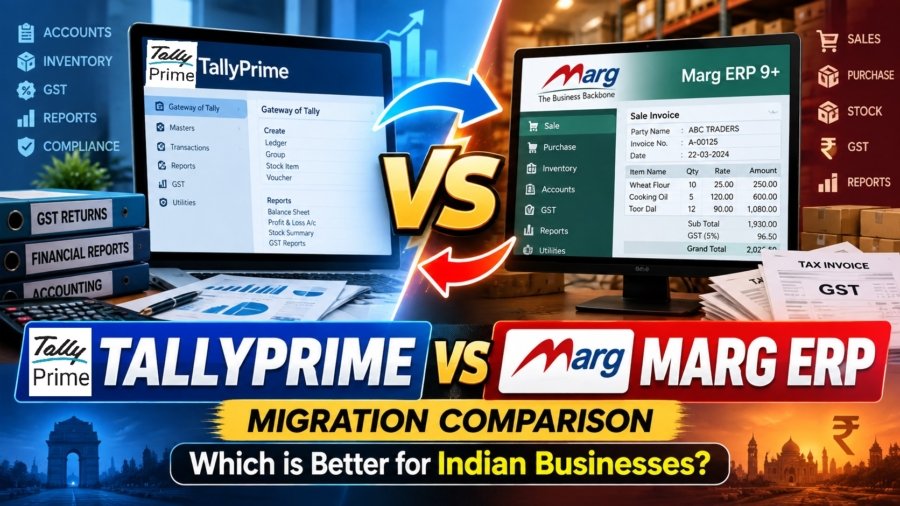
TL;DR
While Marg ERP has historically served niche retail counter-sales and pharmacy stock keeping, migrating to TallyPrime provides a far superior, unified foundation for growing Indian enterprises. TallyPrime connects stock inventory, financial ledgers, automated bank reconciliation (BRS), direct e-payments, and real-time GST/e-invoicing compliance into a single integrated platform. Data migration can be executed in planned, risk-free stages without business downtime.
Introduction: The Migration Dilemma for Indian Businesses
In my 20 years working as a financial consultant and accounting automation specialist across manufacturing, retail, pharma, construction, and e-commerce, I am frequently asked whether upgrading from Marg ERP to TallyPrime is the right strategic move. The direct answer is yes: TallyPrime is the stronger long-term foundation for business growth, financial accuracy, auditability, and GST compliance.
Many growing Indian businesses suffer from operational friction caused by managing inventory in trade-specific software while relying on separate systems or manual workarounds for accounting and tax compliance. A common misconception among trade business owners is that moving away from Marg ERP will compromise counter-sale billing speed. In reality, TallyPrime maintains exceptional transaction speed through pre-configured Voucher Class defaults and rapid keyboard shortcuts, while ensuring every entry immediately flows into an enterprise-grade general ledger.
When transactional inventory tools operate independently from general ledgers, accountants face endless month-end reconciliation backlogs, mismatched GSTR-2B claims, and inaccurate balance sheets. This guide provides a practical, hype-free evaluation comparing TallyPrime and Marg ERP, detailing how to execute a clean, seamless migration without business downtime.
Why Move Away from Siloed Software? (Accounting-First vs. Trade-Specific Systems)
Why is managing inventory and accounting in separate silos hurting your business growth?
Trade-specific billing software (such as Marg ERP) is built primarily for rapid, counter-level transaction recording. However, because accounting ledgers are treated as secondary modules, serious discrepancies arise between stock movement and financial records. In complex operations such as multi-godown stock transfers in construction or raw material consumption in manufacturing, siloed tracking fails to reflect real stock valuations and true operational margins.
TallyPrime operates on an accounting-first architecture with real-time stock-to-ledger integration. Every inventory movement (whether a purchase receipt, sales invoice, or stock transfer) automatically updates financial ledgers, tax liabilities, cash flow statements, inventory, and balance sheets simultaneously.
TallyPrime vs Marg ERP: Key Differences at a Glance
| Feature / Dimension | Unified Ledger System (TallyPrime) | Siloed Trade Systems (e.g., Marg ERP) |
| Core Architecture | Integrated accounting, inventory, and statutory compliance architecture. | Counter-sales & trade-specific transaction focus; secondary general ledger. |
| Ledger Integration | Real-time stock-to-ledger integration; stock movements instantly update financials. | Stock movement and financial ledgers often require manual sync and reconciliation. |
| Banking Integration | Connected Banking API (ICICI, Axis, Kotak, SBI) with 1-click BRS and live balance fetch. | Manual entry of bank clearing dates; basic offline BRS file imports. |
| GST & E-Invoicing SOPs | Simultaneous 1-click IRN and E-Way Bill generation directly from voucher entry. | File export-import workflows using external JSON utility tools or portals. |
TallyPrime vs Marg ERP: Which Is Better for Everyday Business Operations?
TallyPrime and Marg ERP both cover the core requirements of Indian businesses, including accounting, billing, inventory, GST, e-Invoicing, e-Way Bills, banking, and business reporting. Marg ERP is often associated with trading and distribution businesses, but many of these operational capabilities are also available in TallyPrime. The key difference is that TallyPrime combines these functions with a strong accounting foundation, connected compliance, banking, and financial reporting within the same workflow.
Accounting and Day-to-Day Bookkeeping
Both TallyPrime and Marg ERP can manage sales, purchases, receipts, payments, journal entries, debit and credit notes, outstanding balances, and day-to-day bookkeeping.
Where TallyPrime stands out is the depth of its accounting structure. Every business transaction can flow directly into ledgers, receivables, payables, Profit & Loss, Balance Sheet, cash flow, and other financial reports. Features such as bill-wise tracking, cost centres, interest calculation, multiple currencies, budgets, scenarios, and detailed ledger reporting give businesses greater financial control as operations grow.
So, while both systems can handle routine accounting, TallyPrime goes further by making accounting the foundation around which inventory, taxation, banking, and reporting operate.
Banking and Bank Reconciliation
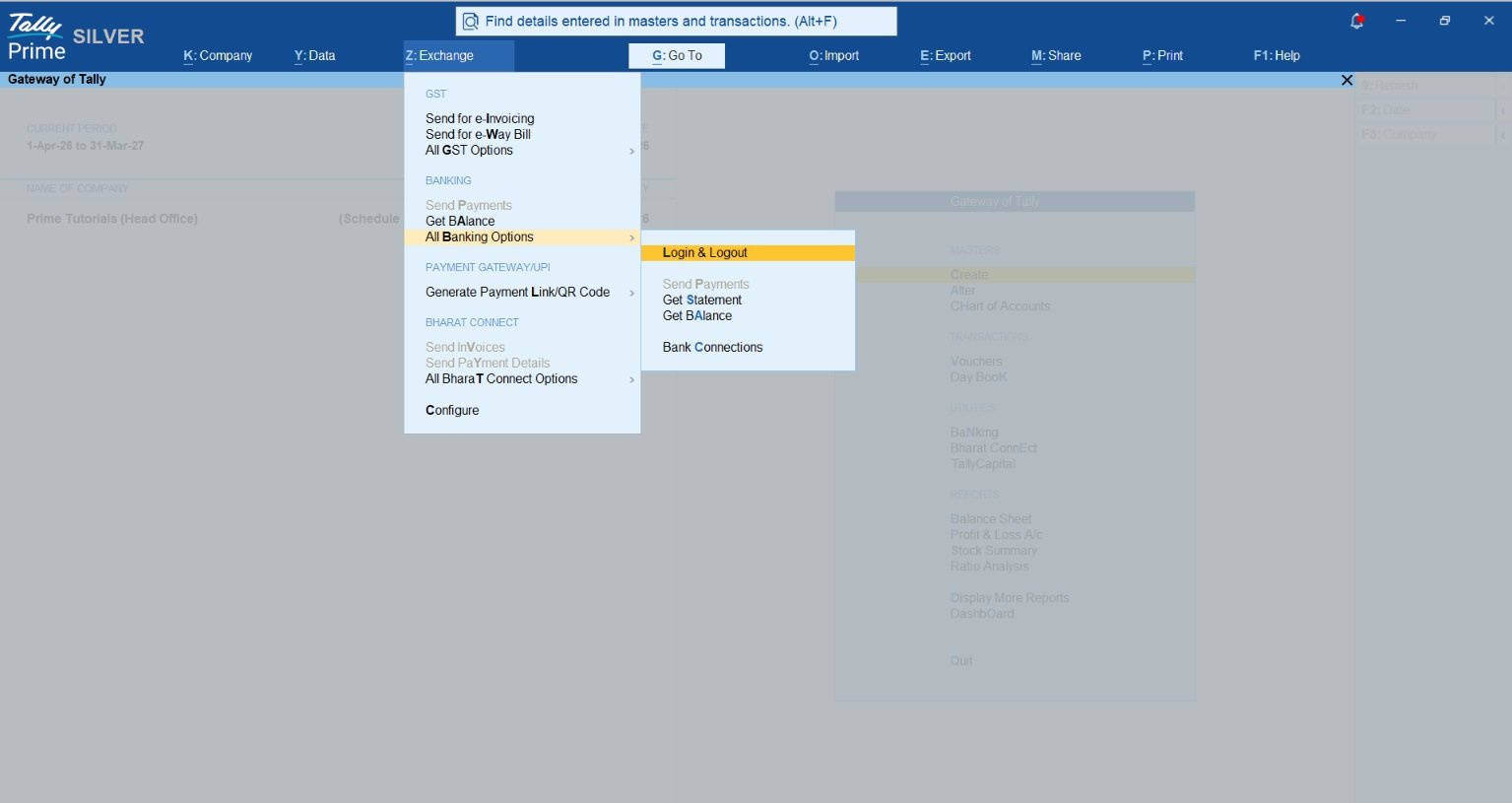
Both Marg ERP and TallyPrime provide bank reconciliation facilities, but TallyPrime extends banking beyond traditional statement matching.
Businesses can import bank statements, match transactions with accounting vouchers, identify unreconciled entries, and create required vouchers from banking information. With supported banks, Connected Banking further brings banking activities closer to TallyPrime.
TallyPrime also supports e-Payments and payment-related workflows, helping businesses move from recording a liability to preparing payments and reconciling the resulting bank transactions within the accounting system.
Therefore, while both products can perform bank reconciliation, TallyPrime creates a more connected flow between accounting, payments, bank transactions, and reconciliation.
Inventory, Batch and Stock Management
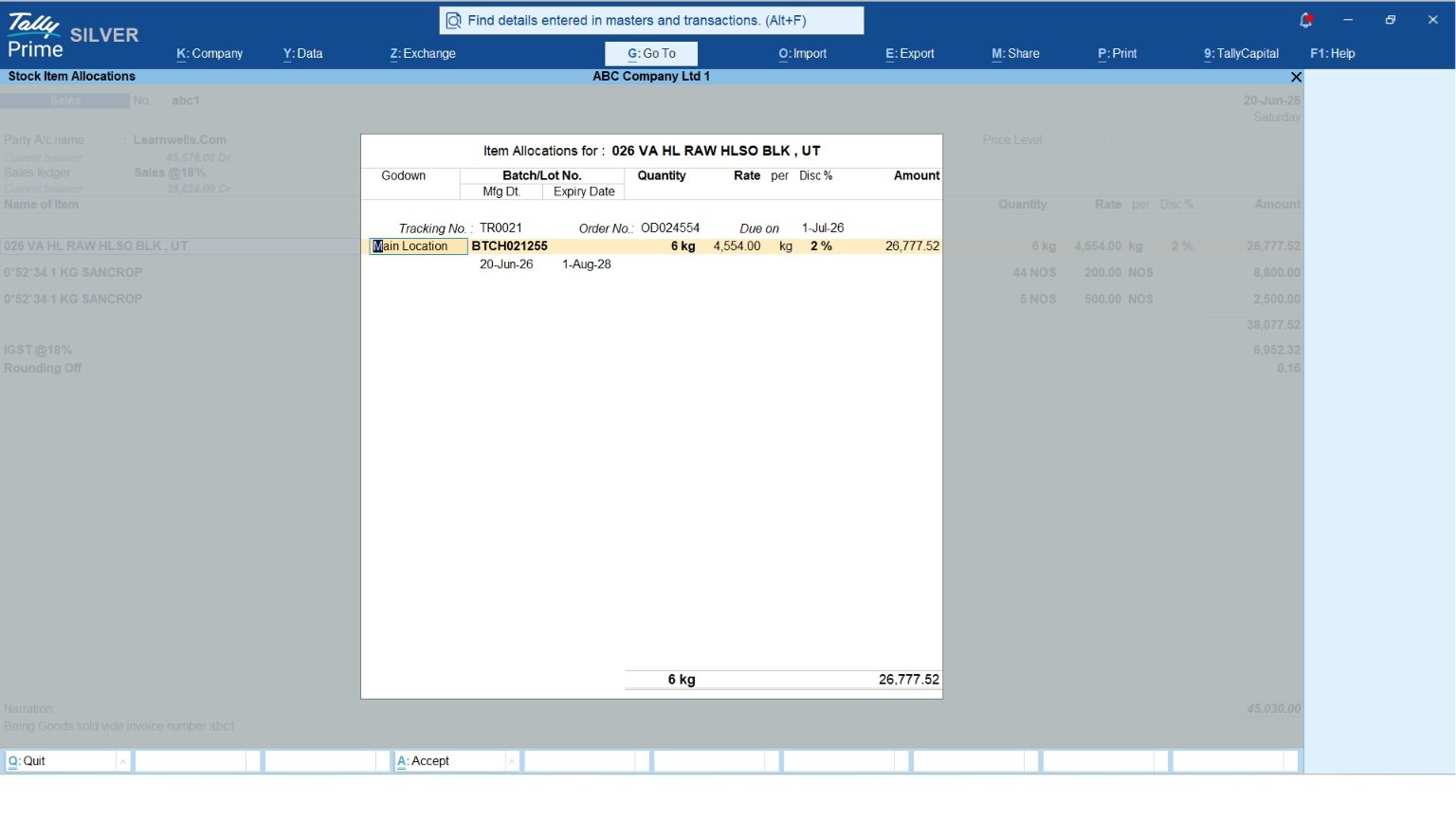
Marg ERP is known for inventory-intensive trading and distribution businesses. However, TallyPrime also provides extensive inventory management capabilities, including stock groups, stock categories, units of measurement, multiple godowns, batches, expiry dates, stock valuation, stock transfers, reorder levels, price levels, and stock ageing.
TallyPrime can also link inventory directly with financial accounting. A purchase or sale does not remain only a stock transaction, it simultaneously impacts inventory value, party balances, taxation, and financial reports.
For manufacturing businesses, TallyPrime also supports components such as Bills of Materials and manufacturing-related stock movements.
This means businesses do not necessarily have to choose Marg simply because they need detailed inventory management. TallyPrime can handle both inventory operations and their financial impact within the same system.
GST, E-Invoicing and E-Way Bills
Both TallyPrime and Marg ERP support GST, e-Invoicing, and e-Way Bill requirements, so these are not capabilities limited to one product.
TallyPrime’s strength is how deeply compliance is integrated with regular accounting. GST information is captured while transactions are recorded, allowing businesses to review tax details, identify exceptions, reconcile information, and prepare statutory reports using the same underlying accounting data.
TallyPrime also supports connected GST workflows, GSTIN-related validations, e-Invoice generation, IRN and QR-code handling, and e-Way Bill processes within the broader accounting workflow.
So, instead of treating GST compliance as a separate activity after bookkeeping, TallyPrime connects compliance with the transaction from the beginning.
Financial and Management Reporting
Both platforms provide business reports, but their emphasis differs.
Marg ERP is strong in operational reports for trading and distribution businesses. TallyPrime provides those essential operational views while also offering deeper financial reporting through Balance Sheet, Profit & Loss, Trial Balance, cash and bank reports, receivables, payables, ratio analysis, cash flow, funds flow, inventory reports, ageing analysis, and statutory reports.
Because these reports originate from the same accounting data, business owners can move from an individual invoice or stock transaction to its financial impact without maintaining a separate reporting system.
This makes TallyPrime particularly strong for businesses where management wants operational visibility as well as accountant-level financial control.
Specialized Inventory Control: Batches, Expiry Dates, and Stock Tracking
How TallyPrime Handles Batch-Wise and Expiry Tracking for Pharma and Retail?
A frequent concern for pharma distributors, retail counters, and medical wholesalers moving away from Marg ERP is whether TallyPrime can handle specialized batch and stock controls. TallyPrime natively provides advanced inventory capabilities designed for complex trading environments:
- Batch-Wise Details & Expiry Tracking: Track stock items by batch numbers, manufacturing dates, and expiration dates. TallyPrime enforces FEFO (First Expired, First Out) logic during sales billing, preventing stock loss in pharmaceutical retail and distribution.
- Godown & Multi-Location Summaries: View real-time stock availability across multiple retail branches, central warehouses, or manufacturing floors.
- Stock Category & Group Analysis: Categorize inventory by active drug composition, brand, or product line to generate granular stock movement and profitability reports.
TallyPrime vs Marg ERP for Batch and Expiry Management
Marg ERP is also strong in batch-wise inventory, expiry tracking, and distribution-focused stock management, which makes it popular in sectors such as pharma and FMCG. TallyPrime, however, provides these essential inventory capabilities while also integrating them closely with its accounting, GST, banking, and financial reporting system.
For a business that needs batch and expiry control along with strong accounting and financial visibility, TallyPrime offers a more unified approach. Marg ERP remains strong for specialised distribution workflows, while TallyPrime combines inventory management with a broader accounting and business management ecosystem.
Seamless Compliance: Simultaneous E-Invoicing, E-Way Bills, and GST Returns
How does TallyPrime simplify GST compliance, e-invoicing, and E-Way Bill generation?
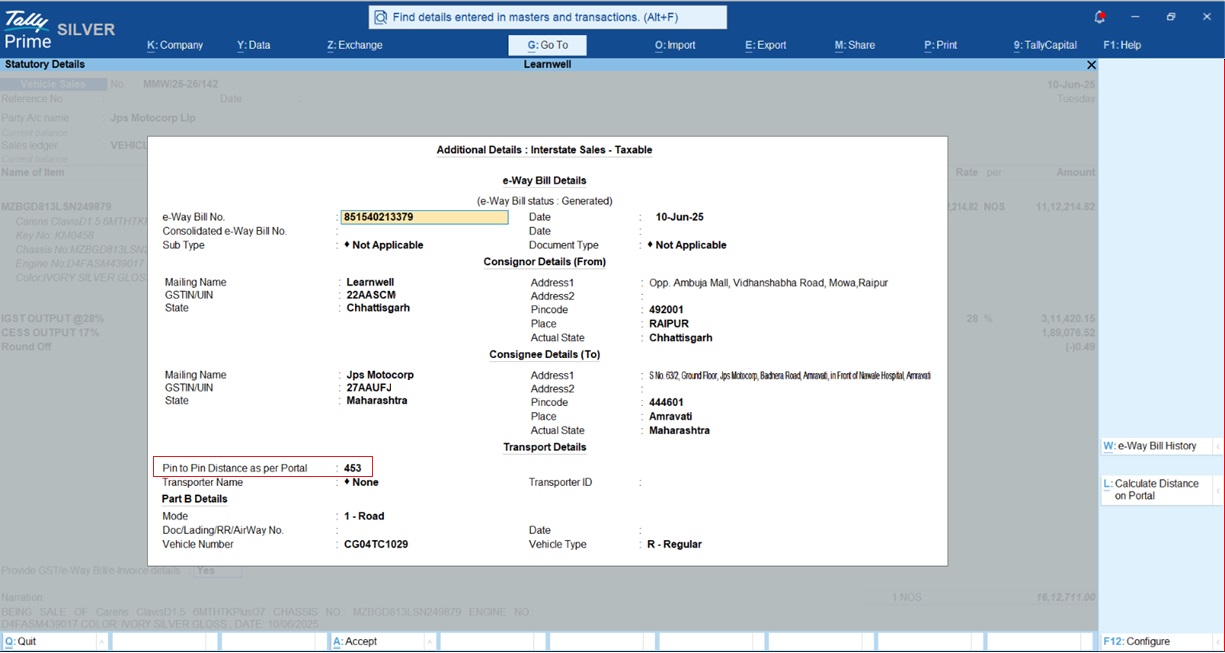
TallyPrime streamlines statutory compliance by combining e-invoicing and E-Way bill generation into a single direct API call inside the sales voucher screen without requiring intermediate JSON file exports or third-party web portals.
Standard Operating Procedure (SOP) for Simultaneous Generation
- Configure Voucher Settings: Open the Sales Voucher (F8), press F12 (Configure), and under GST Details, set Send e-Invoice details after saving Voucher to Yes.
- Enter Dispatch Details: Input Transporter ID, Mode of Transport, Vehicle Number, and Distance in km. (Press Alt+L to calculate pin-to-pin distance directly from the portal).
- Save and Generate (Ctrl+A): Upon saving, TallyPrime transmits a consolidated payload to the IRP, fetching the 64-character Invoice Reference Number (IRN) and 12-digit E-Way Bill Number simultaneously. Both are printed directly onto the final tax invoice.
Direct Portal Synchronization
Generated e-invoices auto-populate into GSTR-1 (specifically B2B tables and HSN Table 12) within T+2 days, eliminating manual upload routines to the GST portal. (specifically B2B tables and HSN Table 12) within T+2 days, eliminating manual upload routines to the GST portal.
How does Marg ERP handle GST compliance, e-invoicing, and E-Way Bill generation?
Marg ERP also integrates GST billing, e-invoicing, and E-Way Bill generation with its sales billing workflow. Once the required GST and GSP settings are configured, users can generate e-invoices and E-Way Bills from sales transactions without entering the same invoice details again on government portals.
GST Returns and Reconciliation
Marg ERP also provides GST return preparation, GST reports, and GSTR-2A reconciliation. GST transactions can be prepared for filing, while purchase data can be compared with portal information to identify differences
Overall, Marg ERP provides the required GST, e-Invoicing, and E-Way Bill functionality, but its workflow involves Marg Wallet activation, GSP/API configuration, e-Invoice settings, and additional transport details where applicable before the connected process is fully ready to use. This makes the setup and workflow an important point to consider when comparing ease of use between Marg ERP and TallyPrime
For an in-depth operational walkthrough, read our Generate e-Way bill Instantly Using TallyPrime
TallyPrime vs Marg ERP: Quick Comparison
| Area | Marg ERP | TallyPrime |
| Accounting | Complete day-to-day accounting for business operations | Complete accounting plus deeper ledger, financial and management reporting |
| Inventory | Strong trading and distribution-oriented inventory | Strong inventory with batches, expiry, godowns, valuation, reorder levels and accounting integration |
| Batch & Expiry | Available, particularly useful for distribution businesses | Also supported and directly linked with inventory and accounting |
| Bank Reconciliation | Supports bank reconciliation and statement-based workflows | Bank reconciliation plus statement import, matching and Connected Banking for supported banks |
| GST | GST-compliant accounting and reporting | GST integrated deeply with accounting plus connected compliance workflows |
| E-Invoicing | Supported | Supported and integrated with voucher creation and accounting |
| E-Way Bill | Supported | Supported within the connected transaction workflow |
| Financial Reports | Business and operational reports | Extensive financial, accounting, statutory, inventory and management reports |
| Multi-Location | Supports business operations across locations | Multiple companies, godowns, synchronisation, remote access and Group Company reporting |
| Business Connectivity | Focused strongly on trade and operational workflows | Banking, GST, WhatsApp, remote reports, synchronisation and connected services |
| Overall Approach | Strong trade and distribution-focused ERP | Integrated accounting-first business management platform |
Which is the Stronger Choice?
TallyPrime combines these operational features with stronger accounting, financial reporting, connected banking, connected compliance, multi-location capabilities, and business-wide financial visibility.
For a growing business that wants one system to manage accounts, inventory, banking, GST, compliance, reporting, and financial control together, TallyPrime can therefore offer a more complete long-term foundation.
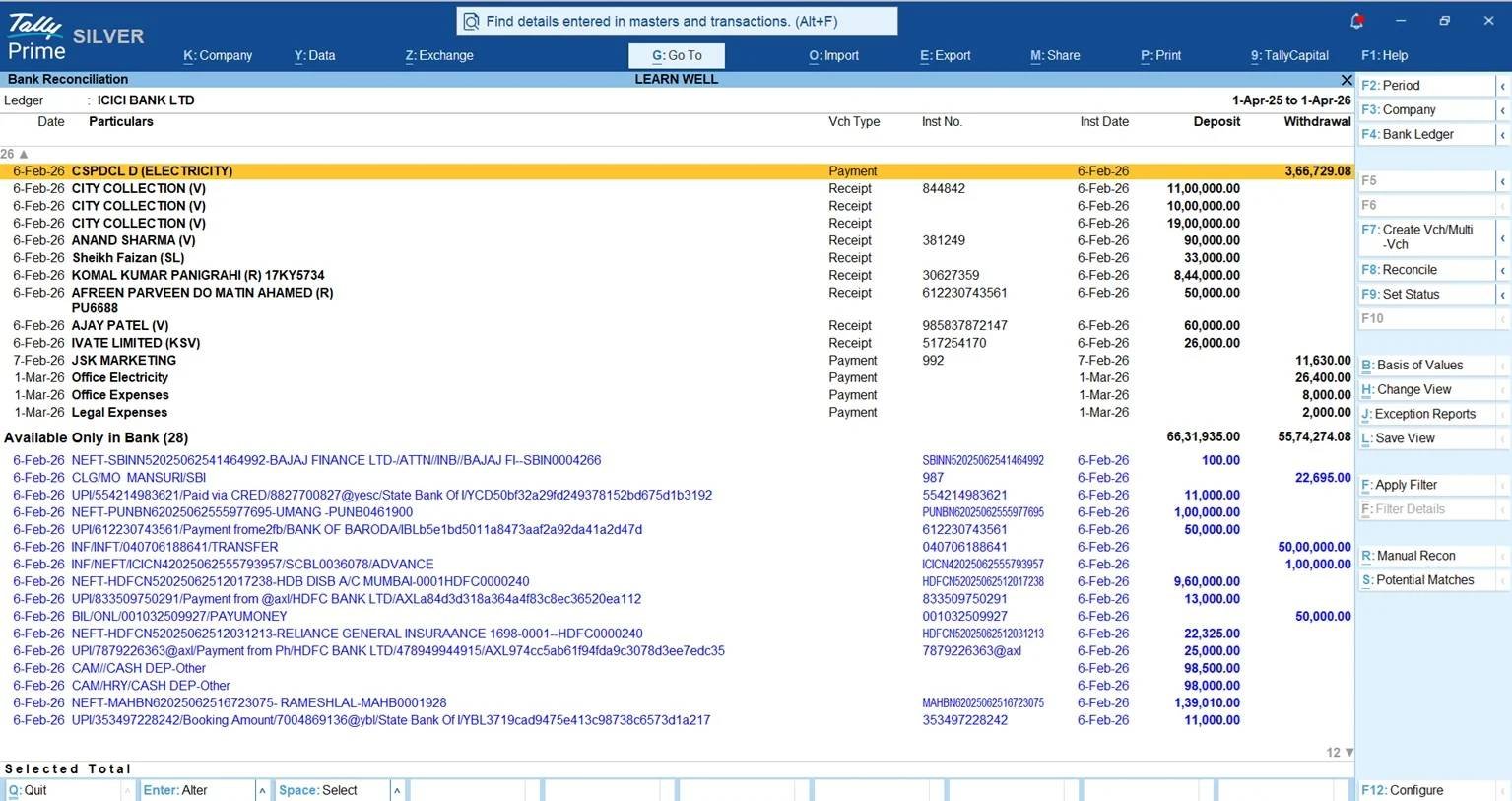
To learn more about optimizing BRS workflows, review our detailed Auto-Import Bank Statements to TallyPrime Guide.
Overcoming the Fear of “Migration Mess”: A Phased Implementation Framework
How to migrate from Marg to TallyPrime without losing data or disrupting daily operations?
Transitioning core accounting software does not have to cause business downtime or historical data loss. Following a structured 3-phase migration framework ensures complete operational continuity:
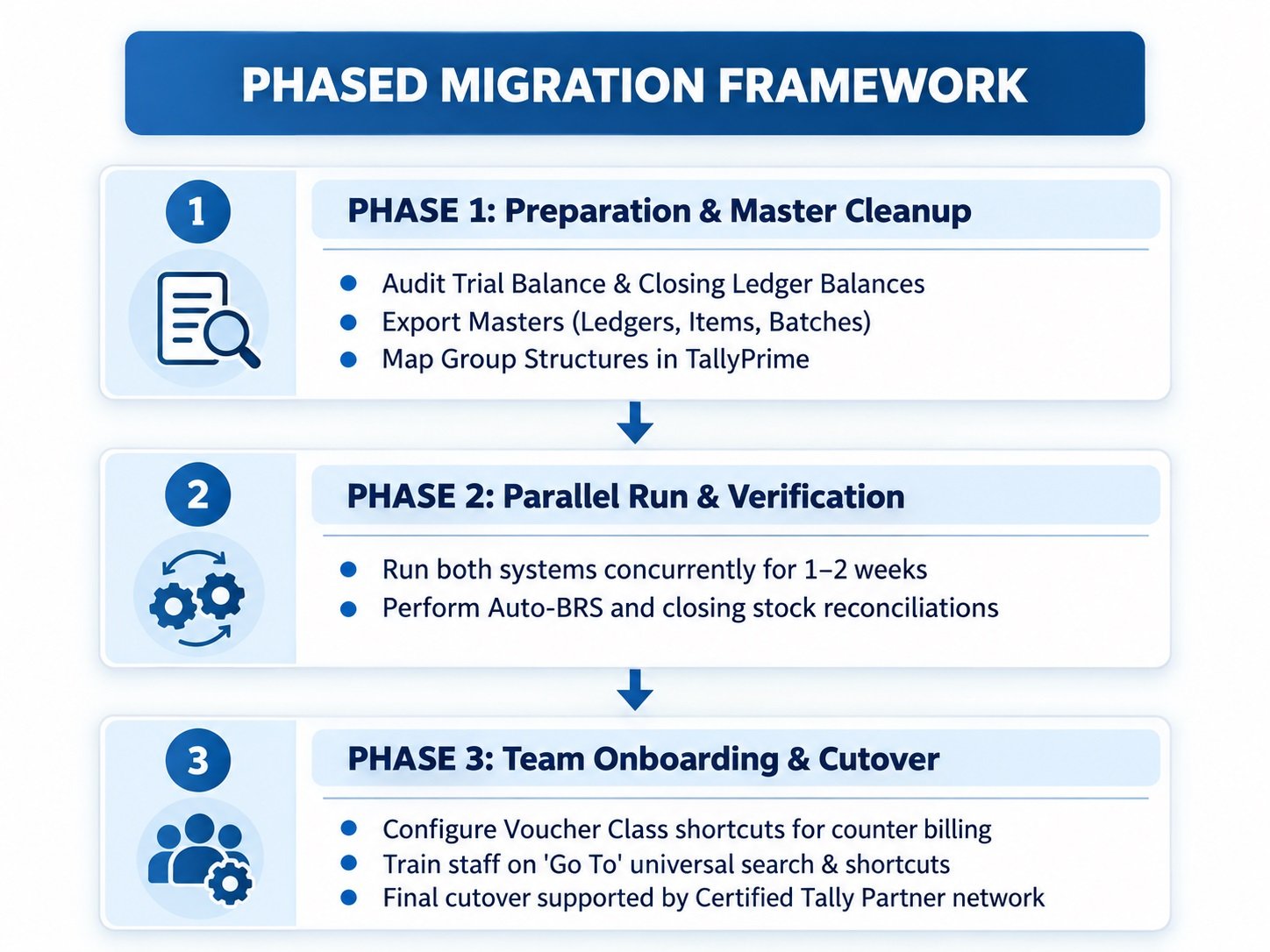
Phase 1: Preparation & Master Cleanup
Perform a closing balance audit on the last day of the financial month or quarter in Marg ERP. Export active master ledgers, stock items, and batch structures. Verify opening trial balances, customer/vendor balances, and physical stock quantities prior to importing them into TallyPrime.
Phase 2: Parallel Run & Verification
Operate both systems concurrently for a brief window (1–2 weeks). Post daily entries in TallyPrime, test auto-BRS statement imports, and verify that ending stock balances match across both systems.
Phase 3: Team Onboarding & Cutover
Configure Voucher Classes for rapid counter-sales billing and train staff on TallyPrime’s keyboard-friendly navigation and universal search and Go To feature. Leverage India’s extensive network of certified Tally partners for on-site support.
Practical Tools That Make the Migration Easier:
TallyPrime provides some additional Migration tools that can reduce manual work and help the business settle into the new system faster.
- Excel Import for Masters: Existing party ledgers, stock items, and other master data exported from Marg ERP can be organised in Excel and imported into TallyPrime, reducing the need to recreate masters manually.
- Docs by Ira for Pending Bills: If purchase invoices are still pending during the transition, Docs by Ira can extract information from supported invoice documents and create draft vouchers for review, helping reduce repetitive data entry.
- Bank Statement Import for BRS: Recent bank statements can be imported into TallyPrime and matched with accounting transactions, helping the accounts team complete bank reconciliation after migration with less manual matching.
- Review Before Going Live: After importing the data, businesses should verify opening balances, outstanding receivables and payables, stock quantities and values, GST details, and bank balances before fully switching to TallyPrime.
These tools make the transition more practical because businesses do not have to rebuild every part of their accounting system manually. The goal is not just to move data from Marg ERP to TallyPrime, but to start with clean masters, verified balances, updated transactions, and a stronger accounting workflow from day one.
Conclusion & Actionable Migration Checklist
Upgrading from Marg ERP to TallyPrime moves your enterprise from fragmented trade recording to an enterprise-grade financial and statutory infrastructure. Unifying inventory control, automated bank reconciliation, direct payment processing, and simultaneous e-invoicing delivers total financial accuracy and audit readiness.
Actionable 5-Point Migration Checklist
- Audit Existing Masters: Clean up inventory items, batch records, and vendor ledger balances in Marg ERP.
- Set a Firm Cutover Date: Schedule your cutover for the start of a new financial month or quarter.
- Configure Bank Ledgers: Enable Auto Bank Reconciliation and Connected Banking API settings in TallyPrime.
- Enable F12 Compliance Toggles: Configure sales voucher settings for 1-click simultaneous e-invoicing and E-Way Bill generation.
- Engage a Certified Partner: Work with a local Tally Certified Partner to assist with data mapping, custom invoice formats, and staff orientation.
“Moving to TallyPrime isn’t just switching software, it’s breaking down the walls between your inventory, your bank, and your tax filings to build a single source of truth for business growth.”
Also read Why I Recommend TallyPrime’s AI Features Over Manual Entry for Every New Client
Frequently Asked Questions (FAQs)
Q1: Is migrating historical transaction data from Marg to TallyPrime difficult?
A: Not at all. While many businesses prefer to migrate only opening balances and master ledgers to start fresh, TallyPrime makes it very easy to carry over your past data. Using TallyPrime’s default Excel Import feature, you can quickly import bulk historical transactions (like past sales, purchases, and receipts) from Marg ERP directly into Tally without any manual data entry.
Q2: Can TallyPrime track batch numbers and expiry dates for pharma items?
A: Yes, TallyPrime offers comprehensive batch-wise details, manufacturing date, and expiry date management, making it fully compliant and effective for pharmacy retailers, wholesalers, and medical distributors.
Q3: Which Indian banks support direct Connected Banking in TallyPrime?
A: ICICI Bank offers direct API integration, while direct banking connectivity and statement processing are natively supported for State Bank of India (SBI), Kotak Mahindra Bank, and Axis Bank.
Q4: How does TallyPrime prevent importing duplicate bank statements?
A: TallyPrime’s built-in duplicate detection logic flags and skips previously matched transactions. Overlapping date ranges are automatically deduplicated by transaction reference number and exact debit/credit amounts.
Q5: Can I generate E-Way Bills and E-Invoices together in TallyPrime?
A: Yes, by enabling ‘Send e-Way Bill details with e-Invoice’ in F12 voucher settings, TallyPrime fetches both the 64-character IRN and 12-digit E-Way Bill number simultaneously upon saving.
Q6: Will my accounting staff require extensive training to use TallyPrime?
A: No, TallyPrime features intuitive, keyboard-friendly navigation and Go To feature that standardizes workflows. Most accounting staff adapt quickly, supported by India’s vast network of trained Tally professionals.
Q7: How does auto-BRS handle bank charges and interest credits?
A: Unmatched bank rows like service charges appear in the BRS pending list. Accountants can press Alt+C directly from the reconciliation screen to instantly create and auto-link the voucher.
