

 Cart is empty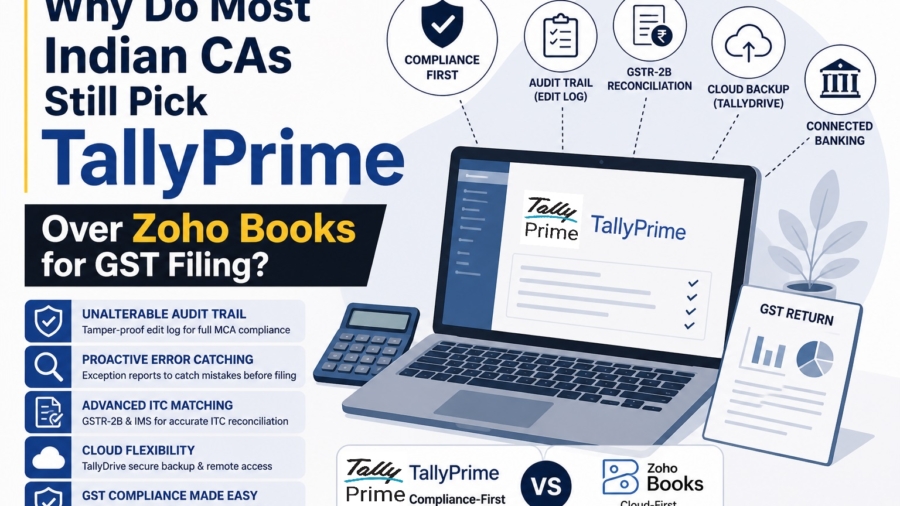
TL;DR:
TallyPrime Over Zoho Books for GST Filing remains the gold standard for CAs because it is built with a “compliance-first” DNA that acts as a fortress against GST notices.
- The Unalterable Shield: While Zoho offers an audit trail as a setting, the TallyPrime Edit Log Release provides a tamper-proof environment where the log cannot be disabled, satisfying the strictest interpretation of MCA mandates.
- Proactive Error Catching: TallyPrime’s “Exception Reports” act as a pre-filing filter, flagging duplicates, incorrect GST classifications, and unreconciled entries before they ever hit the GST portal.
- Advanced ITC Matching: TallyPrime manages the Invoice Management System (IMS) and ITC reduction, ensuring your GSTR-2B reconciliation is deep enough to survive a scrutiny audit.
- Offline Security & Cloud Flexibility: Tally combines the security of local data with the online cloud accessibility, countering the “cloud-only” advantage of Zoho Books.
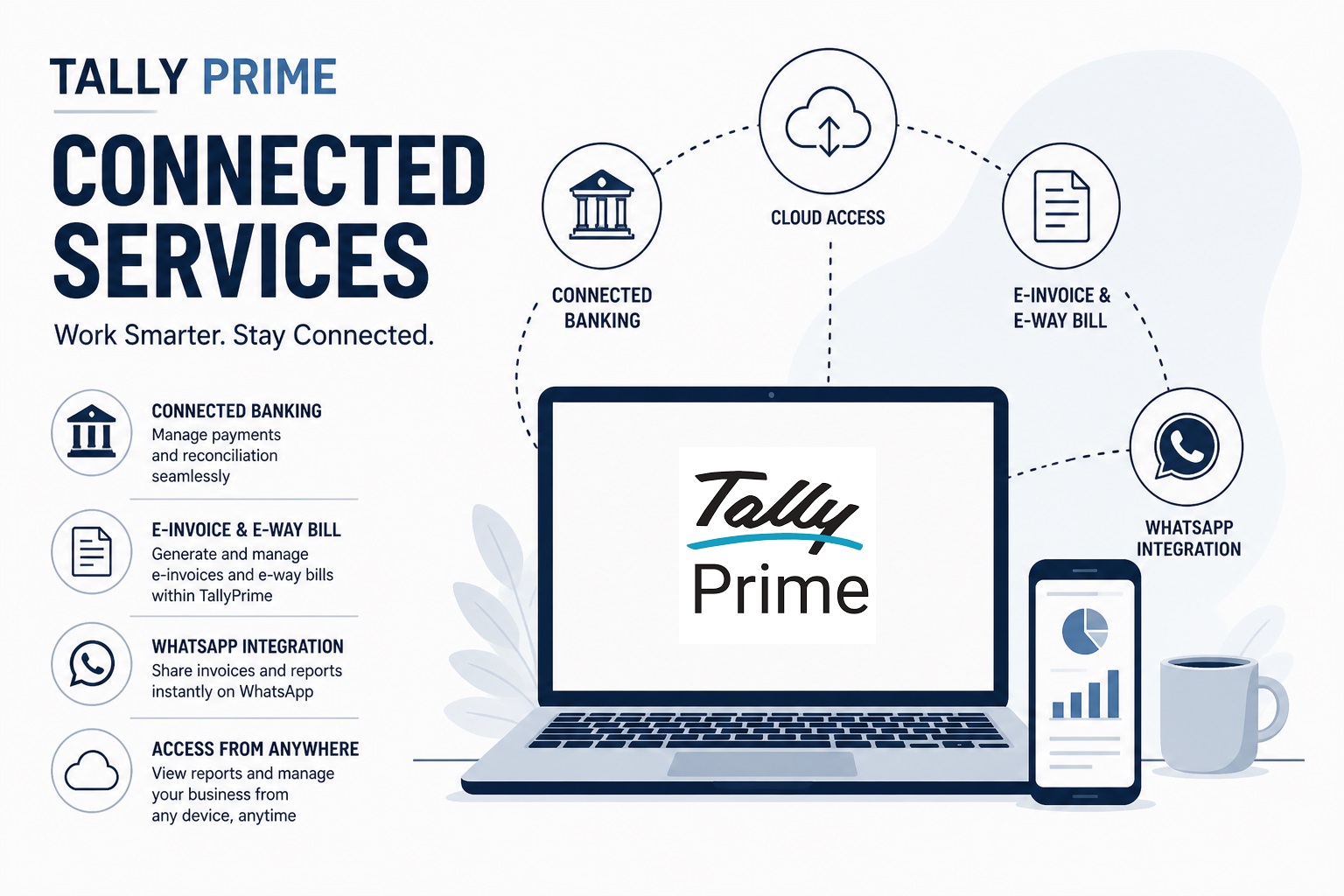
- Connected Services: TallyPrime’s connected services help with direct GST filing, automated bank reconciliations and payments, and AI-powered invoice processing.
Introduction: The Big Question for Business Owners
As an Accountant with many years of experience working closely with CAs, I am constantly asked: “Should we move to the cloud with Zoho Books or stick with TallyPrime?”
However, my experience has shown that if you sit across the desk from a CA handling forty or fifty different GST registrations, you’ll find that CAs almost always recommend TallyPrime.
Why? Because in the current tax environment, a GST notice is not a matter of “if,” but “when.” With authorities intensifying automated reconciliations between GSTR-1, 3B, and 2B, the smallest data mismatch becomes an immediate red flag. I recommend TallyPrime because it acts like a “compliance shield”, it isn’t just about recording data; it’s about ensuring that data is correct before the government ever sees it.
What Is the “Audit Trail” and Why Is It a Big Deal?
Since April 1, 2023, the Ministry of Corporate Affairs (MCA) has mandated a strict audit trail under Rule 3(1) of the Companies (Accounts) Rules, 2014. This isn’t just a suggestion; it’s a statutory requirement for every company using accounting software.
To sound like a true specialist, you must understand the distinction Tally makes here. There are two versions: the regular TallyPrime (where the Edit Log is an optional feature) and the TallyPrime Edit Log Release (where the feature is unalterable). For MCA compliance, we insist on the latter.
The TallyPrime Edit Log tracks:
- Transaction Life Cycle: Every creation, alteration, and deletion of a voucher.
- Master Edits: Changes to ledgers, stock items, and accounting groups.
- Chronological Integrity: Precise date and time stamps for every action.
- User Accountability: The specific user ID attached to every modification.
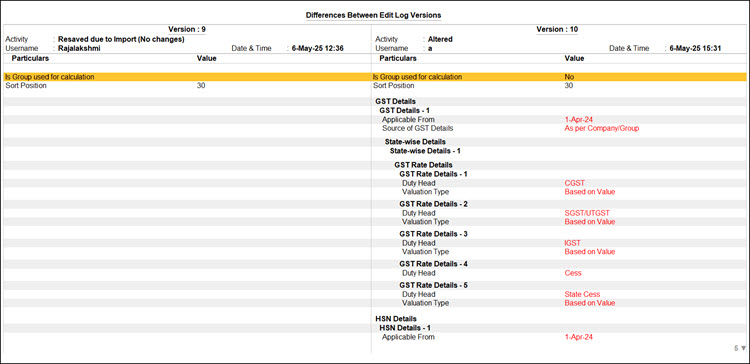
- Version Comparison: The ability to see exactly what changed between Version 1 and Version 2 of a voucher.
CAs love this because it makes the data “tamper-proof.” It’s far easier for CA to sign off on a statutory audit when they know the history of every entry is visible and unchangeable.
How to view Edit Log Summary in TallyPrime Edit Log
Can TallyPrime Catch My Mistakes Before I File?
In my experience, “preventive compliance” is the only way to stay out of the GST department’s crosshairs. Tally’s Exception Reports are far superior at detecting the “grit” of accounting errors compared to Zoho’s broader approach.
Consider the story of CA Ankit Sir, a practicing CA handling over 40 clients. For years, Ankit sir relied on manual verification. During one busy season, a duplicate purchase entry in a client’s books went unnoticed, inflating their Input Tax Credit (ITC). This led to a mismatch notice, weeks of lost time, and a shaken client. After switching to the latest TallyPrime, the system now flags those duplicates instantly. As Ankit sir says, “Early detection is everything in accounting.“
Specific errors TallyPrime detects faster:
- Duplicate Entries: Identifying repeated sales or purchase vouchers that distort liability.
- Incorrect GST Classification: Flagging wrong tax rates or HSN/SAC codes at the point of entry.
- Ledger Misposting: Identifying entries sent to the wrong accounts that create unusual balances.
- Unreconciled Bank Transactions: Catching mismatches between bank statements and books that create cash flow confusion.
- Incomplete GSTINs: Flagging vouchers missing mandatory registration details or place-of-supply info.
This How to Use GSTR1 Report in TallyPrime will help you understand TallyPrime GSTR1 better.
How Does TallyPrime Handle GSTR-2B Reconciliation?
Both TallyPrime and Zoho Books are a registered GST Suvidha Provider (GSP), which makes the actual act of filing easy. But a CA, cares less about the ease of filing as compared to the accuracy of matching.
TallyPrime focuses on deep, row-by-row reconciliation. It allows you to download GSTR-2B data and compare it against your purchase register to secure your ITC eligibility. TallyPrime also supports the Invoice Management System (IMS), allowing you to manage ITC reductions and verify vendor data with precision.
Real-World Context: I recently worked with a trading firm that used Tally’s monthly reconciliation to identify that a major vendor had missed uploading four high-value invoices. Because we caught this in Tally before filing GSTR-3B, the firm avoided claiming ineligible ITC. If they had filed blindly, they would have faced a notice for tax short-payment plus interest.
Why TallyPrime is the Modern CA’s Choice
Many business owners have a misconception about Tally being “old school” in comparison to Zoho. TallyPrime proves to be the Modern CA’s choice due to features like:
- TallyDrive: Secure Cloud Backup that ensures your data is safe and accessible without needing a local server.
- SmartFind: A quick search that allows for instant discovery of any entry or report across years of data.
- Connected Banking: Connected payments that allow you to handle banking reconciliation and payments directly from the software, rivaling Zoho’s automated feeds.
“I’d rather my client spend ten minutes on an Exception Report today than ten days defending a mismatch to a GST officer next year. Tally makes being right easy.”
TallyPrime vs. Zoho Books: The Specialist’s Breakdown
| Feature | TallyPrime | Zoho Books |
| Deployment | Desktop and Cloud availability + TallyDrive Cloud Backup | Cloud only |
| GST Filing | Direct filing, deep Matching, IMS Integration | Direct filing |
| Audit Trail | Unalterable (in Edit Log Release) | Optional setting (can be toggled) |
| Banking | PrimeBanking (Connected Payments, automated reconciliation) | Automated bank feeds |
| Offline and Online Accessibility | Available for both online and offline accessibility | Available only online |
Conclusion: My Final Advice
In 2026, accounting is no longer just about maintaining books; it’s about real-time accuracy. If you are a startup with simple service invoices, Zoho might suffice. But if you have inventory, multiple GSTINs, or fall under MCA purview, TallyPrime is the only logical choice.
My Pro-Accountant Checklist for you:
- Use the Edit Log Release: If you are a private limited company, don’t just “enable” the log; use the specific Edit Log product to stay Rule 3(1) compliant.
- Monthly GSTR-2B Matching: Use Tally’s IMS features to verify every rupee of ITC.
- Weekly Exception Reviews: Fix your “Incomplete/Mismatched” reports every Friday.
Also read : How to streamline purchase approvals and vendor payments in TallyPrime
FAQs
1. Is the Edit Log mandatory for everyone?
It is mandatory for all companies under the purview of the MCA (Ministry of Corporate Affairs) per Rule 3(1) of the Companies (Accounts) Rules, 2014, effective from April 1, 2023.
2. Can I disable the Edit Log in TallyPrime?
In the regular TallyPrime, it is an optional feature. However, in the TallyPrime Edit Log Release, the feature is enabled by default and cannot be disabled, ensuring full statutory compliance.
3. Does TallyPrime work on the cloud?
Yes. TallyPrime Cloud Access enables users to access all features and functionality of TallyPrime online for full remote access.
4. Why is GSTR-2B reconciliation important?
It is the only way to verify that the Input Tax Credit (ITC) you are claiming has actually been paid by your suppliers. Mismatches here are the #1 cause of GST notices.
5. What is the biggest cause of GST notices?
The most common cause is a data mismatch between your filed returns (GSTR-1, 3B) and your books of account, particularly regarding ITC and unreported invoices.
6. Why CAs prefer TallyPrime over Zoho?
CAs and tax professionals generally prefer TallyPrime over Zoho for several key reasons:
- TallyPrime allows professionals to work with different client databases seamlessly. It is highly optimized to handle 50+ clients without software lag, enabling instant switching between a manufacturer’s and a trader’s data on a single screen.
- TallyPrime easily manages all Indian GST requirements. It includes an Invoice Management System (IMS) and Bharat Connect to bridge ledgers directly with the government portal.
- Under MCA rules, companies must maintain an un-editable audit trail. TallyPrime tracks every alteration, creation, and deletion with usernames and timestamps, making compliance certification much easier for auditors.
- With features like TallyPrime Cloud Access, multi-user access (TallyPrime Gold), and remote browser access, accountants can securely access live client data from anywhere, even while traveling.
