

 Cart is empty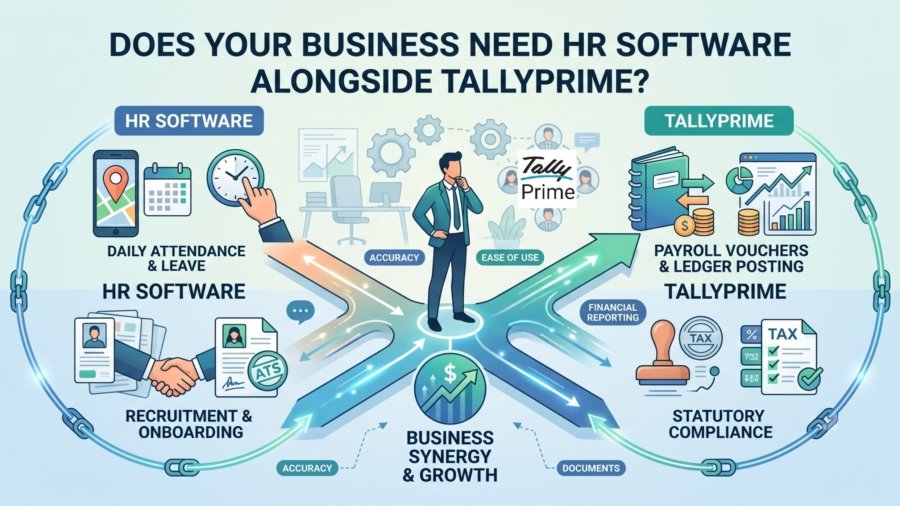
TL;DR:
TallyPrime is a powerhouse for payroll accounting and statutory compliance, capable of managing thousands of employees with financial precision. However, as your business grows, you will likely need dedicated HR software (like GreytHR, Keka, or HROne) to manage “People” functions such as recruitment, performance appraisals, and employee engagement. The strategic solution isn’t to replace Tally, but to integrate it. By using a Payroll Journal Voucher (JV) integration, you maintain Tally as your “Financial Source of Truth” while leveraging specialized tools for the employee lifecycle.
Introduction: The Direct Answer
In my 20 years of field experience bridging the gap between finance departments and HR operations, I’ve seen hundreds of companies face the same dilemma: whether to stretch their existing accounting software to handle growing HR needs, or to invest in a separate, dedicated HR system.The answer is clear: If your focus is strictly on HR Finance, paying people accurately and staying compliant TallyPrime is often all you need.
However, if you are scaling your culture, Tally is not enough. You need dedicated HR software when your goals shift from “processing vouchers” to “managing people.” My advice to clients is always the same: TallyPrime should remain your financial backbone, but it needs a “cultural heartbeat” to connect to.
Is TallyPrime’s Built-in Payroll Enough for Your Current Needs?
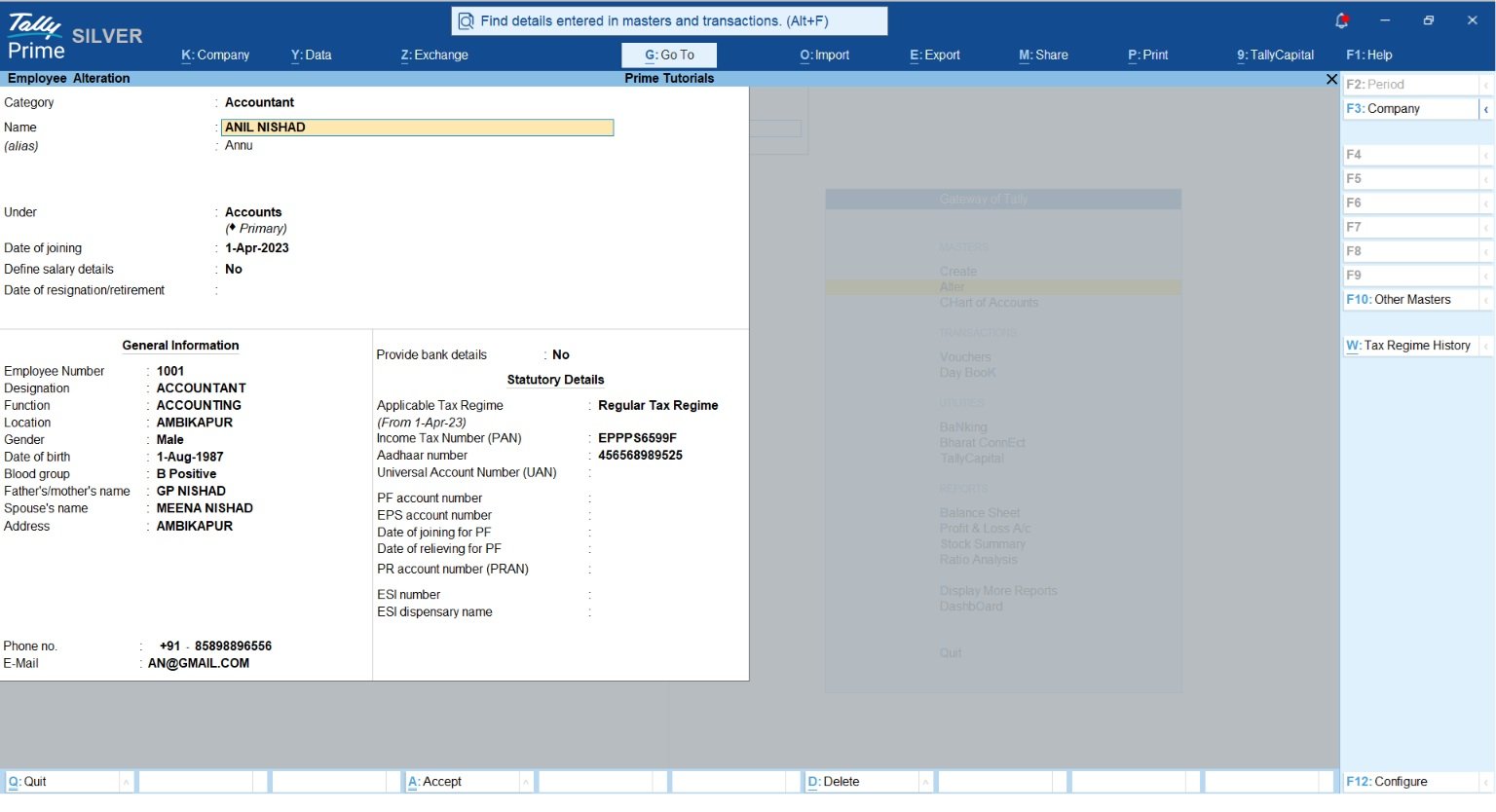
TallyPrime is built on a “Finance-first” logic. For many stable businesses, its native payroll module provides everything required for thousands of employees without the need for additional subscriptions.
Key capabilities include:
- Comprehensive Payroll Masters: Create Employee Groups and categories, and define complex Pay Heads (Basic, HRA, DA, Transport Allowance).
- Attendance & Production Tracking: Handle “Leave with Pay” (Present) or production-based units like Overtime.
- Integrated Statutory Compliance: Automatically compute PF, ESI, NPS, Professional Tax, and Income Tax.
- Financial Documentation: Generate professional Pay Slips, Pay Sheets, and Attendance Registers that drill down directly into your books.
If your team is stable and your primary concern is accurate bookkeeping, TallyPrime’s integrated system is exceptionally robust.
When Is the Right Time to Move Beyond Just Payroll?
The “tipping point” occurs when your HR team starts “pushing paper” instead of driving strategy. From my experience, manual reconciliation between biometric logs and payroll sheets is where errors and statutory penalties begin to creep in.
You have outgrown Tally-only payroll when you need:
- Employee Lifecycle Management: Recruitment and Applicant Tracking (ATS) to manage candidates from job boards like LinkedIn.
- Performance & Appraisals: 360-degree feedback, goal setting, and continuous performance tracking.
- Employee Engagement: Pulse surveys and sentiment analysis to monitor company culture.
- Self-Service Portals: Allowing employees to view their own tax declarations, leave balances, and helpdesk tickets.
As a consultant, I see the biggest “pain points” as manual entry errors and inconsistent naming conventions between HR spreadsheets and Finance ledgers. When these inconsistencies start affecting your audit readiness, it’s time to add a dedicated HR tool.
Read More About TallyPrime Payroll
How Does Integration Create the Best of Both Worlds?
Integration allows HR software to handle the “front-end” employee experience while TallyPrime handles the “back-end” financial reporting. This is usually managed via a Payroll Journal Voucher (JV).
| Function | Handled By | Why? |
| Daily Attendance & Leave | HR Software | Mobile apps with geo-tagging and self-service portals ensure ease of use. |
| Recruitment & Onboarding | HR Software | Specialized workflows for document management and ATS. |
| Payroll Vouchers & Ledger Posting | TallyPrime | Maintains absolute accuracy in the books and total alignment with financial reporting. |
| Statutory Compliance | Both | HR software tracks the data; Tally ensures the tax liabilities are correctly reflected in the ledgers. |
Can You Integrate Popular Tools Like Keka, GreytHR, or HROne?
Absolutely. TallyPrime is a highly adaptable ecosystem designed to connect seamlessly with modern HR and payroll platforms like Keka, GreytHR, HROne, Darwinbox, and Workday.
The Game Changer: Direct Excel Mapping Before diving into API codes, it’s important to know that you no longer need to rely solely on XML for integration. With TallyPrime’s built-in Excel Import and Mapping feature, the process is simpler than ever. You can easily export your payroll Journal Vouchers (JVs) from your HR software in an Excel format, map the Excel columns directly to your Tally ledgers once, and import bulk payroll data seamlessly. This eliminates the need for third-party utilities for standard imports.
Technical Insight & The “Sign Convention” Trap For fully automated, real-time backend integrations, you’ll want to use Tally’s XML or JSON Gateway (typically on Port 9000). It acts as the absolute “workhorse” requiring no add-ons or license tier gates, making it incredibly stable for long-term integration.
Expert Tip: When mapping salary components (Credits/Debits) via XML or JSON, pay close attention to Tally’s strict sign convention. In Tally’s XML or JSON dialect, Debits are negative and Credits are positive. If your integration script doesn’t account for this math, your JVs will fail to balance, leading to the exact reconciliation nightmare you’re trying to avoid.
The TDL Perspective While custom TDL (Tally Definition Language) is incredibly powerful for UI customization and custom reporting, relying purely on TDL for external data integration can be tricky. TDL can be version-sensitive; a script that works flawlessly today might need tweaking after a major Tally update. For pure data pushing, starting with the Excel Import mapping or the standard XML Gateway is often the most stable route.
Real-World Insight: A Scaling Example
I recently worked with a manufacturing client that grew from 200 to 1200 employees. In the early days, Tally alone was perfect. But at 1000+ staff, the HR manager was losing days just trying to reconcile attendance from a biometric device into a spreadsheet, then manually re-entering that into Tally.
The “hidden cost” wasn’t just the time; it was the audit risk. They had inconsistent naming for “HRA” across three different sheets. By implementing an HR software and connecting it via the JSON or XML Gateway, we automated the monthly payroll posting. The HR manager stopped being a data entry clerk and started focusing on retention, and the finance team finally had a “Source of Truth” they could trust for statutory filings.
Conclusion: Actionable Takeaways for Your Business
Use this Decision Framework to determine your next move:
- Keep only Tally if: You have a stable headcount and your focus is strictly on accurate pay and standard compliance for a single location.
- Add HR Software if: You are actively hiring, need to track performance. HR software makes the “Employee Self-Service” of these declarations seamless.
- The Final Word: Never look to replace Tally; look to connect to it. A connected ecosystem is the only way to scale without breaking your books or facing statutory penalties.
“TallyPrime is your financial backbone; HR software is your cultural heartbeat. Integrating them ensures your business scales without breaking your books.”
Also Read How TallyPrime Handles GST, Stock, Invoicing and Payroll Together for Distributors
FAQs:
Does TallyPrime have an employee limit?
No. TallyPrime can handle payroll for thousands of employees across various categories without performance degradation.
What is a Payroll JV provided by several HR software?
It is a consolidated digital file (typically in XML or Excel format) that contains an entire month’s payroll transactions, including salaries, PF contributions, and related expenses, perfectly formatted for direct import into Tally.
Do I need a technical expert to integrate them?
Most modern HR apps like Keka or GreytHR offer “ready connectors.” However, ensure your Tally is set to “Server” mode on Port 9000.
Can I still use Excel to import data?
Yes. TallyPrime has robust built-in Excel integration, which is a great “middle ground” if you aren’t ready for a direct API connection.
How is my data secured during integration?
Your data is protected at both the transit and application levels. API connections use encrypted channels (HTTPS) to safely transfer data, while Excel/XML file imports happen securely on your local network. Once imported, you can use Tally’s User Security Controls to restrict access, ensuring only authorized personnel can view sensitive salary details..
