

 Cart is empty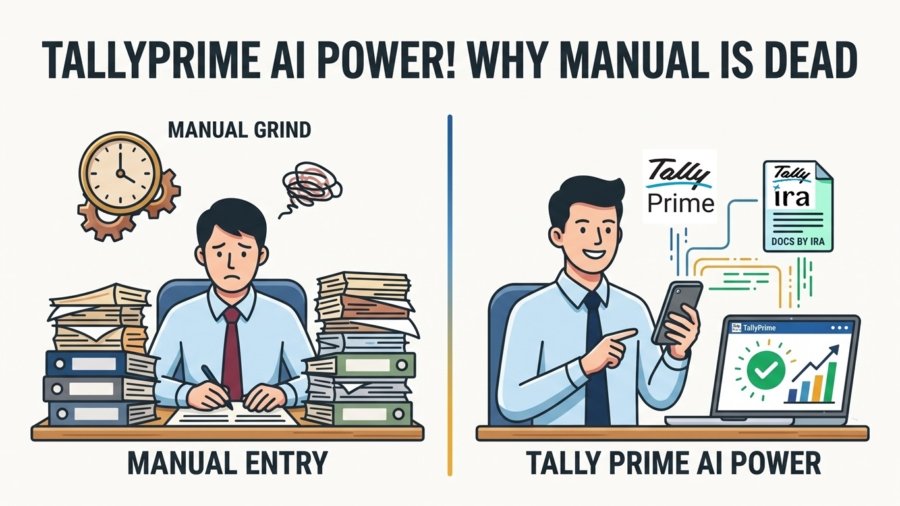
TL;DR:
Upgrading to TallyPrime’s AI features transforms your accounting workflow by replacing slow manual entry with smart automation. Tools like Docs by Ira significantly speed up the recording of multiple invoices, dropping manual error rates to under 1% and reducing error rates to under 1% and saving massive administrative costs. Furthermore, features like automated bank reconciliation and real-time dashboards eliminate month-end stress by effortlessly matching transactions and providing instant, 360-degree visibility into your business health.
Introduction: The End of the “Manual Grind”
AI-powered features are no longer “optional upgrades”, they are the most reliable starting point for ensuring clean, usable data from day one. In my 20 years as a consultant across the Pharmacy, Construction, and E-commerce sectors, I’ve seen manual re-keying, manual bank matching, and manual reporting become the single biggest drains on SME productivity.
The “manual grind” doesn’t just slow you down; it hides the truth of your business health. By moving to AI-assisted bookkeeping, we stop fixing bad data and start using real-time insights to drive scale.
This is exactly why TallyPrime’s Docs by Ira is a complete game-changer for modern accounting. Rather than waiting for the chaotic month-end pile up of physical bills, business owners can now instantly capture invoices on the go. The AI-powered invoice processing seamlessly extracts critical data, such as party details, transaction amounts, and GST information, and pushes it directly into TallyPrime as draft entries. It effectively bridges the gap between raw documents and finalized accounts, transforming a traditionally tedious chore into a fast, effortless, and automated workflow.
Why Is Manual Data Entry Costing Your Business More Than You Think?
Manual data entry carries a field-level error rate of 1% to 4%. While 1% sounds negligible, it is cumulative. If an invoice has 10 fields, a 1% error rate per field means nearly 1 in 10 records contains a mistake.
The True Cost: Manual vs. AI Automation
| Metric (Manual vs. AI) | Strategic Business Impact |
| Invoice Cost (6.20 vs. ~1) | Direct 84% reduction in Accounts Payable overhead. |
| Error Rates (3.6% vs. <1%) | Prevents the cascading “Detection Delay Multiplier.” |
| Staff Hours per 100 Invoices (40-60 vs. <2) | Frees up 95% of administrative time for high-value growth. |
The Detection Delay Multiplier is the hidden killer. A typo caught at entry costs 1–5 to fix. However, if that error, like a transposed digit, isn’t caught until an audit or tax filing, the investigation and correction costs skyrocket to 50–500 per error.
Here’s why I recommend TallyPrime’s AI features to all my clients.
Docs by Ira Removes the Invoicing Headache
The Docs by Ira app by TallyIra serves as the intake mechanism for the TallyPrime environment. It utilizes Smart Data Capture to convert scanned paper or digital PDFs into ready-to-post accounting entries.
For the Retail and Manufacturing sectors, this is transformative. AI handles complex ledger mapping for multi-item invoices with varied tax rates, scenarios that traditionally trigger high manual error rates. The system extracts vendor names, amounts, and dates, mapping them to your chart of accounts without re-keying, acting as a bridge between physical vouchers and digital accuracy.
- Smart Extraction (Zero Re-keying): AI auto-reads vendor names, dates, amounts, and invoice numbers, saving hours of manual typing.
- Auto-Ledger Mapping: Automatically links extracted data to the correct expense or party ledgers in your Chart of Accounts.
- Effortless GST Handling: Seamlessly manages multi-item invoices with different GST rates (e.g., 5%, 12%, 18%) without manual confusion.
- Minimal Human Error: Eliminates common manual typos like wrong dates, extra zeros, or incorrect party selection.
- Ready for Audits: Original scanned bills are linked directly to Tally transactions for quick, one-click verification in the future.
TallyPrime’s Automated Bank Reconciliation Makes it Worth the Switch
Manual reconciliation is a primary source of month-end stress. TallyPrime supports over 145 banks, providing a “one-click reconciliation” experience that is faster and more accurate than any manual audit.
The system imports bank statements in CSV, Excel, or XML and utilizes intelligent algorithms to match transactions using date, reference numbers, and narration, flagging only discrepancies for human review. Furthermore, the “Automated Accounting” feature allows you to instantly create receipt and payment vouchers directly from imported statements, ensuring your books match your bank balance in real-time.
Take it a Step Further with Connected Banking:
To make financial operations even smoother, TallyPrime offers seamless Connected Banking.
This feature eliminates the need to constantly toggle between your accounting software and your bank’s web portal. You can initiate vendor payments, process bulk salaries, generate e-payment files, and check real-time bank balances directly from within Tally. It creates a secure, closed-loop system where your banking and accounting talk to each other directly, saving time and completely avoiding the risk of payment duplication.
Know more about TallyPrime Connected Banking
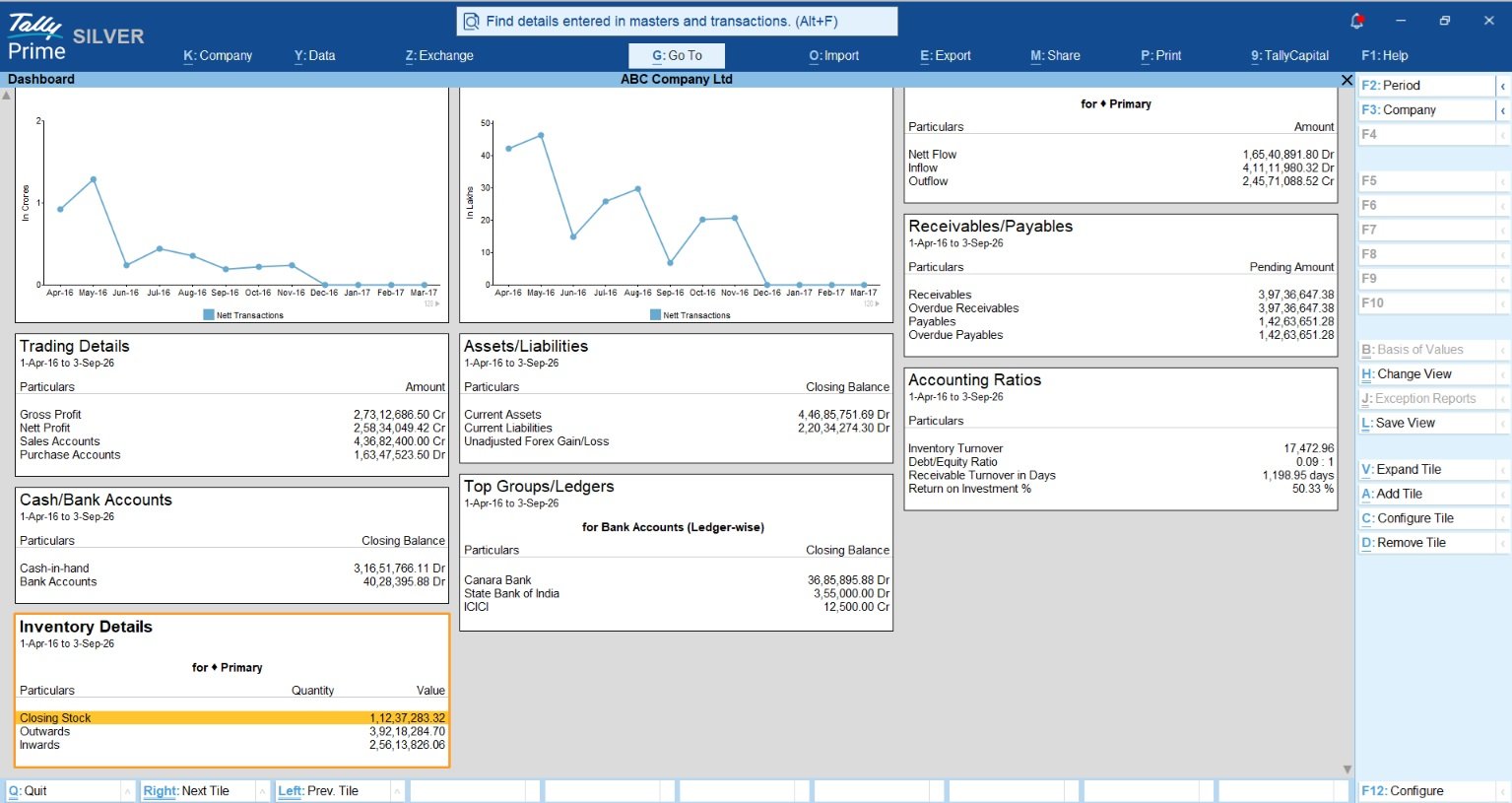
How TallyPrime’s Real-Time Dashboards Replace Your Manual Weekly Reports
The TallyPrime Dashboard functions as a “business cockpit” for MSME owners. Instead of waiting for staff to compile static reports, owners get a 360-degree view of business health via visual tiles.
Key visual insights include:
- Sales Trends: Real-time month-on-month growth visualizations.
- Cash Flow: Instant visibility into inflows and outflows to prevent liquidity crunches.
- Ageing Analysis: Clear breakdowns of receivables to identify overdue payments past 90 days.
I specifically set up “Save Views” for my clients. If you need to see “North Zone Sales > ₹50,000” daily, configure that filter once. You can then access that exact, live-updated report with a single click.
A Success Story: From 6 Weeks to 48 Hours
Consider the typical onboarding for a Pharmacy or Manufacturing client. Traditionally, this involves 4–6 weeks of back-and-forth emails and paper questionnaires. In these sectors, such delays are catastrophic for managing fast-moving inventory.
Take the example of MediCare Pharma, a bustling mid-sized distributor. Every month-end, their accounting team faced a recurring nightmare: waiting on physical folders stuffed with hundreds of crumpled supplier invoices, credit notes, and mixed tax receipts. Because they couldn’t update their books until the documents arrived, they were constantly making critical purchasing decisions based on outdated stock data.
The Transformation:
- Before AI: 12–18 steps across fragmented systems, stalling on document collection.
- After AI: By using Docs by Ira to instantly scan and process both physical and digital invoices, the traditional weeks-long wait vanished. What used to be a massive month-end backlog is now processed in a matter of minutes, allowing the client to update their books instantly and manage critical stock levels with real-time accuracy.
Practical Framework: Your 5-Step AI Transition Checklist
Knowing the massive benefits of AI is one thing, but actually implementing it without disrupting your daily accounting operations is another. To make this transition as smooth as possible, I’ve broken down the process into a simple, actionable roadmap. Whether you are an independent CA or managing a growing SME, follow this straightforward checklist to set up TallyPrime’s automation and start seeing results from day one:
- Clean Up Master Data: Standardize vendor codes and customer records to prevent “Garbage In, Garbage Out.”
- Deploy ‘Docs by Ira’: Install the app as your primary intake for all physical vouchers and digital PDFs.
- Connect Bank Feeds: Enable real-time updates for primary accounts for instant reconciliation.
- Configure “Save Views”: Define the three most critical reports you need for daily decisions.
- Establish Exception Review: Set a workflow for a human to handle the small percentage of transactions flagged as “low confidence” by the AI.
Conclusion: Why This Is My Default Setup
Integrating AI features into your accounting workflow isn’t just about chasing the latest “new tech”; it is fundamentally about starting with cleaner, more reliable data from day one. By automating routine tasks through AI features like Docs by Ira, and Connected Banking, you completely eliminate the traditional bottlenecks of document collection, manual re-keying, and tedious bank reconciliations.
This isn’t just a software upgrade; it is a complete shift in how a modern business operates. It empowers your team to stop spending countless hours fixing bad data and chasing physical bills, allowing them to focus on real-time financial insights and growth. That is exactly why this automated, AI-driven approach has become my absolute default setup for every single new client.
Also read TallyPrime Cloud Access in 2026: Remote Access, Real-Time Collaboration and What’s Actually Changed
“AI-assisted features in TallyPrime aren’t an optional upgrade, they are the most reliable starting point for every business engagement.”
FAQs:
Does AI replace my accountant?
AI handles logistics like data entry so your accountant can focus on strategy and trust-building. It is a tool for efficiency, not a replacement for professional judgment..
What if the AI makes an error in tax?
Docs by Ira processes the invoice data and creates a draft entry, which always requires human approval before being posted. Additionally, TallyPrime has built-in intelligence that automatically detects and flags mismatches or errors in GST details. Because of these automatic alerts and the required human review, any discrepancies are easily caught and fixed before finalizing your books.
What types of files can Docs by Ira process?
Docs by Ira is highly versatile and can process standard digital PDFs as well as scanned images (like JPEG or PNG) of handwritten bills. This allows you to easily digitize both email attachments and traditional paper invoices right from your mobile device or scanner.
Do I still need to map ledgers manually for every invoice?
No, that is one of the biggest advantages of TallyPrime’s AI features. The AI features auto-ledger mapping, which automatically links the extracted vendor details and invoice items to the correct party or expense ledgers in your Chart of Accounts, eliminating repetitive manual data entry.
Does automated bank reconciliation support my bank?
Yes, TallyPrime supports automated reconciliation for over 145 banks. You can simply download your bank statements in standard formats like CSV, Excel, or XML and import them directly into the system for instant matching.
