

 Cart is empty
TL;DR:
TallyPrime is a hybrid powerhouse that bridges the gap between traditional reliability and modern mobility. With TallyPrime Cloud Access your business gains 24/7 browser-based access and real-time collaboration while retaining the option to shift to offline architecture whenever remote-access is not required. With AI-driven automation via “Docs by Ira,” automated backups on TallyDrive, and seamless local Excel integration through ODBC bridging, Tally offers an enterprise-grade experience at a fraction of the cost of cloud-native ERPs.
Introduction:
The core mission of TallyPrime Cloud Access is absolute accessibility without compromising on data integrity. It provides a secure virtual office environment where your team can collaborate in real-time from any browser, backed by enterprise-grade reliability.
In my 20 years as a Senior Accountant, the single greatest bottleneck I’ve seen is “trapped data”, financial records locked in a physical office server that becomes a brick the moment you step outside. Today, the reality is a total shift. TallyPrime Cloud Access (TPCA) liberates your data into a secured virtual computer, making the software platform-agnostic. Whether you are on a Mac at home, a Linux terminal in the warehouse, or a Windows machine at the office, you are always working on the same live data.
Why is Remote Access Necessary?
As businesses expand and teams become more distributed, the ability to work seamlessly from anywhere is essential. Adding cloud access to your setup empowers remote employees and multi-location branches to collaborate in real time. By optimizing your hosting environment for remote access, businesses can achieve the flexibility they need while demonstrating a 30% reduction in IT infrastructure costs compared to scaling physical servers across multiple sites.
As a mentor to growing businesses, I often point out the competitive landscape. While pure SaaS ERPs are trendy, they often require hundreds of hours of retraining and cost 80% more annually in subscription fees. TallyPrime Cloud Access allows you to save approximately 40–50 hours of training time per employee because the interface remains the familiar one your staff already knows. You get the cloud’s agility, access from anywhere while avoiding the “SaaS Tax.”
Is Your Data Safer on the Cloud?
Moving financial records to the cloud often raises security concerns. However, TallyPrime Cloud Access provides a bank-level security framework that is vastly more secure than a physical PC sitting under a desk:
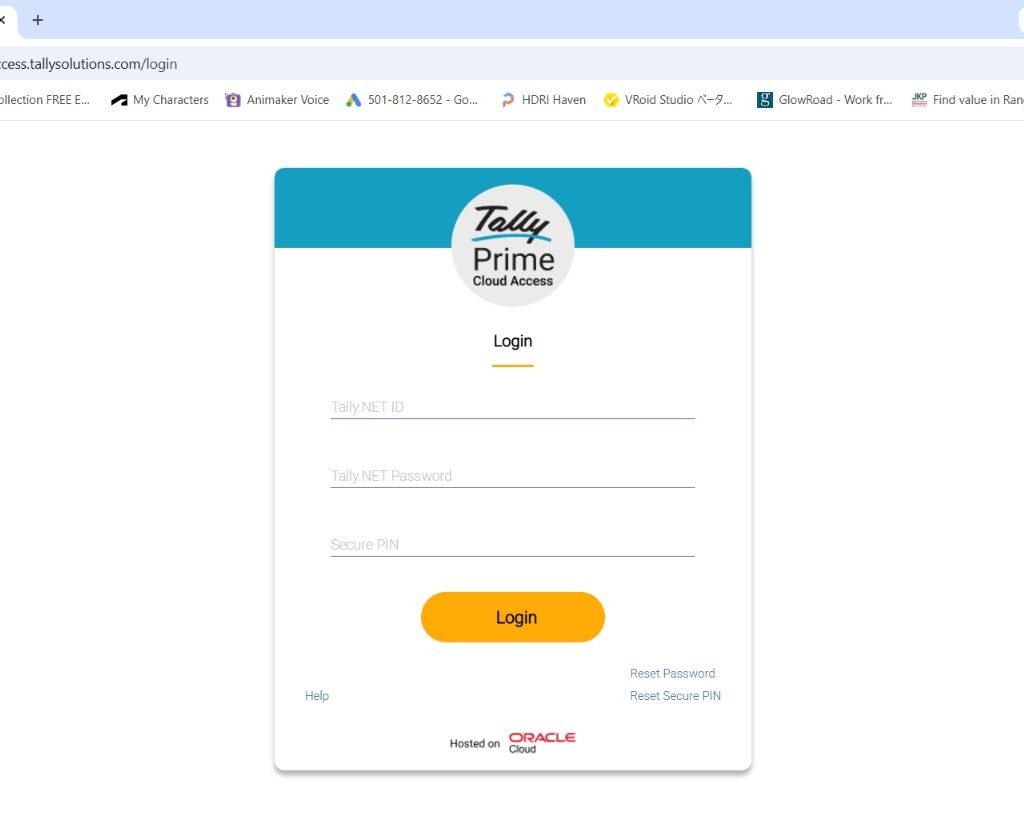
- 3-Step Authentication: Unauthorized access is blocked by a strict login protocol requiring your Tally.NET ID, a strong password, and a dynamic Secure PIN.
- Intervention-Free Backups: Automated background backups run continuously. TallyDrive securely automates your entire backup process, running continuously in the background without any manual intervention.
With TallyPrime manual backups are a thing of the past. You can now schedule automated company data backups directly to TallyDrive. You retain complete ownership, simply download your TallyDrive backups to a local computer and restore your data whenever required, ensuring zero data loss.
Scenario: The Instant Multi-Branch Expansion
Imagine your business is growing, and you need to open a new warehouse in a different city. In a traditional setup, you would need to purchase a new server, configure complex VPNs, and hire an IT guy just to connect the two locations.
With TallyPrime Cloud Access, this friction vanishes. Your new warehouse manager simply opens a web browser on their local PC, enters their secure login, and immediately starts billing on the exact same live data as your head office. No servers, no syncing delays, just instant business expansion.
Read more about TallyPrime Cloud Access
How Does Real-Time Multi-User Collaboration Actually Work?
Collaboration in TallyPrime is straightforward and depends entirely on your license and your security settings:
- The Right License for Your Team: A Silver license is designed for one person at a time. If you have an accounting team or multiple branch managers, you will need a Gold license, which allows unlimited users to work inside the software simultaneously.
- Smooth Workflow: Have you ever used a system that freezes when two people try to save an entry at the exact same time? TallyPrime avoids this by acting like a smart traffic cop. When multiple users are entering bills or pulling reports at the same time, Tally silently organizes all those requests in the background. This ensures your system never slows down, crashes, or corrupts your data.
- Total Control Over Your Data: As a business owner, you can set strict rules on who sees what. The best feature is the ability to restrict users so they can only do their work inside the Tally software. This means they cannot sneak into the system folders to alter your raw data files, a massive win for your internal business security.
The Power Features of TallyPrime
TallyPrime provides specific modernizations that slash manual entry time:
- Docs by Ira: This AI-driven invoice processing tool scans images, handwritten invoices, and printed bills to extract supplier names, GSTINs, and tax breakdowns. It creates draft vouchers automatically, matching them against your masters for your final review.
- ODBC Bridging (VCC Client 1.2+): For CAs, this is the “killer feature.” Through the Virtual Computer Connection (VCC) client, you can establish an ODBC bridge on Port 9000. This allows you to pull live cloud data directly into a local Excel sheet using the TallyOnAWSODBC64_9000 driver for advanced auditing and custom reporting.
- Auto Backup & TallyDrive: Secure backups run continuously in the background, even when you aren’t using TallyPrime.
- SmartFind: A fuzzy-search capability that finds transactions across all loaded companies, even if you don’t have the exact spelling.
- Connected Banking: Direct integration with ICICI, Axis, SBI, and Kotak for real-time payments and reconciliation.
- Self-Service Portal (SSP): This is your command center. It is platform-agnostic (Chrome/Safari) and allows you to manage users, system restarts, and manual backup retrieval.
“Cloud isn’t just a place to store data; it’s a tool to decouple your business growth from your physical presence at a desk.”
Sizing, Pricing, and Data Residency
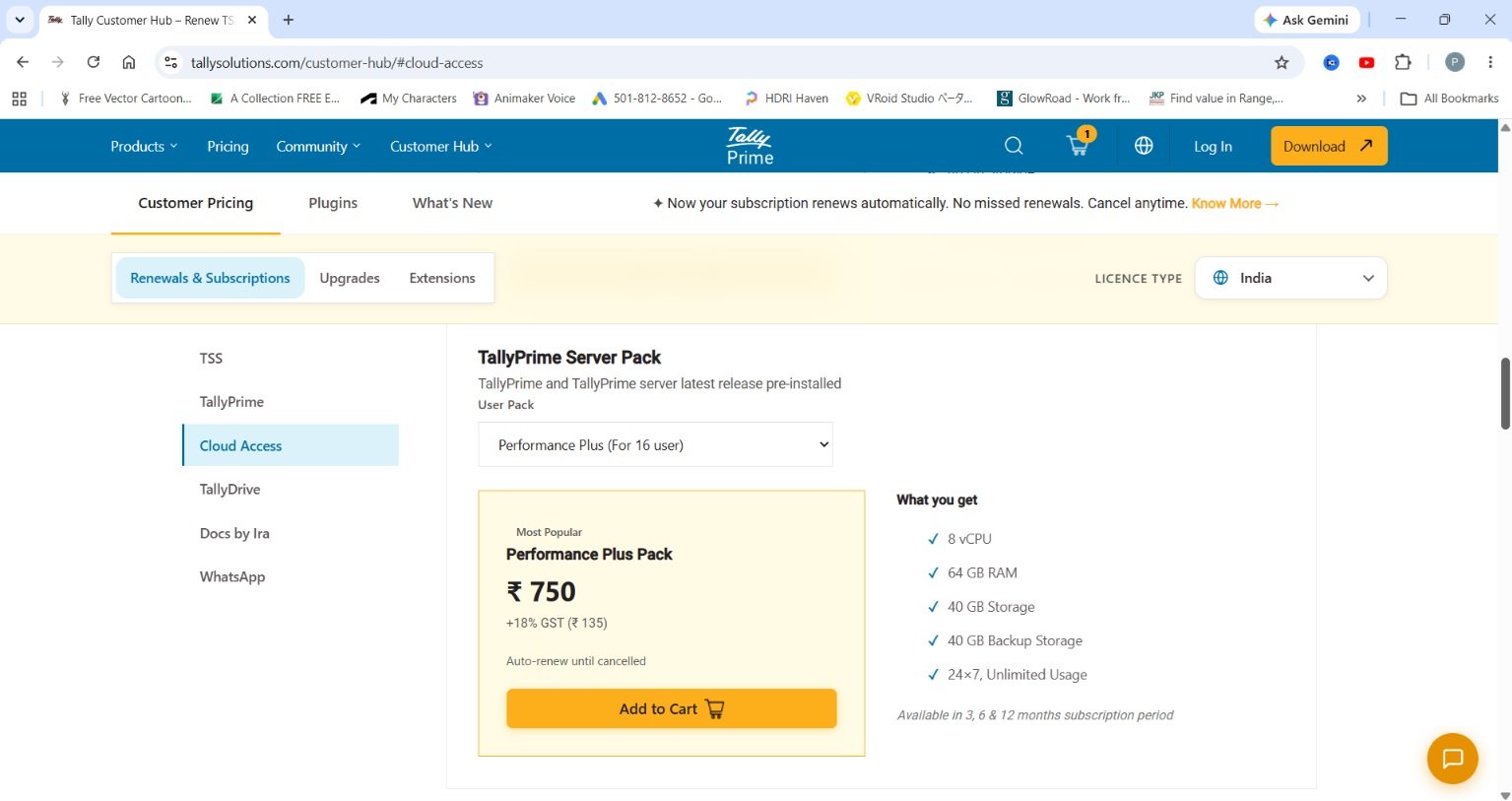
TallyPrime Cloud Access is priced starting from ₹600 per month. Crucially, to comply with the DPDP Act, your data remains within regional boundaries (Mumbai/Hyderabad for India; UAE for MENA).
| Sizing Profile | Resources | SSD / Backup Storage | Target Usage |
| Personal Pack | 2 vCPU, 4GB RAM | 5GB / 5GB | Single-user accounting |
| Regular Plus | 2 vCPU, 9GB RAM | 10GB / 10GB | 4 users |
| Mid-Range (Performance) | 4 vCPU, 32GB RAM | 20GB / 20GB | High volume daily sales 8 Users |
| Performance Plus | 8 vCPU, 64GB RAM | 40GB / 40GB | CA Firms / Multi-client |
| Enterprise Plus | 32 vCPU, 256GB RAM | 100GB / 100GB | Dense, multi-warehouse |
Conclusion: Liberating Your Financial Data
TallyPrime Cloud Access fundamentally changes how businesses handle their finances. It bridges the gap between traditional reliability and modern cloud mobility. By offering enterprise-grade security, automated backups, and real-time collaboration from any device, it transforms your accounting setup into a secure, 24/7 virtual office .
TallyPrime Cloud Access Readiness Checklist
- Internet Audit: Ensure a minimum of 10 Mbps (and 2 Mbps per concurrent user).
- Security Protocol: Prepare your team for the 3-step login: Tally.NET ID, Password, and the 8-hour Secure PIN.
- Compliance Audit: Ensure you enable the Edit Log to maintain full audit transparency.
Frequently Asked Questions (FAQs)
Is my data safe on the cloud?
Absolutely. TallyPrime uses a multi-layer approach: Tally.NET ID + Password + a unique Secure PIN. Additionally, your data is protected with automated, secure backups via TallyDrive and hosted on the cloud with regional residency to ensure DPDP Act compliance.
Do I need a new license?
TallyPrime Cloud Access is a separate subscription priced from ₹600 per month based on users.
Can I use my existing TDLs?
Yes, TDLs are fully supported. However, because the system runs on a Linux/WINE layer, third-party executables (.exe) are not supported.
Can I move back to local?
Yes. You maintain full ownership. You can surrender the cloud license and reactivate it on a local PC at any time.
Does it work on Mac?
Yes. Since it is browser-based, TallyPrime runs perfectly on macOS via Chrome, providing full feature parity without needing a Windows partition.

[…] Also read TallyPrime Cloud Access in 2026: Remote Access, Real-Time Collaboration and What’s Actually Change… […]
[…] Aslo read TallyPrime Cloud Access in 2026: Remote Access, Real-Time Collaboration and What’s Actually Change… […]
[…] Also read about TallyPrime Cloud Access in 2026: Remote Access, Real-Time Collaboration and What’s Actually Change… […]