

 Cart is empty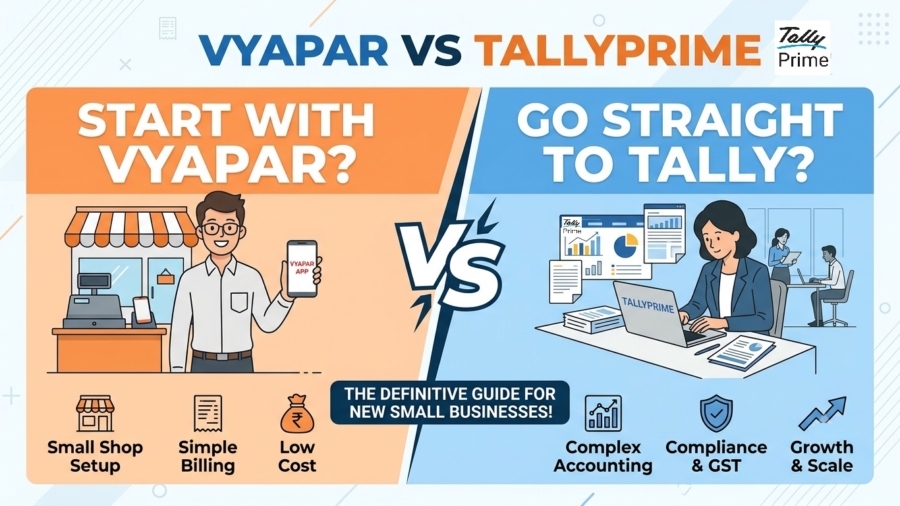
TL;DR:
Choosing software is a strategic investment in your future financial health. While apps like Vyapar are good for immediate, mobile billing, they often lack the depth required for long-term scalability and complex compliance. If you plan to grow, start with TallyPrime. This prevents a massive “migration headache” later and ensures you have enterprise-grade features, like automated GSTR-2B reconciliation, Connected Banking, and many more features from day one.
Introduction: The Small Business Software Dilemma
If you intend to scale your business beyond a single counter, go straight to TallyPrime. While basic billing apps are tempting for their initial ease of use, TallyPrime is the strategic choice for growth-oriented firms.
Most new business owners choose what is “easiest today” without considering “what is needed tomorrow.”
In my 20 years as a Senior Accountant helping manufacturers and retailers, I’ve seen how “simple” software eventually creates expensive operational bottlenecks. Strategic growth requires a system that handles not just billing, but deep financial oversight and statutory accuracy.
Why do many businesses start with Vyapar?
Startups may tend to gravitate toward Vyapar because it seems more affordable and less complex. The platform is designed for basic billing and simple business management during a company’s infancy.
Key features from the source that appeal to new owners include:
- 15-Day Free Trial: Zero financial commitment to test the interface.
- Mobile app: The ability to generate invoices and track payments via a free Android app.
- Simple Interface: Designed for users without a technical or accounting background.
- Barcode Scanning: Streamlines inventory for simple retail setups.
- Basic Customization: Allows businesses to add logos and brand colors to their invoices.
Is Vyapar enough for a growing business?
As a business scales, it outgrows “billing” and enters the world of “financial management.” While Vyapar offers “Custom Access Privileges,” a growing firm requires the deeper user-level controls and rigorous audit trails found in TallyPrime.
Limitations often surface when you need to manage multiple godowns, handle complex manufacturing workflows, or perform deep statutory reconciliations. While Vyapar provides reports like GSTR-1 and GSTR-9, it lacks the automated validation tools required when your transaction volume increases and compliance becomes a daily necessity.
Why you should go straight to TallyPrime
I advocate for a “Scale-First” approach because it prepares your infrastructure for the business you want to become. TallyPrime introduces features that specifically address the compliance landscape, making it more than just a ledger.
Strategic advantages include:
- Connected Banking: Real-time bank statements and auto-reconciliation with major partners like ICICI, SBI, and Axis. It even integrates with the Bharat Connect plugin for streamlined utility payments.
- Advanced Inventory: Beyond basic tracking, it handles Bill of Materials (BOM) and Job Costing, which are essential for any manufacturing unit.
- Professional Branding: TallyPrime now includes eight professionally designed invoice templates with logo and watermark support, matching the aesthetic appeal.
- Statutory Precision: Features like Online HSN/SAC validation and Schedule III Financial Reporting (for companies under ₹250 crore) ensure you stay audit-ready and compliant with the latest Ministry of Corporate Affairs (MCA) standards.
- Live GST & IMS Sync: Direct ITC sync from the GST portal with built-in support for the new Invoice Management System (IMS). You can now accept, reject, or keep supplier invoices pending right from the Tally dashboard.
- SmartFind (Global Search): A Google-like search feature for your ERP. Instantly locate any transaction, master, or invoice across multiple companies, even with minor spelling mistakes.
- TallyDrive (Auto Backup): Zero-friction, automatic backups that run in the background. It keeps your data completely secure and effortlessly fulfills the strict 2026 daily data-backup mandates.
- Seamless JSON Integration: Built for a modern tech stack. The JSON import/export capabilities make it easy to reliably connect Tally with third-party CRMs, e-commerce platforms, or custom OCR data-entry utilities like Docs by Ira.
- Automated TDS/TCS: Auto-computation for complex tax rules like Section 194Q. The system automatically handles deductions on qualifying transactions, bringing the risk of manual errors and compliance penalties down to zero.
- Direct E-Invoicing & E-Way Bills: Generate fully compliant e-invoices and e-way bills instantly with a single click. Direct IRP integration ensures you never miss the strict 30-day government reporting mandates as your turnover grows.
- Visual Dashboards: Move beyond traditional tabular reports. Get real-time, customizable graphical views of your cash flow, sales trends, and inventory health right on the home screen to make quick, data-driven decisions.
The “Migration Headache”: A Reality Check
Many owners assume they can easily move to Tally once they hit the e-invoicing turnover threshold. However, tools like Vyapar TaxOne often highlight the risks: data integrity issues, mismatches in ledger names, and incorrect GST codes.
In my practice, I recently helped a wholesaler who hit the e-invoicing limit and was forced to migrate three years of data. They faced three weeks of operational downtime and significant professional fees to clean up messy stock valuations and map hundreds of ledgers. Starting with TallyPrime would have made this transition a non-event.
Decision Framework: Which one is right for you?
- Start with Vyapar ONLY IF: You run a single-location retail shop, handle mostly simple B2C cash transactions, and simply need to digitize your physical bill book. It is a great fit if you have zero plans for manufacturing, multi-branch expansion, or tracking complex inventory.
- Go straight to TallyPrime IF: You are building to scale. If you are an incorporated entity, a manufacturer requiring Bill of Materials (BoM), a high-volume wholesaler, or a founder who demands multi-user access and a rigorously audit-proof Balance Sheet from Day 1, TallyPrime is your absolute, non-negotiable shield.
“Choose software for the business you want to be in three years, not just the business you are today.”
Also read TallyPrime vs Zoho Books for GST Billing and Filing
Conclusion & Actionable Tips
- Consult your CA early: Before making a purchase, talk to your tax professional. They will consistently advocate for a system with an immutable audit trail and automated GSTR-2B reconciliation to guarantee stress-free, penalty-proof tax filings
- Evaluate your 3-year plan: Think about where you are going, not just where you are. If your future involves manufacturing, new branches, or crossing the ₹5 Crore e-invoicing threshold, adopt TallyPrime today to eliminate painful data migrations and staff retraining later.
- Prioritize data security: Do not leave compliance to chance. Utilize features like TallyDrive for encrypted, automated daily backups. It effortlessly fulfills the latest statutory data mandates.
Frequently Asked Questions (FAQs)
Can I move my data from Vyapar to Tally later? Yes, via Excel export or Vyapar TaxOne. However, expect manual effort to fix ledger mapping errors and GST code mismatches during the transition.
Does TallyPrime work on the cloud? Absolutely. You can use Tally on Cloud for remote access to your data from any location.
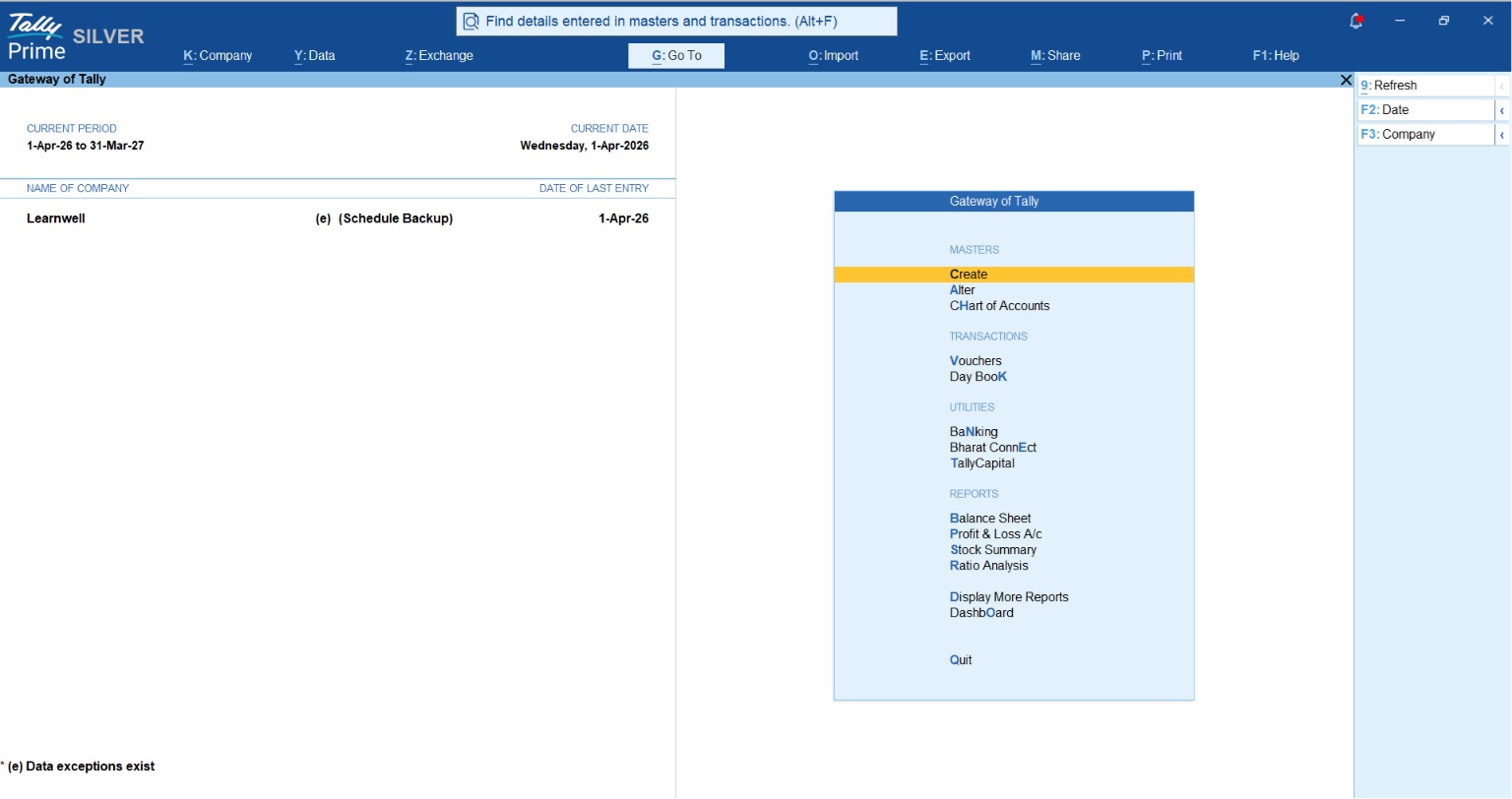
Is TallyPrime hard to use for non-accountants? Not anymore. The “GoTo” and “SwitchTo” features allow you to find any report or voucher instantly without memorizing complex menu paths or shortcuts. The consistent keys used in TallyPrime makes it easy to learn basic tasks quickly.
Does TallyPrime handle e-invoicing? Yes, it is fully e-invoice and e-way bill ready. It generates these documents directly from the voucher entry screen, ensuring zero manual re-entry.
How does TallyPrime help with GST reconciliation? TallyPrime fetches supplier information via GSTIN to automate GSTR-2B reconciliation. This identifies missing invoices and mismatched ITC before you file your returns.
