

 Cart is empty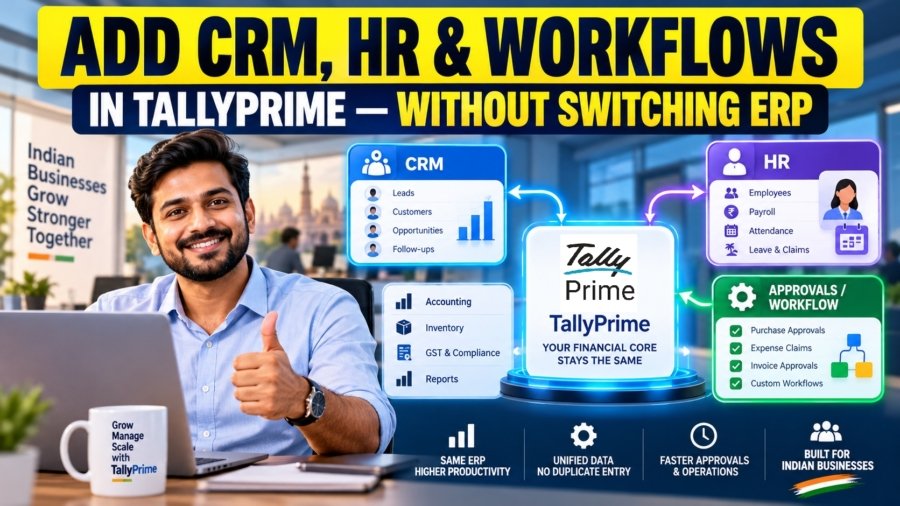
TL;DR
Growing Indian businesses do not need to replace TallyPrime with expensive and complex ERP solutions. Instead, they can continue using TallyPrime as their core financial system while integrating specialized SaaS tools for HRMS, CRM, and workflow approvals through a modular Hub-and-Spoke architecture. With integration options such as XML, HTTP, and Excel mapping, businesses can retain TallyPrime’s speed, affordable licensing costs, and statutory compliance capabilities while achieving advanced automation without investing in a complete ERP overhaul.
Introduction: The ERP Migration Dilemma
When your business outgrows basic bookkeeping, replacing TallyPrime is rarely the right answer. Instead of tearing out your core business management system, you should decouple your operational software from your financial ledger.
Based on my 20 years of field experience as a Senior Accountant working across manufacturing, retail, e-commerce, automobile dealerships, and service sectors, I always advise growing enterprises to preserve TallyPrime as their immutable financial core while plugging in specialized applications around it.
As an organization expands, operational friction inevitably surfaces: sales teams struggle with delayed payment visibility, HR wastes days manually re-keying payroll data, and procurement suffers from unapproved vendor commitments. The traditional reaction has been to initiate a full ERP migration, replacing TallyPrime with monolithic enterprise software. However, I have seen these migrations drain lakhs of Rupees and drag on for 6 to 18 months, only to fail due to heavy user resistance and vendor updates lagging behind rapid Indian statutory policy shifts.
The practical alternative is retaining TallyPrime for what it does best: unmatched transaction speed, intuitive keyboard shortcuts, low licensing costs, and deep local statutory compliance. By pairing Tally with specialized tools, you eliminate operational bottlenecks without exposing your firm to the disruption of legacy ERP migration alternatives.
What Is the Decoupled “Hub-and-Spoke” Model for TallyPrime?
In a decoupled “Hub-and-Spoke” model, TallyPrime acts as the central financial core (the Hub), while specialized applications handle front-office operations (the Spokes). Rather than forcing every operational department to work inside an accounting system, you provide each team with a tool built for their specific discipline.
This architecture is organized into three distinct functional layers:
- Specialist SaaS Layer (The Spokes): Domain-specific, cloud platforms used by front-office teams (e.g., sales CRM, HR management, workflow routing engines).
- Integration Middleware Layer (The Translator): A queue-managed translation bridge that intercepts REST/JSON data from cloud apps, validates business rules, converts data into TDL-compliant XML payloads, and manages connection states.
- Financial Core (The Hub): TallyPrime operating as the immutable single source of truth for general ledgers, tax analysis, and corporate compliance.
Technical Integration with TallyPrime: HTTP, XML, JSON and ODBC
TallyPrime supports integration with external applications through HTTP, XML, JSON and ODBC. Businesses can connect CRM, HRMS, inventory management systems, and other software with TallyPrime to exchange data automatically. The HTTP connection commonly uses Port 9000, although users can configure a different port. Now native JSON integration is also available alongside XML, making it easier to connect modern applications.
ODBC is still supported in TallyPrime and is useful for retrieving accounting data in Excel, reporting tools, and other applications through SQL queries. For creating or updating vouchers and masters, HTTP-based XML or JSON integration provides a practical approach.
When multiple applications send data to TallyPrime, an integration middleware can manage requests sequentially, validate transactions, and track responses. It can also check unique transaction IDs to prevent duplicate entries during retries. This helps businesses maintain accurate accounting records while connecting TallyPrime with other business applications.
Comparison: Replacing TallyPrime with an ERP vs. Integrating Other Software with TallyPrime
| Comparison | TallyPrime with Integrated Software | Switching to a New ERP (SAP Business One, NetSuite) |
| Initial Investment | Lower initial cost as businesses can continue using their existing TallyPrime setup. | Higher cost for software, implementation, data migration, and training. |
| Recurring Costs | Existing TallyPrime costs plus subscriptions for additional tools as required. | Annual licensing, maintenance, and support costs can be higher. |
| Implementation Time | Individual integrations can often be completed within a day, depending on requirements. | May take several months, depending on business complexity. |
| Ease of Use | Accounting teams can continue using familiar TallyPrime workflows. | Employees may need training to understand a completely new system. |
| GST & Statutory Compliance | TallyPrime provides built-in Indian statutory features and regular compliance updates. | Indian GST, TDS, TCS, and other compliance requirements depend on ERP configuration and localization. |
| Business Expansion | Businesses can add CRM, HRMS, inventory, or other tools as their requirements grow. | Additional modules and customization may require more investment. |
Which Approach Is Better for Indian Businesses?
For many Indian SMEs, continuing with TallyPrime and integrating specialized software can be a more practical and cost-effective approach than replacing the entire accounting system. It allows businesses to retain familiar accounting processes, manage Indian statutory requirements, and introduce automation gradually without making a large upfront investment.
However, larger businesses with complex manufacturing, multi-location operations, or advanced enterprise requirements may benefit from a full ERP solution. The right choice depends on business size, operational complexity, integration requirements, and budget.
HR & Payroll Automation: How Businesses Integrate HRMS with TallyPrime?
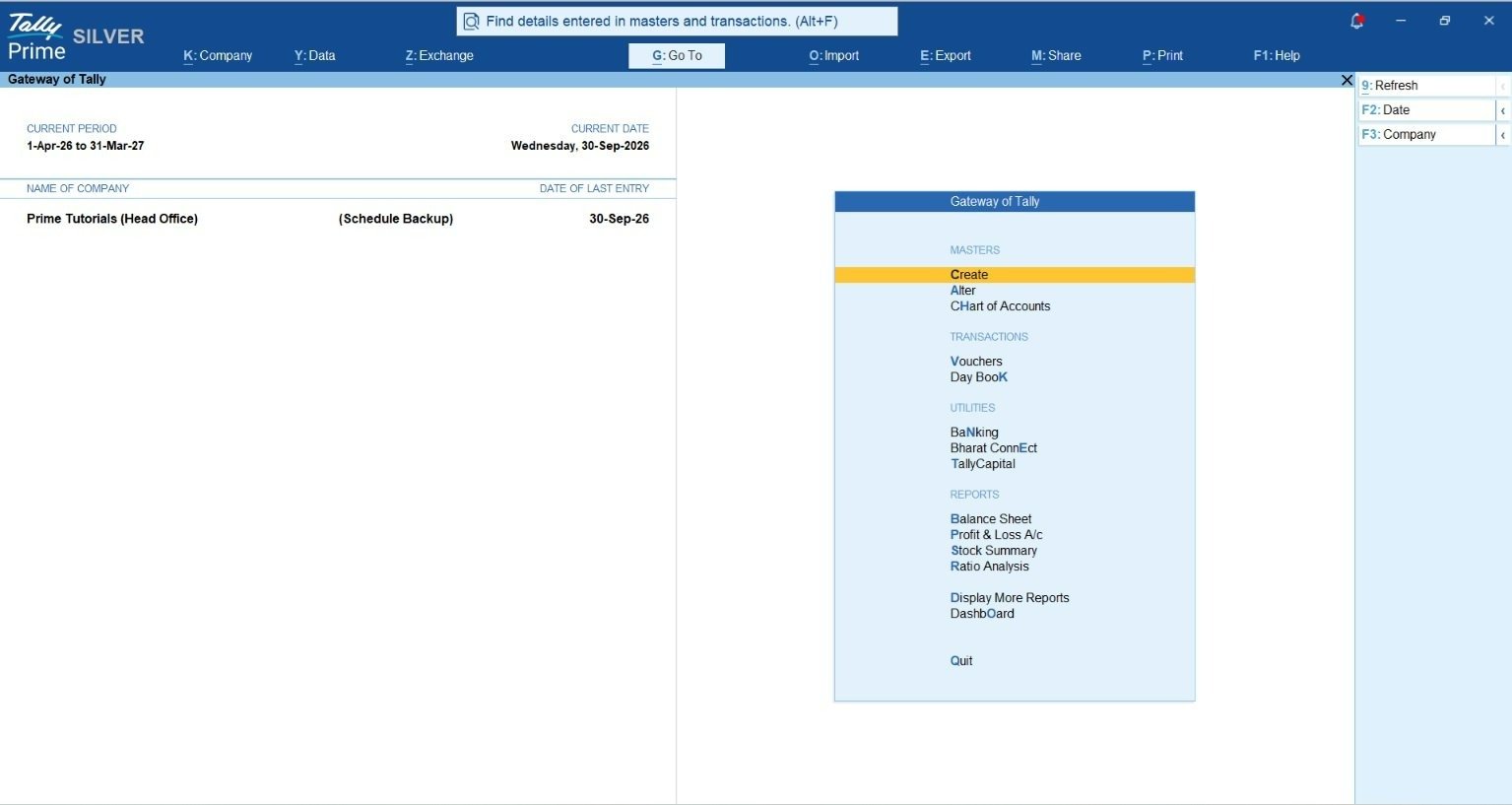
In my practice, the biggest payroll mistake I audit isn’t incorrect tax math, it’s the massive manual re-entry effort required at month-end. While TallyPrime contains built-in payroll functionality suitable for basic needs, growing organizations require specialized HRMS software (such as greytHR, Keka, or HROne) to manage shift rosters, geo-fenced attendance, flexi-benefits, and employee self-service portals.
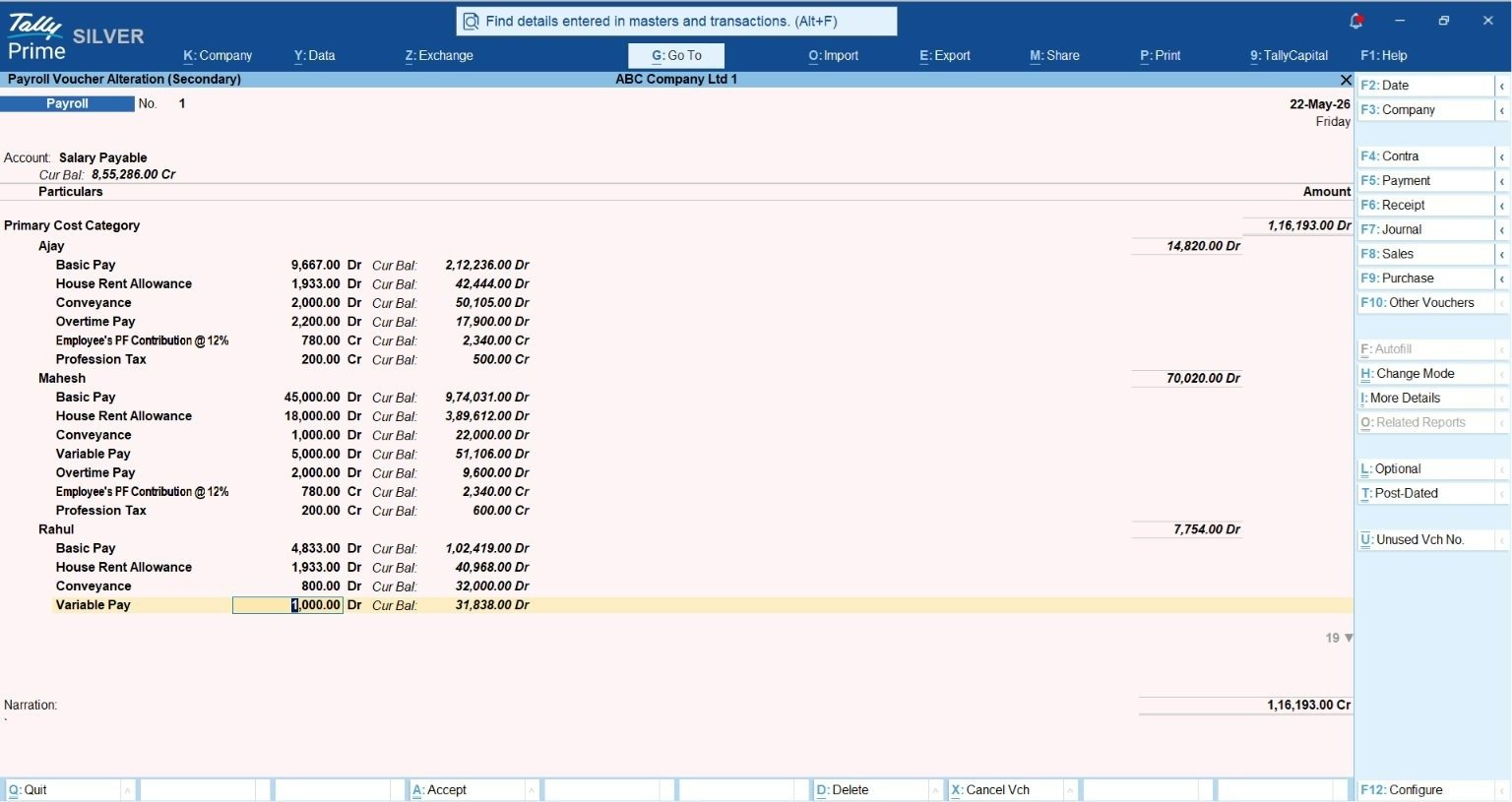
Connecting an HRMS automates month-end accounting via a Payroll Journal Voucher (JV). Instead of accountants spending days re-keying multi-line vouchers spanning basic pay, HRA, statutory liabilities, and employer contributions, the integration posts consolidated totals directly into Tally ledgers.
Payroll Component to Tally Ledger Mapping
| Payroll Component (Accounting Type) | Primary Tally Ledger Category |
| Basic Pay & HRA (Expense Debit) | Direct / Indirect Expenses |
| Employer EPF & ESIC Share (Expense Debit) | Indirect Expenses |
| Employee EPF & ESIC Share (Liability Credit) | Duties & Taxes / Current Liabilities |
| Professional Tax – PT (Liability Credit) | Duties & Taxes |
| TDS Section 192 (Liability Credit) | Duties & Taxes |
| Net Payable Salary (Liability Credit) | Current Liabilities |
Crucial Expert Tip on Tally Sign Conventions: When building custom XML or JSON integration scripts for TallyPrime, watch out for Tally’s mathematical sign convention. In Tally’s integration language, Debits are represented as negative numbers, and Credits are represented as positive numbers. Overlooking this inversion causes unbalanced Journal Vouchers and failed API posts.
Ingestion Execution: Native TDL (.TCP) vs. REST Push
HRMS platforms connect using two primary technical models. In the REST Push model (used by Keka or HROne), the cloud application formats an XML payload and pushes it over Port 9000. Alternatively, platforms like greytHR utilize a native TDL Add-on model: a compiled TDL file (.TCP) is loaded directly into TallyPrime via Help > TDLs and Add-ons. When triggered, Tally itself initiates an outbound HTTP request to greytHR’s cloud endpoint, fetches the calculated JV payload, and posts the journal entry locally.
Privacy and DPDP Act 2023 Compliance
Transmitting detailed individual salary slips into general accounting registers exposes confidential financial data to broad internal visibility. Under the Digital Personal Data Protection (DPDP) Act 2023, handling employee Personal Identifiable Information (PII) requires strict access boundary controls. Integrated HRMS tools comply by pushing consolidated summary Journal Vouchers into TallyPrime. Aggregated totals update ledger balances and statutory liability registers, while detailed employee-level itemizations remain securely locked within the HRMS portal.
Read more about Integrate greytHR with Tally: Setup API & Extract Payroll JV
Sales & CRM Pipeline Sync: How Do You Connect Front-Office Sales to Back-Office Ledger Control?
In many Indian businesses, sales teams use CRM software such as Zoho CRM, LeadSquared, or Salesforce to manage customers, quotations, and sales orders. Meanwhile, accounting teams use TallyPrime to maintain customer ledgers, invoices, payments, and GST compliance. Integrating these systems helps both teams work with the same updated information and reduces duplicate data entry.
How CRM Integration with TallyPrime Works
- Customer and Ledger Creation: When a new customer is added to the CRM, the integration can check existing customer details, such as GSTIN or account codes, to avoid duplicate records. It can then create or update the customer ledger under Sundry Debtors in TallyPrime, including address, GSTIN, and contact details.
- Sales Order and Invoice Sync: When a sales deal is confirmed in the CRM, the integration can transfer relevant details to TallyPrime to create a Sales Order or Sales Invoice. GST rates, CGST, SGST, IGST, HSN/SAC codes, and other required details can be validated before the transaction is recorded.
- Payment and Outstanding Updates: When a customer payment is recorded in TallyPrime, the integration can update the CRM with the latest outstanding balance and payment status, such as Paid, Unpaid, or Partially Paid. This helps sales teams follow up with customers without repeatedly contacting the accounts department.
Benefits of Integrating CRM Software With TallyPrime for Indian Businesses
By connecting CRM software with TallyPrime, businesses can reduce manual entries, avoid duplicate customer records, improve GST data accuracy, and track customer payments more efficiently. Sales teams get better visibility into outstanding balances, while finance teams retain control over accounting and statutory compliance within TallyPrime. The actual synchronization features depend on the CRM software, integration solution, and configuration used.
For multi-branch or multi-company businesses, advanced CRM integration layers route single customer profiles across multiple distinct Tally company files, consolidating branch balances into a single management view.
Workflow Approvals: How Do You Prevent Unapproved Bills and Bad Credit Overrides?
In many Indian businesses, purchase bills, sales orders, and credit limit exceptions require approval before they are processed. TallyPrime supports voucher verification, optional vouchers, credit limits, and user-level security controls. However, businesses requiring more complex, multi-level approvals across departments can integrate additional workflow management tools.
These tools can manage approvals before transactions are transferred to TallyPrime, helping businesses prevent unauthorized entries and maintain better financial control.
Key Approval Workflows
- Purchase Bill Approval: When a vendor submits an invoice, the workflow system can compare it with the Purchase Order (PO) and Goods Receipt Note (GRN) to verify quantities, rates, and amounts. Once the authorized manager approves the bill, the integration can transfer it to TallyPrime as a Purchase Voucher. Payment approval can be managed separately before recording or processing the payment.
- Credit Limit Approval: TallyPrime allows businesses to maintain customer credit limits. If a customer exceeds the permitted limit, an integrated approval system can hold the sales order and send an approval request to the Finance Head or authorized manager. Once approved, the order can be released for further processing in TallyPrime.
- Multi-Level Approvals: Businesses can configure approval rules based on transaction value, department, or employee authority. For example, smaller purchases may require approval from a department manager, while higher-value transactions may require approval from senior management.
Benefits for Indian Businesses
By combining TallyPrime with a suitable workflow approval system, businesses can reduce unauthorized transactions, improve purchase and credit control, maintain approval records, and ensure that transactions follow company policies. This is particularly useful for growing SMEs managing multiple departments, branches, or approval levels. The approval process and automation capabilities depend on the selected workflow software and its integration with TallyPrime.
Step-by-Step Guide: Integrating TallyPrime with Other Business Software
Integrating TallyPrime with HRMS, CRM, and workflow management software becomes easier when businesses follow a step-by-step approach. A phased implementation helps reduce errors, protect accounting data, and avoid disruptions to daily operations. Depending on business requirements, the process can be planned across four phases.
Phase 1: Data Preparation and Security
Start by reviewing the existing data in TallyPrime. Check customer and supplier ledgers, GSTIN details, account groups, and duplicate records. Ensure that TallyPrime Edit Log is used where required under MCA audit trail rules. Configure the necessary security permissions, maintain a reliable backup, and set up the HTTP connection using Port 9000 or another configured port for integration.
Phase 2: HRMS and Payroll Integration
Connect the HRMS software with TallyPrime to simplify payroll accounting. Map salary components such as Basic Salary, HRA, PF, ESI, Professional Tax, and TDS to the appropriate expense and liability ledgers. Test payroll data transfers and verify debit-credit balances before enabling automatic posting of approved payroll entries.
Phase 3: Sales and CRM Integration
Integrate CRM software with TallyPrime to synchronize customer details, sales orders, invoices, and outstanding balances. Validate GSTIN, tax rates, and customer ledger mapping to avoid duplicate or incorrect records. Configure payment status updates so sales teams can track customer collections directly through the CRM system.
Phase 4: Workflow Approvals and Final Testing
Set up approval workflows for purchase bills, sales orders, and credit limit exceptions. Configure the integration system to process transactions in a controlled sequence, handle errors, and prevent duplicate entries. Finally, test the complete process, verify accounting accuracy, review Edit Log records where applicable, and train employees before going live.
Final Outcome
With this phased approach, Indian businesses can connect different applications with TallyPrime without replacing their existing accounting software. It helps reduce manual work, improve data accuracy, strengthen internal controls, and introduce automation gradually as the business grows.
The eight-week timeline is illustrative. Actual implementation time depends on the number of integrations, data quality, customization, and business complexity.
Regulatory Compliance: How Does the MCA Edit Log Mandate Affect Your Integrations?
Under the Ministry of Corporate Affairs (MCA) rules, companies covered by the accounting software audit trail requirement must maintain a record of changes made to their accounting transactions. As per Rule 3(1) of the Companies (Accounts) Rules, 2014, applicable from 1 April 2023, accounting software must record changes with timestamps, preserve edit history, and ensure the audit trail cannot be disabled.
How It Works with TallyPrime
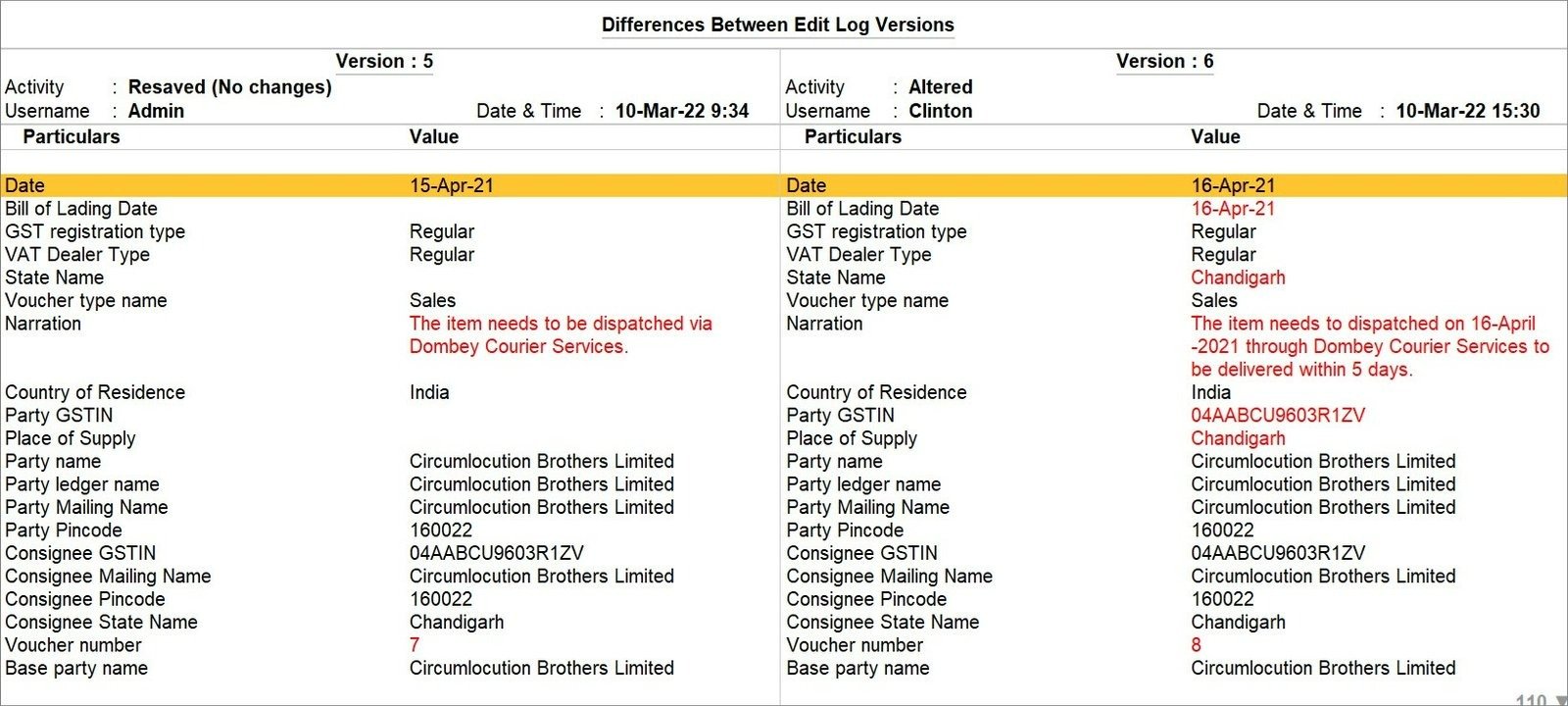
TallyPrime provides an Edit Log feature that tracks the creation, alteration, and deletion of vouchers and masters. Businesses can use TallyPrime Edit Log or supported TallyPrime releases with Edit Log functionality enabled, depending on their requirements.
When transactions are imported from external applications such as CRM, HRMS, or other business software, the integration should ensure that the required accounting records are maintained in TallyPrime. If an imported voucher is modified later, Edit Log can help auditors review the changes and related transaction history.
Why Data Validation Is Important
Before importing transactions into TallyPrime, businesses should verify ledger details, GSTIN, GST rates, HSN/SAC codes, invoice numbers, and other relevant information. This helps reduce incorrect entries and unnecessary corrections after importing data.
Benefits for Indian Businesses
By combining TallyPrime’s Edit Log functionality with proper data validation and controlled integrations, businesses can improve financial accuracy, maintain transaction history, and support statutory audit requirements. Companies should also ensure that external applications maintain appropriate approval and activity records where required.
Example: Managing Growth with TallyPrime Integration
Consider an Indian manufacturing company that expands from 200 to 1,200 employees across multiple locations. As the business grows, managing payroll, employee records, sales orders, and customer outstanding balances becomes more challenging.
The Challenges
- Payroll Management: The HR team spends several days processing attendance records, calculating salaries, and manually entering payroll details into TallyPrime.
- Data Accuracy: Manual entries and inconsistent employee or ledger details increase the chances of accounting errors.
- Sales and Collections: Sales teams lack updated information about customer outstanding balances, making credit control and payment follow-ups difficult.
The Solution
Instead of investing in an expensive ERP replacement, the company can continue using TallyPrime as its main accounting software and integrate it with a cloud-based HRMS and CRM system.
The HRMS can manage employee attendance, salary calculations, and payroll processing, while approved payroll summaries can be transferred to TallyPrime through XML or other supported integration methods. Similarly, CRM integration can synchronize sales orders, invoices, customer details, and outstanding balances between the two systems.
The Results
- Faster Payroll Processing: Automated data transfers reduce manual work and save time during monthly payroll processing.
- Improved Accuracy: Data validation helps minimize duplicate records and incorrect accounting entries.
- Better Collection Tracking: Sales teams can access updated customer payment and outstanding information through their CRM.
- Minimal Business Disruption: Accounting teams continue working in the familiar TallyPrime environment without switching to a completely new ERP system.
- Lower Implementation Costs: Businesses can introduce automation gradually instead of making a large upfront investment in ERP replacement.
This example shows how a growing Indian business can improve operational efficiency by integrating specialized software with TallyPrime while maintaining its existing accounting processes.
Conclusion: Building a Smarter Business with TallyPrime Integration
For many growing Indian businesses, replacing TallyPrime with an expensive ERP system is not always necessary. Instead, they can continue using TallyPrime as their core accounting software and integrate specialized tools for CRM, HRMS, payroll, and workflow approvals.
What Should Businesses Consider?
- Continue with TallyPrime: If your business has straightforward accounting, invoicing, inventory, and compliance requirements, TallyPrime may already meet your needs.
- Integrate Additional Software: If your business manages multiple branches, large sales teams, complex payroll, or multi-level approvals, connecting suitable applications with TallyPrime can improve efficiency without replacing the accounting system.
- Focus on Data Accuracy: Before implementing integrations, ensure proper ledger mapping, GST validation, access controls, and transaction verification to maintain accurate accounting records and support audit requirements.
Final Takeaway
The right approach depends on your business size, operational requirements, and budget. By combining TallyPrime’s accounting and compliance capabilities with specialized business applications, companies can reduce manual work, improve productivity, and scale their operations more efficiently.
Read about How TallyPrime Handles GST, Stock, Invoicing and Payroll Together for Distributors
“Replacing TallyPrime with a monolithic ERP just to get modern HR and CRM features is like buying a new building when you only need to add an elevator. Build a best-of-breed hub-and-spoke stack instead.”
Frequently Asked Questions (FAQs)
Can TallyPrime handle a large number of employees and transactions?
Yes, TallyPrime can manage employee records, payroll, and large volumes of accounting transactions. However, actual performance depends on data size, system configuration, network setup, and the number of users working simultaneously.
What is a Payroll Journal Voucher in TallyPrime integration?
A Payroll Journal Voucher records salary expenses, deductions, and statutory liabilities such as PF, ESI, Professional Tax, and TDS. Businesses can integrate their HRMS software with TallyPrime to automatically import approved monthly payroll summaries and reduce manual accounting entries.
Does integrating third-party software affect MCA Edit Log compliance?
Third-party integration does not automatically affect compliance. TallyPrime Edit Log records supported activities such as imported voucher creation and subsequent alterations. Businesses must use the appropriate audit-trail-enabled software, maintain required records, and ensure their integration follows applicable MCA requirements.
Is custom TDL programming required for every TallyPrime integration?
No. TallyPrime supports data exchange through XML, JSON, Excel imports, and other integration methods. Many common requirements can be handled without custom TDL programming. However, advanced automation or specialized business processes may require TDL customization.
What happens when multiple applications send data to TallyPrime?
When multiple applications exchange data with TallyPrime, a properly configured integration system should manage requests, validate transactions, and handle errors. Queue management and duplicate checks can help maintain data accuracy and prevent conflicting or repeated entries.
Can businesses import data from Excel instead of using API integration?
Yes. TallyPrime supports importing masters and transactions directly from Excel using mapping templates. Businesses can import sales, purchases, payments, and other accounting data without developing a separate API connector.
Is employee salary data secure when connecting cloud HRMS with TallyPrime?
Employee salary data can be protected through secure integration practices such as encrypted data transmission, restricted user access, and appropriate data storage controls. Businesses should also follow applicable requirements under India’s Digital Personal Data Protection (DPDP) framework. Security and compliance depend on how the HRMS and integration system are configured.
