

 Cart is empty
TL;DR
Running a textile business shouldn’t feel like a knot of thread. In TallyPrime these three expert moves can solve your problems:
- Inventory Automation: Use Alternate Units to track fabric in both meters and rolls. This handles “shrinkage” perfectly because you can override the weight during the actual entry.
- Production Control: Use a Bill of Materials (BOM) to turn raw fabric into finished garments automatically. One entry in the Manufacturing Journal updates your stock and calculates your true cost (including wages and power).
- Billing & Collections: Use Bill-wise Details to link payments to specific invoices, ending the “On Account” confusion. Connected GST features handle the tax slabs and e-invoicing in seconds.
Introduction: Manage Fabric Stock, GST and Dealer Billing Every Day on TallyPrime
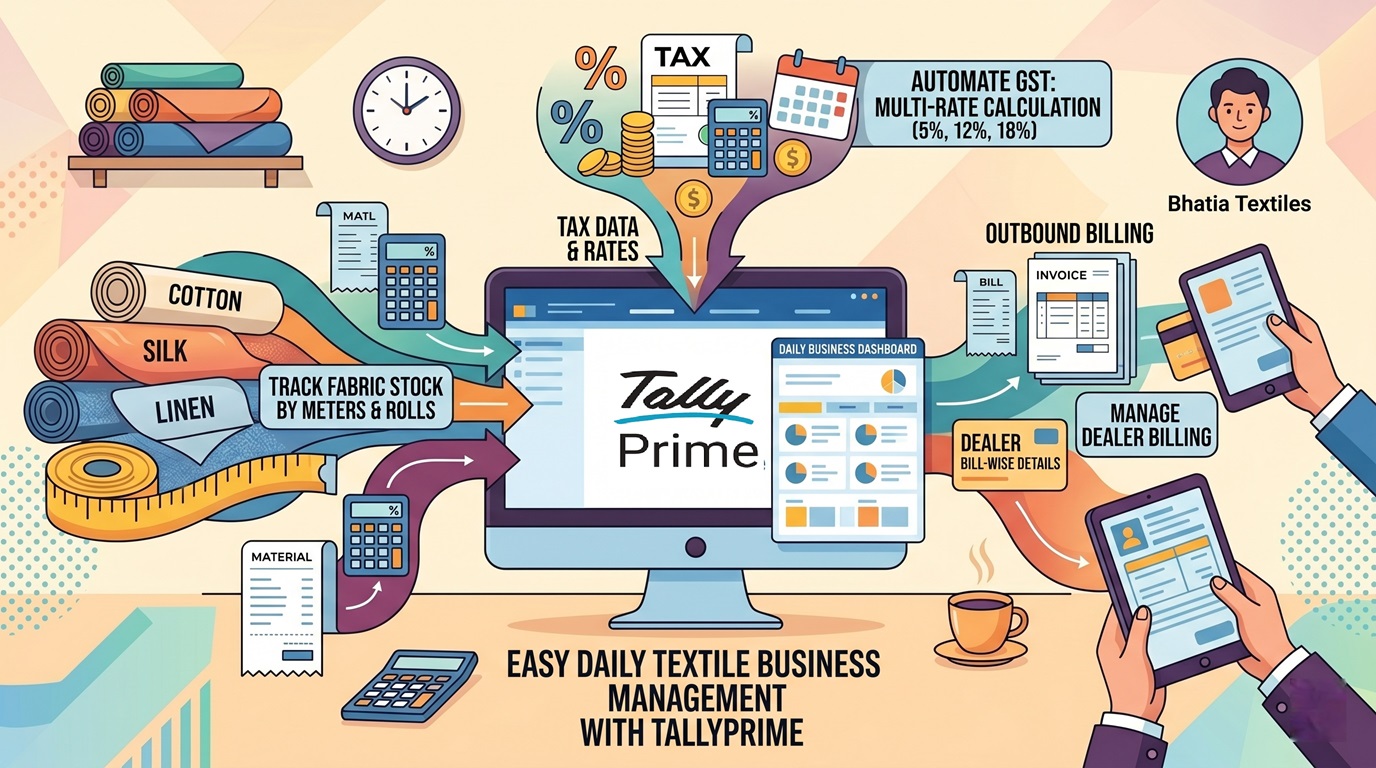
In my years working as an accountant with textile wholesalers and retailers, I’ve found that manage fabric stock shouldn’t be a frustrating or complicated task. You can easily manage Fabric Stock, GST, and Dealer Billing every day on TallyPrime with just these moves. Here is a simple guide to automating your textile business so you can spend less time reconciling and more time growing.
Why Manage Fabric Stock, GST and Dealer Billing Every Day on TallyPrime?
In my years working as an accountant with textile wholesalers and industrial units, I’ve seen how messy fabric rolls and GST rates can get. I once had a client who couldn’t tell which of his 50 dealers had actually paid for a massive Diwali shipment because every payment was recorded as “On Account.” It was a nightmare of manual reconciliation.
If you are struggling with fabric shrinkage, different GST rates for shirts vs. synthetic cloth, or knowing exactly what’s sitting in your warehouse, you aren’t alone. TallyPrime simplifies these into a single, smooth workflow. By managing your stock, taxes, and billing every evening, you turn your data from a “headache” into a clear map for growth.
How Do I Organize Fabric Stock by Meters and Rolls?
The secret to a clean textile setup is organizing your “Inventory Masters” correctly before you even record your first sale.
Organize Your Godowns First
I always tell my clients: separate your physical locations in the software. Create a Raw Material Section for your fabric rolls and a Finished Goods Section for your ready-to-sell items. If you don’t do this, your Stock Summary will be a jumble that makes no sense.
The “Hidden Gem”: Alternate Units for Shrinkage
Textiles are tricky because you buy in rolls/bags but sell in meters/kgs.
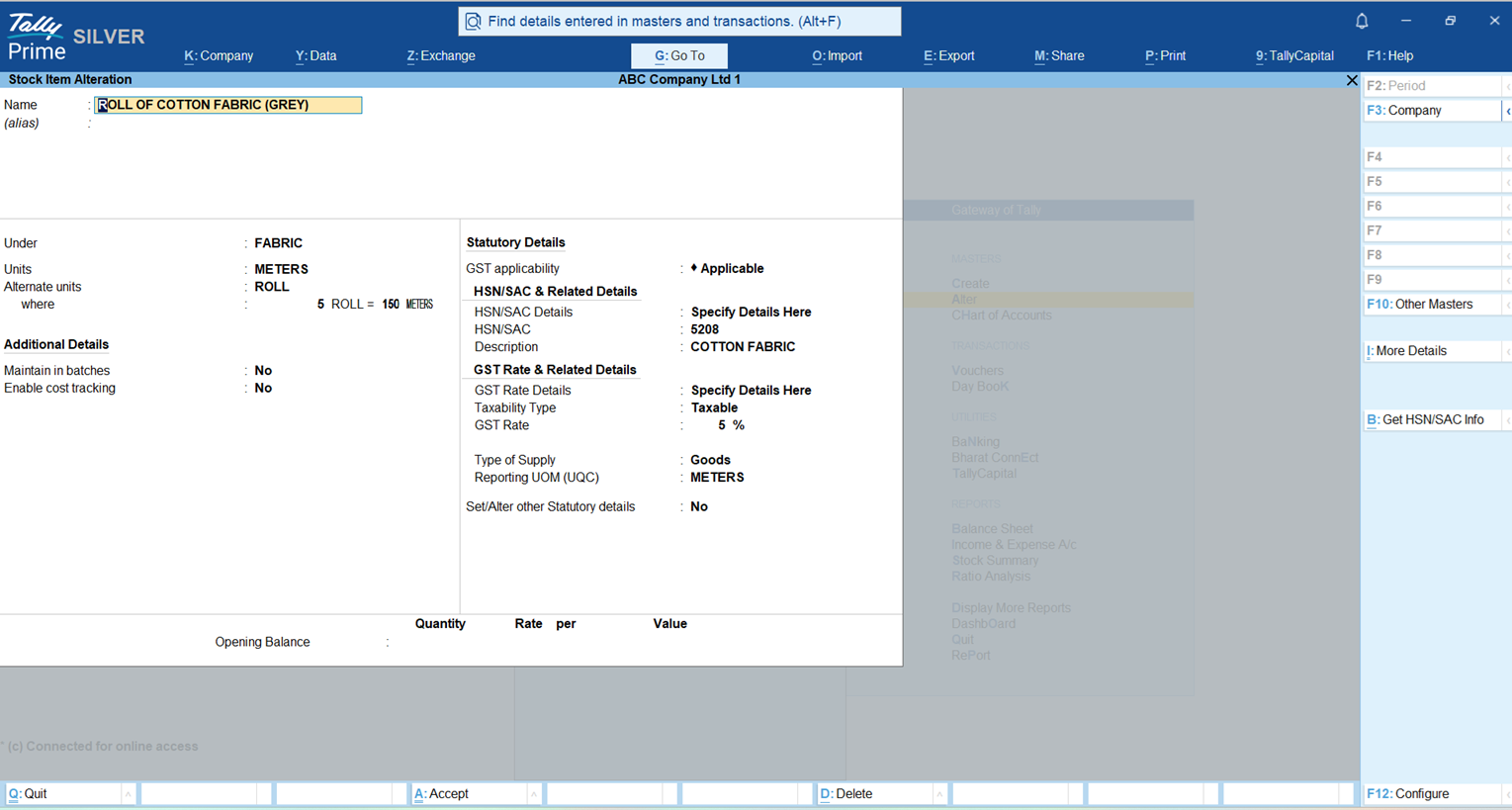
- The Master Setup: Go to Create > Stock Item, press F12, and enable “Use Alternate Units.” You might set 1 Bag = 50kg as your standard.
- The Expert Trick: In the real world, a bag of rice or a roll of fabric might arrive at 48.5kg instead of 50kg due to spillage or shrinkage. Do not change your master! Tally allows you to override this during the voucher entry. You simply type “148kg = 3 Bags” in the quantity field. Tally recalculates the rate instantly, keeping your inventory 100% accurate.
How Do I Handle Different GST Rates for Each Fabric?
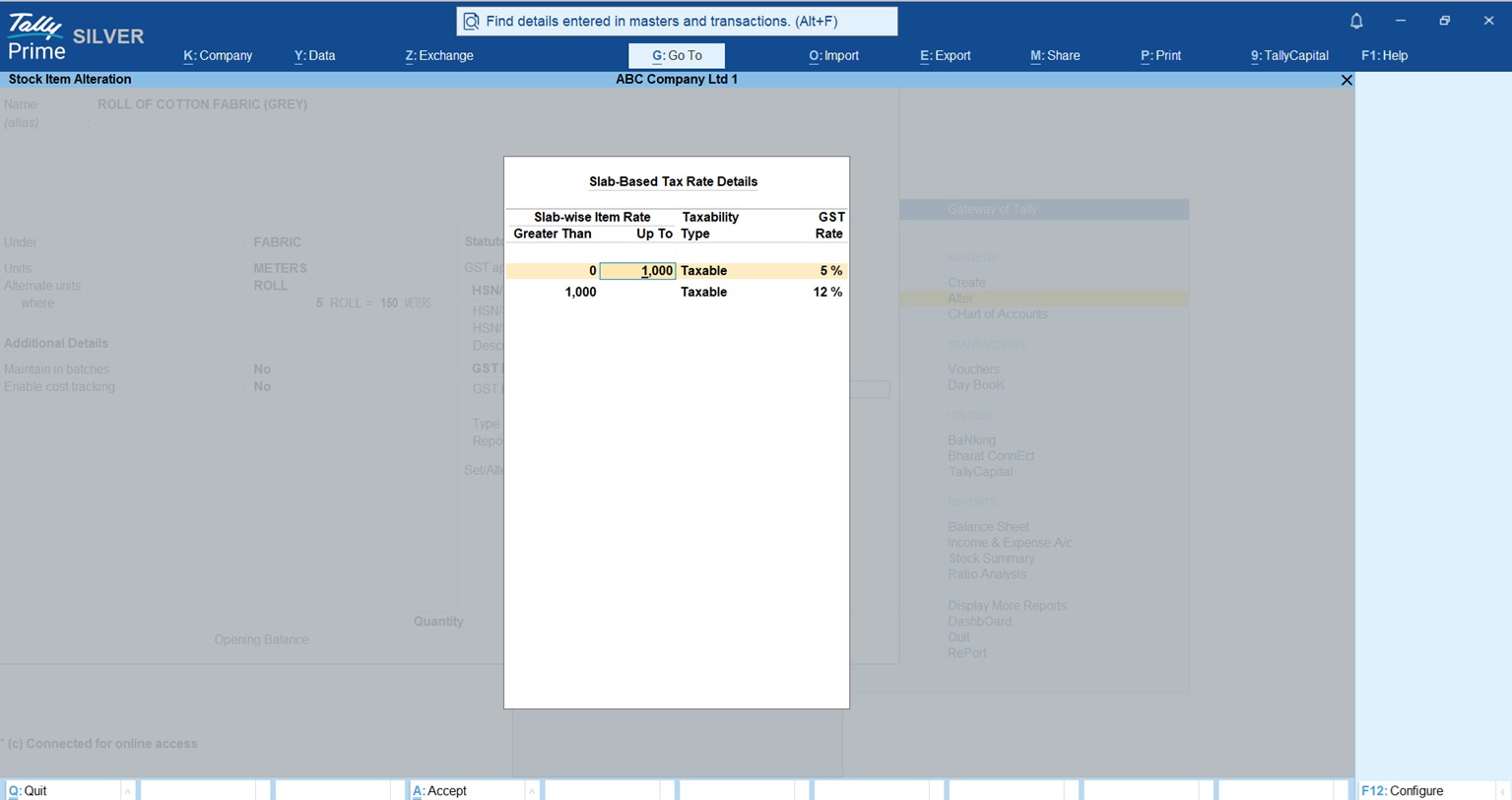
GST in textiles is a moving target. As an expert, I stay on top of both current rates and the latest proposals from the GST Council.
Simplified Textile Tax & HSN Guide (2025-2026)
| Item Type | HSN Code | Current GST Rate | Proposed 2026 Rate (GoM) |
| Apparel < ₹1,000 | 61/62 | 5% | 5% (Up to ₹1,500) |
| Apparel > ₹1,000 | 61/62 | 12% | 12% (₹1,500 – ₹10,000) |
| High-Value Apparel | 61/62 | 12% | 18% (Above ₹10,000) |
| Cotton Fabrics | 5208 | 5% | 5% |
| Synthetic Fibers | 5407 | 18% | 18% |
| Raw Cotton | 5201 | 5% (Reverse Charge) | 5% (Reverse Charge) |
- Reverse Charge (RCM): Remember, for raw cotton, the buyer pays the 5% tax directly to the government.
- Exemptions: Raw jute and raw silk are 100% exempt. You don’t even need to register if you only deal in these.
Expert Tip: “Set your GST rates and HSN codes at the Item level once. If the price of a shirt changes from ₹900 to ₹1,100, Tally will automatically switch the tax from 5% to 12% without you lifting a finger.”
What is the Secret to Fast Daily Dealer Billing?
Speed is everything when a dealer is waiting for an invoice. The secret is Bill-wise Accounting.
Stop the “On Account” Mess
When you record a sale (F8), Tally asks for a “Reference.”
- New Reference: Use this for the invoice you just made.
- Against Reference: Use this when the dealer pays you later.
By linking the payment to the specific bill, you avoid the “On Account” trap where you have money in the bank but no idea who still owes you for what.
E-Invoicing & E-Way Bills
If you’re a large wholesaler, TallyPrime is “Connected.” This means it generates the IRN and QR code for E-Invoices and your E-Way Bills directly from the sales screen. No more jumping between the portal and your books.
Can Tally Help Me Track My Production Profits?
If you manufacture garments, you need to know your “Landing Cost.”
The BOM
Use the Bill of Materials (BOM) to define exactly what goes into a “Cotton Shirt”:
- 2.2 Meters of Cotton Fabric (HSN 5208)
- 7 Buttons + 1 Label + 1 Poly Bag
Read this Detailed post on Bill of Materials (BOM) – Definition, Examples, Format and Types
The Manufacturing Journal
Every evening, record what you produced. When you type “100 Shirts,” Tally automatically deducts the fabric and buttons from your “Raw Material” Godown and adds 100 shirts to your “Finished Goods” Godown.
Pro-Tip: Don’t forget to add Additional Costs like tailoring wages (e.g., 5% or a flat ₹50/shirt) and factory electricity in the journal. This gives you the actual cost per shirt, helping you set a selling price that guarantees profit.
Which Reports Should I Check Every Evening?
I tell all my clients to check these five reports before they leave the office:
- Stock Summary: See exactly how many meters and rolls are left. If the balance looks wrong, 9 times out of 10, someone picked the wrong Godown during entry.
- Outstanding Receivables: Your daily “Collection List.” See who is overdue and call them.
- Cash/Bank Book: Verify that the day’s physical cash matches the software.
- Profit & Loss A/c: Check your gross margins. Are your production costs eating your profits?
- GSTR-1 Report: Ensure all sales entries are clean and ready for the next tax filing.
This GST Summary TDL will help you in GSTR-1 Reports Check
Conclusion: My Final Checklist for Success
Textile accounting is a discipline, not a chore. Follow this daily checklist for a stress-free month-end:
- Record all fabric purchases as soon as they hit the gate.
- Enter your Manufacturing Journals daily to keep stock counts real.
- Always use “Against Reference” for dealer payments to keep your balance sheet clean.
Frequently Asked Questions (FAQs)
1. What if my fabric roll length is shorter than the invoice due to spillage? Use the Alternate Units override during the Purchase entry. If 1 roll was supposed to be 100m but is actually 96m, enter “96m = 1 Roll” in the quantity field. Your stock stays accurate.
2. How do I handle the 5% tax on raw cotton? Set the Stock Item for Raw Cotton to “Is Reverse Charge Applicable? Yes” with a 5% rate. Tally will calculate the tax you need to pay the government on behalf of the farmer/supplier.
3. Can I see my profit for just one specific type of shirt? Yes! Check the Stock Item Profitability report. It compares your manufacturing cost (including labor/wages) against your sale price to show your exact margin.
4. Why is my stock showing a negative quantity? This usually happens when you sell a finished shirt before you have recorded the Manufacturing Journal. Always record your production before you record the sale!
5. How do I track stock across different branch warehouses? Use the Godowns feature to create hierarchy (e.g., Main Branch > Warehouse A). You can move stock between them using a Stock Transfer Journal.
