

 Cart is empty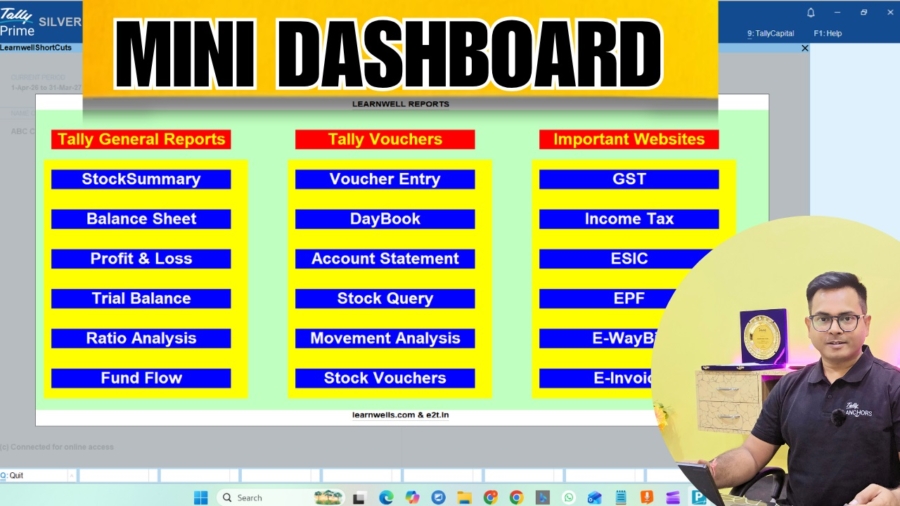
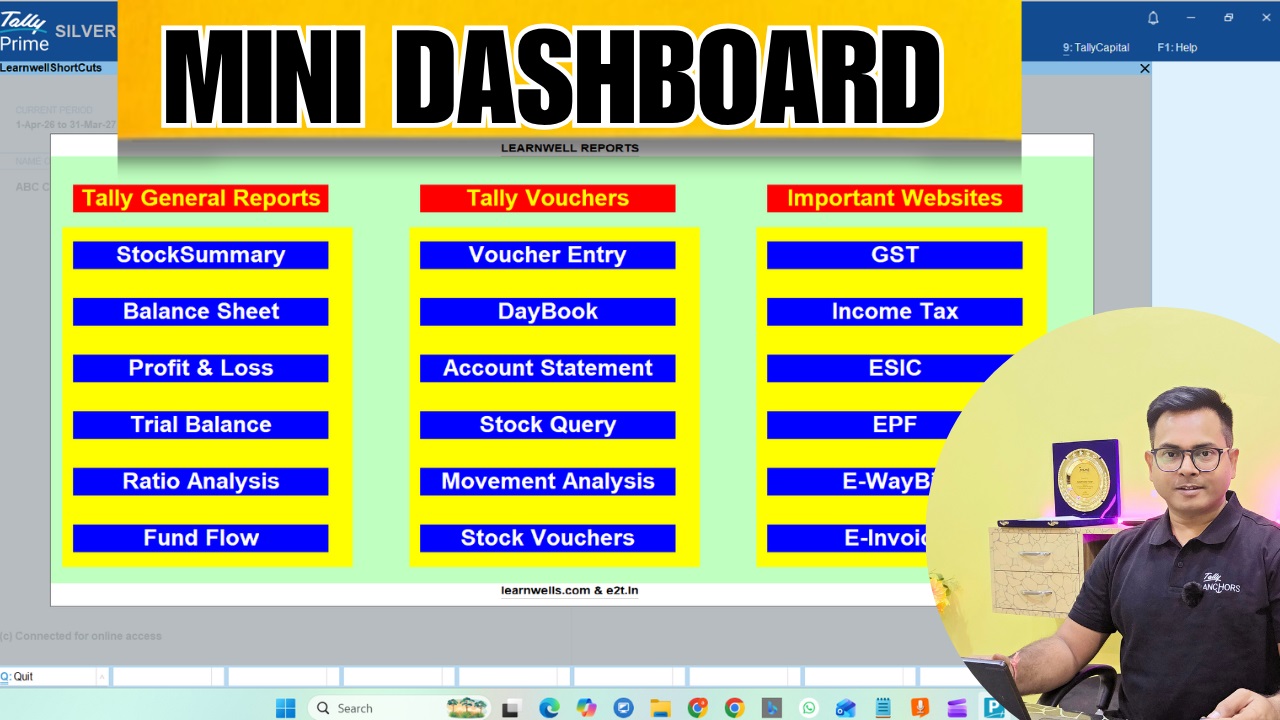
This TallyPrime Advanced dashboard isn’t just a list of links; it’s a productivity powerhouse designed for the modern accountant. Instead of digging through “Go To” or “Gateway of Tally,” you get a professional, visual interface right inside your workspace.
What’s Included in TallyPrime Advanced Dashboard?
- Advanced Logic: I’ve integrated a custom drill-down system to open specific reports (like GSTR Summaries) using precise Report IDs for faster reconciliation.
- Tally General Reports: Instant access to Stock Summary, Profit & Loss, Trial Balance, and Ratio Analysis.
- One-Touch Vouchers: Jump straight into Voucher Entry, DayBook, or advanced Stock Queries without the usual menu-hopping.
- Essential Web Links: Direct “Browse” buttons for the GST Portal, Income Tax, MCA, ESIC, and E-Way Bill—no more typing URLs in your browser.
Get Your Free TallyPrime Advanced Dashboard TDL & TCP File
I believe in empowering the accounting community. You can download the Demo TDL Source Code to learn how it’s built, or simply grab the Full TCP File to start using it immediately.
Also download this amazing ledger advance statement TDL
;; ===== LW_Report Definition =====
[#Menu: Gateway of Tally]
    Add : Item : Before : @@locQuit : "Adavnce Report" : Display : LW_MyReport
[Report: LW_MyReport]
    Form    : LW_MyForm
    Title   : "Custom Report"

[Form: LW_MyForm]
    Part    : LW_MyPart
    Width   : 80% Page
    Height  : 80% Page

[Part: LW_MyPart]
    Line    : LW_MyLine1,LW_MyLine2
    Background	: green

[Line: LW_MyLine1]
    Field   :LW_NewField,LW_NewField2


[Line: LW_MyLine2]
    Field   : LW_MyLine1_Field1, LW_MyLine1_Field2

[Field: LW_MyLine1_Field1]
    Use     : Name Field
    Set as  : "My Reports"
    Width   : 20

[Field: LW_MyLine1_Field2]
    Use     : Name Field
    Set as  : "Stock Summary"
    Key	: LearnwellStockSummary
    Width   : 20
    Style	: MyBoldBlue
    Background	: Red
    Color	: white
    Width	: 30

[Field: LW_NewField]
    Use     : Name Field
    Set as  : "Website"
    Width   : 20

[Field: LW_NewField2]
    Use     : Name Field
    Set as  : "Website"
    Key	: LearnwellWebsite
    Style	: MyBoldBlue
    Background	: Blue
    Color	: white
    Width	: 30
[Key	: LearnwellWebsite]
    Key	: LeftClick
    Action:BrowseURL:"https://learnwells.com/"

[Key	: LearnwellStockSummary]
    Key	: LeftClick
    Action:display:Stock Summary

[Style: MyBoldBlue]
    Font     : "Arial"
    Bold     : Yes
    Height	: 20
Installation is Easy:
- Open TallyPrime.
- Press F1 (Help) > TDLs & Add-ons.
- Press F4 (Manage Local TDLs).
- Set “Load TDL on Startup” to Yes and select the downloaded file.
- Your new Learnwell Mini Dashboard panel is ready to go!
You can get more TallyPrime TDL Files on Engage to tech
Join Tally TDL Course on Learnwell
Keywords: TallyPrime Free TDL, Tally Shortcuts Dashboard, Accountant Productivity Tool, Learnwell TDL, Free TCP File Download, Tally GST Shortcut, TallyPrime 7.0 Customization, Excel to Tally Automation.
