

 Cart is empty
TL;DR
While OkCredit and Khatabook are good tools for maintaining simple digital ledgers, they are often just a starting point for businesses. TallyPrime is the superior choice for businesses requiring formal invoicing, full GST compliance, and deep Aging Analysis. If you need professional, audit-ready records and the ability to identify bad debts before they happen, TallyPrime is the essential upgrade.
Introduction: The “Where is My Money?” Problem
The best software for your business depends on whether you need a simple digital diary or a professional financial engine. In my 20 years of experience as a systems auditor, I have found that while most owners can track sales, they struggle to track “Udhaar” (credit) effectively. Whether you are running a local pharmacy or a construction supply firm, the survival of your cash flow depends on answering one question: “Where is my money right now?”
Many entrepreneurs fall into the “Receivables Trap” when they rely on basic tracking for a growing operation. This trap springs when your business begins needing formal tax invoices and systematic follow-ups that a manual notebook simply cannot handle. Moving from a simple ledger to a robust system is the difference between guessing your profit and actually seeing it in your bank account.
Simple Digital Ledgers: Is Khatabook or OkCredit Enough for You?
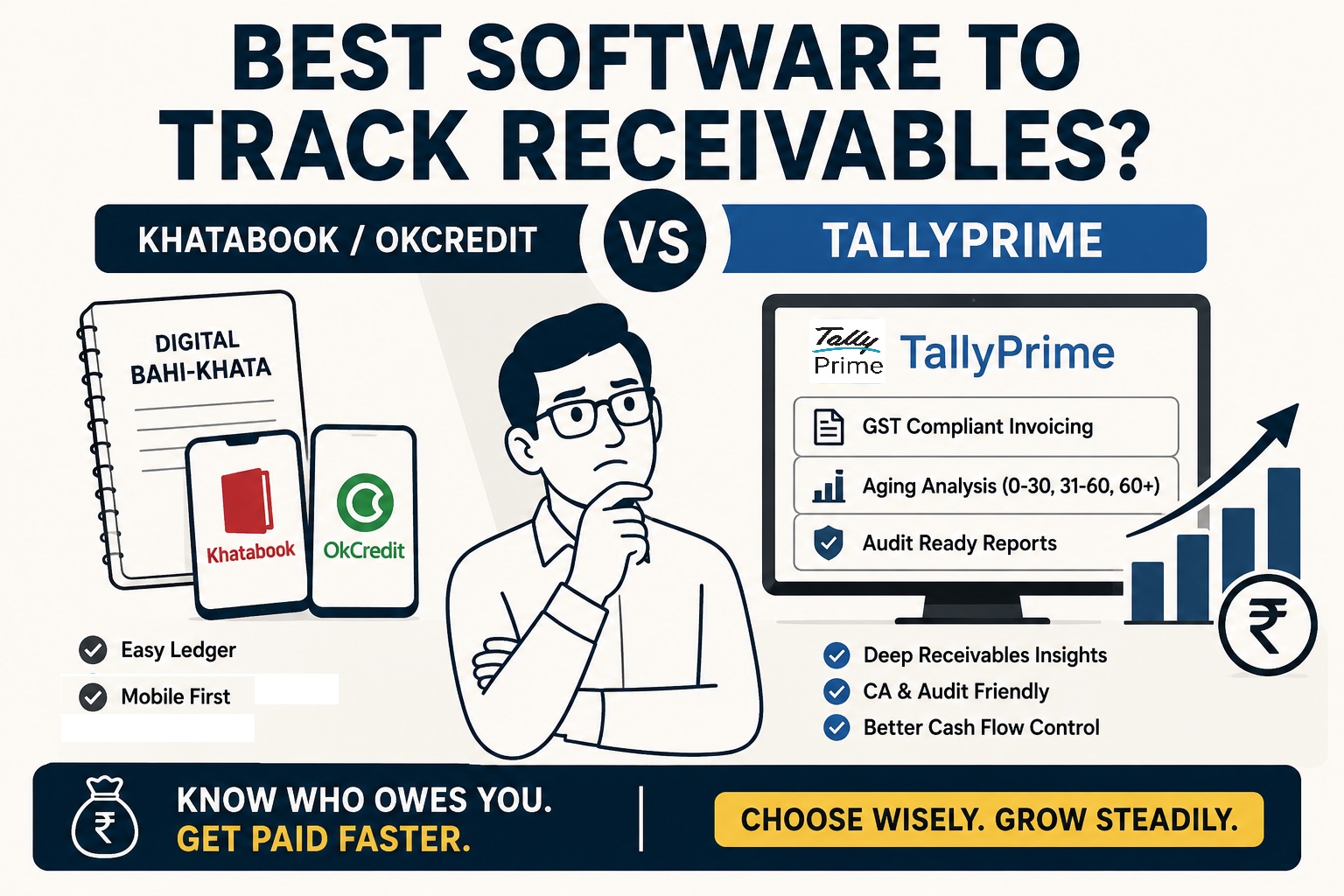
For micro-merchants and small shopkeepers, apps like Khatabook and OkCredit serve as an effective “Digital Bahi-Khatas.” They replace the traditional notebook by offering a clean, mobile-first interface available in over 12 regional Indian languages.
Key features from these platforms include:
- Free Reminders: Payment notifications sent via SMS and WhatsApp.
- Data Safety: Cloud backups keep records safe.
- Accessibility: Simple entry systems that require zero accounting knowledge.
However, these apps eventually hit a “ceiling” because they lack the depth for formal audit-ready records. While they are nice for customer communication, they don’t provide the structured data your CA needs for serious tax filing. If you love the mobile ease of these apps but need the power of Tally, the Tally.NET serves as a perfect bridge to view your Tally data on your phone.
Read About Tally’s Technology to Get Secure Browser Access of Your Data
The TallyPrime Advantage: Why a Leading Accounting Software Matters?
When your business moves beyond simple cash entries, TallyPrime becomes the logical next step for maintaining financial discipline. In my experience, a business owner who hands a Tally backup to their CA spends 80% less time answering audit queries than those using manual apps.
The professional advantages are significant:
- GST-Linked Receivables: Your dues are tied directly to your GST invoices, allowing for seamless reconciliation with GSTR-1 and GSTR-2A/2B.
- Audit-Ready Statements: It generates formal financial reports that meet the high standards required by banks and tax authorities.
- Simplicity for Non-Accountants: Features like GoTo, Smart Find, and shortcut keys, allow you to find any report or move between tasks instantly without knowing complex accounting paths.
Deep Dive: Aging Analysis and “Smart” Features in TallyPrime
The Ageing Analysis Report is the “secret weapon” for healthy cash flow. Unlike simple apps that only show a total balance, TallyPrime categorizes your dues into time buckets (e.g., 0-30, 31-60, or 60+ days). This allows you to create provisions for losses and identify bad debts before they cripple your business.
Practical Tip: How to View Your Aging Report
- Go to Gateway of Tally > Display > Statements of Accounts.
- Select Outstandings > Ledger and pick your customer.
- Press F6: Age-wise from the button bar.
- Choose your method: Ageing by Bill Date (from when the invoice was raised) or Ageing by Due Date (from when the credit period actually ended).
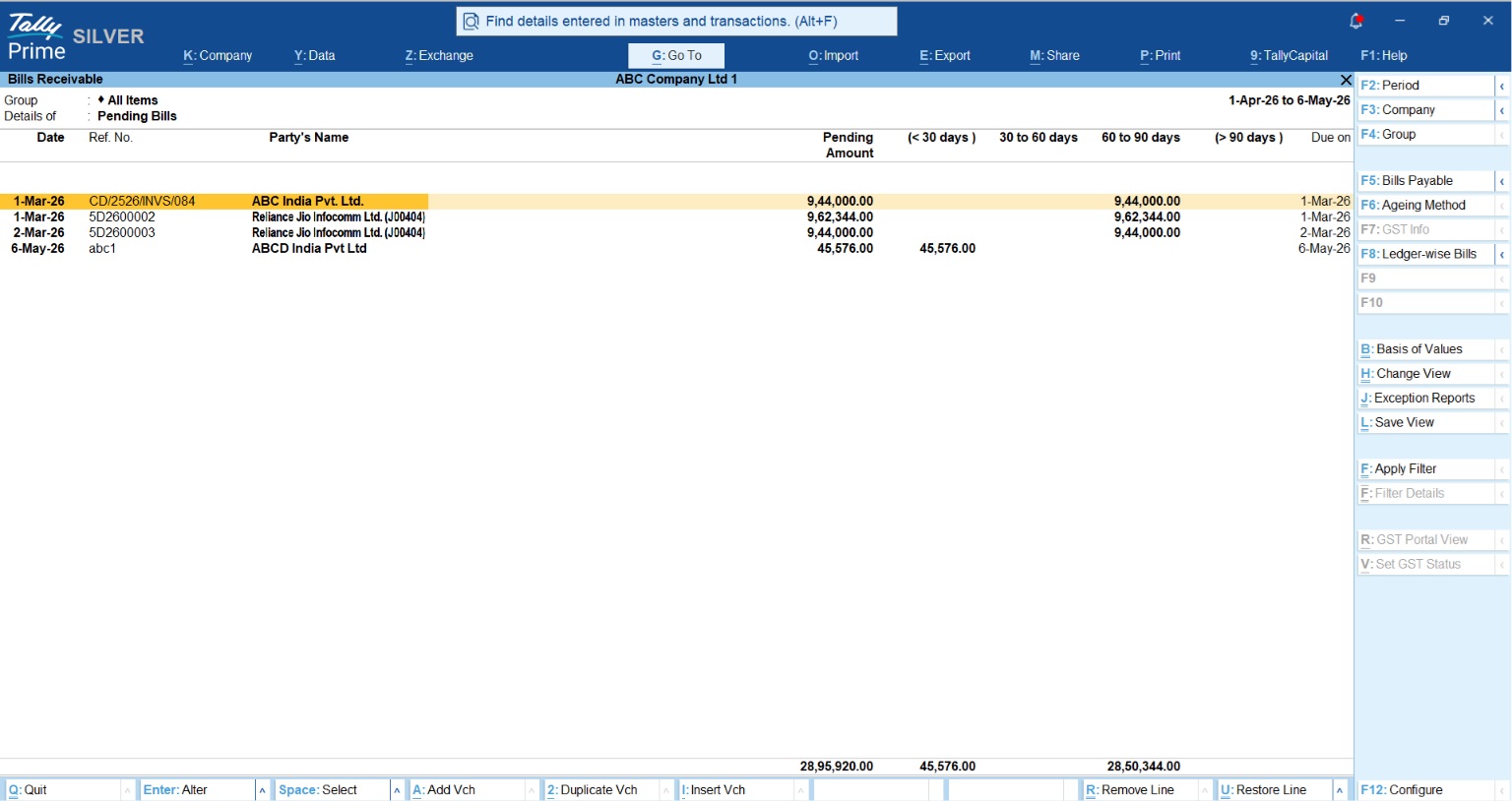
By using “Ageing by Due Date,” you gain a realistic view of who is actually breaking their payment promises. Beyond this, TallyPrime’s Connected Services allow you to share these reports instantly via WhatsApp Integration or E-mail.
Comparative Framework: TallyPrime vs. Khatabook vs. OkCredit
| Feature | TallyPrime | Khatabook / OkCredit |
| Primary Use Case | Full Accounting & Business Management | Simple Credit/Debit tracking |
| GST Support | Full Compliance & Direct Portal Filing | Basic Invoicing |
| Receivables Depth | Detailed Aging (Bill Date vs. Due Date) | Total Balance & Reminders |
| Connectivity | Remote Access for CAs, Cloud Backup, Whatsapp Integration, Connected Services | Customer Communication focus |
Also Read TallyPrime vs Zoho Books vs Busy for GST Billing and Filing: A Comparison for Small Businesses
Example: From a Local Kirana to a Multi-Store Retailer
Consider a local Kirana shop that manages its “Udhaar” through a manual ledger. As they expand to multiple stores, they realize they are losing track of nearly 15% of their dues because they can’t see which accounts were “stale.”
After switching to TallyPrime, they use the Aging Report to spot debts older than 90 days. Instead of chasing every customer, they prioritize high-risk accounts and create provisions for potential losses. This visibility improves their cash flow enough to pay their own vendors early, securing better discounts and more inventory.
Read: How to Prepare for GST Audit: Checklist for Small Businesses
Investment: What Does It Cost?
Investing in software is an investment in your business infrastructure.
- Khatabook Pro: Approximately ₹1,874 + GST/year for advanced reports and data export.
- TallyPrime Silver (Single User): ₹750/month (+ 18% GST) for rental or ₹22,500 (+ 18% GST) for a lifetime license.
- TallyPrime Gold (Multi-user): ₹2,250/month (+ 18% GST) for rental or ₹67,500 (+ 18% GST) for a lifetime license.
- OkCredit Premium: Approximately ₹1,188 + GST/year
Consultant’s Tip: If you plan to be in business for more than three years, the lifetime license offers a far superior ROI. It gives you complete ownership of your data without the worry of monthly subscription renewals.
Conclusion: Your Action Plan for Healthy Cash Flow
To decide which path is right for your business, ask yourself these three questions:
- Do I need to issue formal, GST-compliant invoices or will I need it in the future?
- Does my CA need direct access to my records for audits?
- Do I need to see the “age” of my debt (30/60/90 days) to prevent bad debts?
If the answer is “Yes,” it is time to upgrade to a professional business management software like TallyPrime. Financial discipline begins with clear visibility.
“You can run a business without a machine, but you can’t run it profitably without clear visibility into who owes you money.”
FAQs
Can I use TallyPrime on my phone?
Yes, you can use the Remote Access via Tally.NET to view your reports and record transactions on the go on your phone.
Is TallyPrime difficult for a non-accountant?
No. TallyPrime includes SmartFind (Ctrl+F) and GoTo features, paired with shortcut keys that make it easy to find any report or setting instantly without navigating complex menus or having prior training.
What is the difference between Silver and Gold editions?
Silver is a single-user license for one PC. Gold is a multi-user license for unlimited users on a local network, perfect for businesses with multiple staff members.
Why is Aging Analysis better than just a total balance?
A total balance hides risk. Aging Analysis shows you which money is recently due and which is dangerously old, allowing you to prioritize collections and plan for bad debts.
Can my CA access my Tally records remotely?
Yes. You can provide your CA remote access via a Tally.NET ID. They can verify your books and help with GST filing without needing to visit your office.
