

 Cart is empty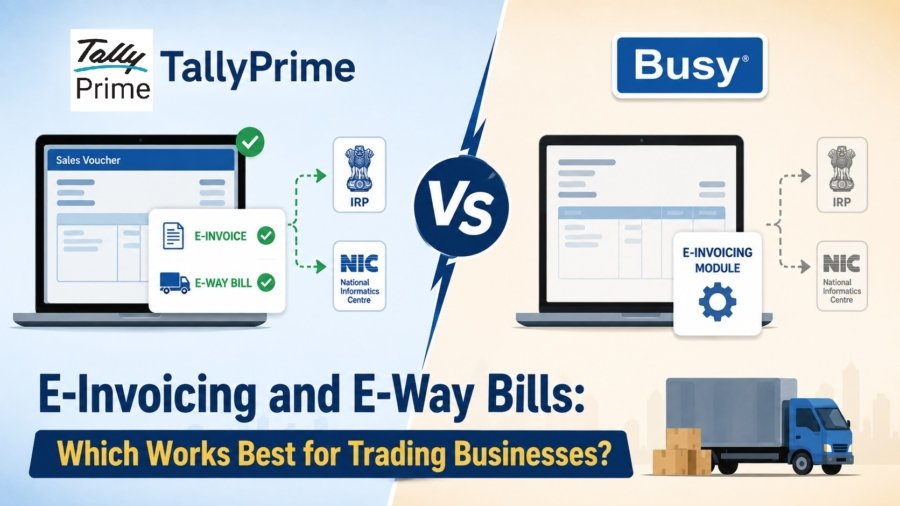
TL:DR
Both TallyPrime and Busy handle GST compliance effectively, but TallyPrime is the undisputed king for high-volume traders who need a “one-step” workflow. It generates IRN and QR codes directly from the sales voucher, making it faster for rapid dispatch. Busy, while powerful, requires standard or enterprise upgrades and complex GSP setups for the same task. For seamless, everyday billing, TallyPrime wins on sheer simplicity.
Introduction: Why Your Choice Impacts Your Daily Hustle
In my 20 years of implementing financial systems across India’s Pharmacy, Retail, Manufacturing, and E-commerce sectors, I’ve learned that for a trader, speed is the only metric that matters. If your software makes you wait even two minutes per invoice to upload JSON files to a portal, your dispatch line will crawl. TallyPrime creates e-invoices and e-way bills instantly from your sales voucher in a single step. Busy, on the other hand, relies on separate configuration modules and requires higher-tier software versions. For businesses where the priority is to move goods out the door before the transporter’s truck leaves, the “one-step” push of TallyPrime usually wins the crown.
TallyPrime (Simple & Fast): E-invoicing is built right into the daily sales voucher. Saving a sales entry instantly prompts the portal push, automatically printing the QR code and IRN on the invoice with zero manual re-entry.
Busy (Disconnected & Complex): E-invoicing feels like an add-on. It isn’t available in the basic version, requires upgrading to Standard/Enterprise, setting up third-party GSPs, and managing separate configurations, adding unnecessary delays for fast-paced businesses.
How Does Tally Handle the E-Invoice ?
In my experience with wholesale and retail clients, the biggest bottleneck isn’t entering the data, it’s the manual hop to the government portal.
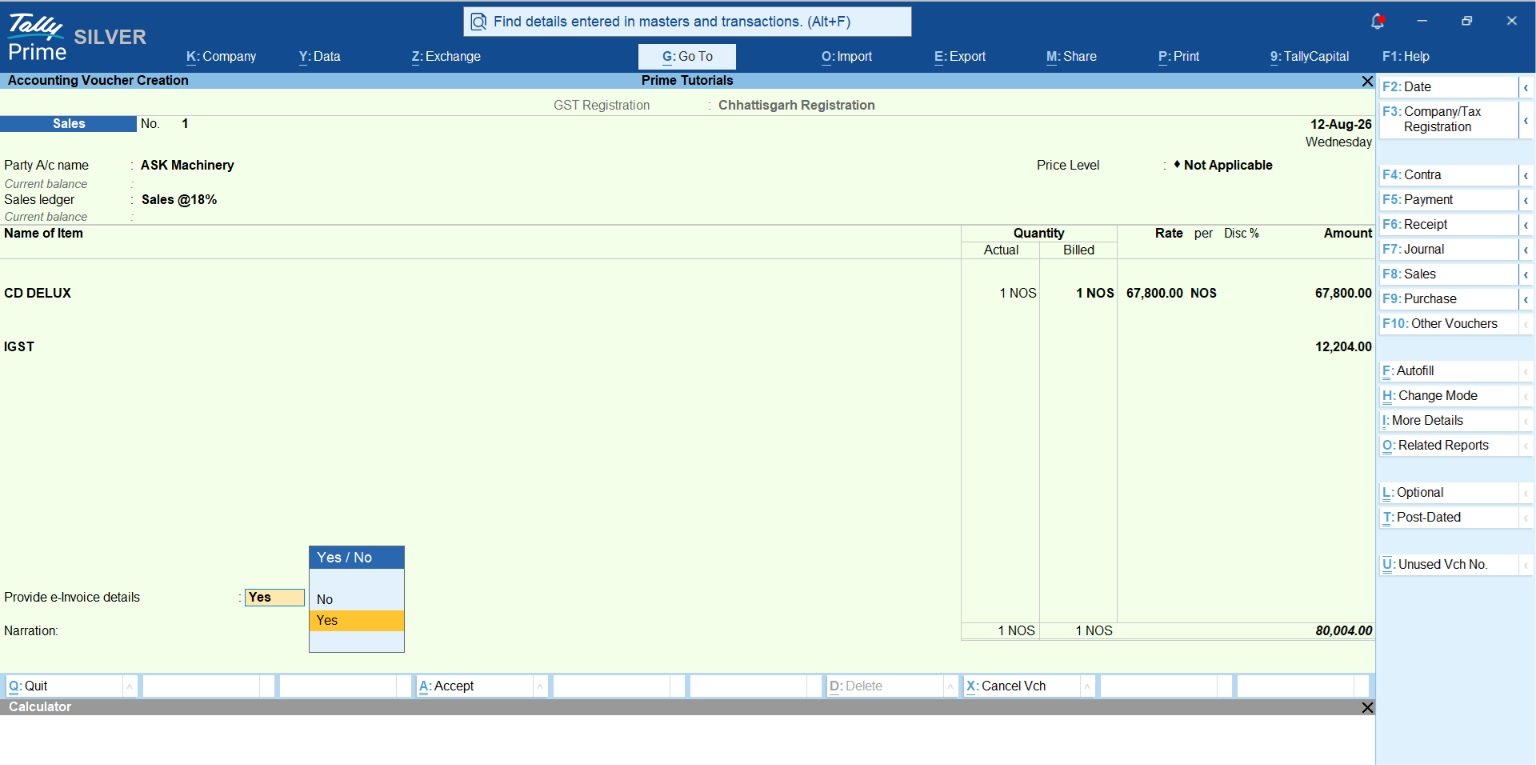
When you save a B2B sales voucher, TallyPrime detects that an e-invoice is required and prompts you: “Do you want to generate e-Invoice?” By hitting “Yes,” the software transmits the data to the IRP, retrieves the 64-character IRN and signed QR code, and saves them instantly to the voucher for printing.
To get this running, here is the consultant’s roadmap:
- GSP Registration: You must log into the official e-invoice portal and register “Tally (India) Private Limited” as your GST Suvidha Provider (GSP).
- Enable Features: In TallyPrime, press F11, set “Enable GST” to Yes, and then set “e-Invoicing applicable” to Yes.
- Voucher Entry: Record your sale. As long as you have the party’s PIN code and GSTIN correct, Tally handles the transmission in the background.
How Does Busy Handle the E-Invoice Pressure?
Busy’s e-invoicing setup is more technically demanding. To get automatic generation (without manual JSON uploads), you must be on the Saffron (Perpetual) or Smart (Magic Subscription) plan or higher.
Busy relies on the Busy License Subscription (BLS) to bridge the gap between your desktop and the government servers. While Busy supports auto-generation, it is often perceived as having a “technical fatigue” factor because the interface is more traditional and menu-heavy compared to Tally’s modern search-based navigation.
Key Distinction:
- Busy Magic (Subscription): For auto e-invoicing, you need the Smart plan (₹8,000/yr) or higher.
- Busy 21 (Perpetual): This is the classic desktop version. You need the Standard edition (₹14,999) and an active yearly BLS to keep the “auto” feature alive.
Comparison: TallyPrime vs. Busy for Daily Trading Operations
| Feature | TallyPrime | Busy Accounting |
| Workflow | One-step; IRN generated immediately upon saving the voucher. | Module-based; automatic generation only in Saffron/Smart editions or higher. |
| E-Way Bill | Fully integrated; can generate e-Way Bill and e-Invoice simultaneously. | Integrated in Standard/Smart plan. |
| User Interface | Modern and intuitive; “Go To” search bar allows you to find any report instantly. | Traditional and technical; “looks dated” and requires navigating specific menu paths. |
| Error Handling | Real-time schema validation warns of PIN/GSTIN errors before transmission. | Validation is available but often requires manual configuration of GSP settings. |
Also Read Industry-Specific Invoice Formats in TallyPrime | Personalise Invoice Templates
The Cost of Compliance: Pricing Breakdown (Excl. GST)
As a consultant, I always tell my clients: look at the recurring cost, not just the sticker price. If your subscription expires, your connected services including e-invoicing will die instantly.
- TallyPrime Plans (all features available in all plans):
- Monthly: ₹750/month (Silver), ₹2250/month (Gold). 3 months and 12 months prices are also available
- Silver (Single User): ₹22,500 (Lifetime License), including one year of TSS.
- Gold (Multi-user): ₹67,500 (Lifetime License), including one year of TSS.
- The Catch: You must maintain a valid Tally Software Services (TSS) subscription (approx. ₹4,500/yr for Silver) to keep e-invoicing active.
- Busy Accounting Plans:
- Busy Magic (Subscription): Smart (₹8,000/year) or Power (₹12,000/year).
- Busy 21 (Perpetual): Standard (₹14,999) or Enterprise (₹19,999).
- The Catch: Perpetual licenses require a BLS renewal (starting at ~₹5,499/yr for Standard) to access “Value-Added Services.”
Example: The Pharmacy Distributor’s Dilemma
Imagine a wholesale pharmacy distributor in a busy mandi, handling 50+ B2B invoices every morning.
In a TallyPrime setup, the clerk saves the voucher, hits “Yes” on the prompt, and the QR code is printed on the invoice in seconds. By avoiding the manual export/import process to the government portal, the business saves 3 to 5 minutes per invoice. Over 50 invoices, that’s nearly four hours of productivity recovered daily.
A Busy user on a “Basic” or “Start” plan, however, would have to manually generate a JSON file for every invoice and upload it to the portal. In a high-pressure trade environment, this extra step is a recipe for dispatch delays and “technical fatigue” for the staff.
Conclusion & Practical Takeaways
For trading businesses, speed and compliance must go hand in hand. TallyPrime stands out because it doesn’t treat e-invoicing as a chore; it treats it as a natural end to a sales transaction. Busy has its strengths, but the requirement for higher-tier upgrades and manual GSP configuration makes it a clunkier choice for fast-moving operations.
Consultant’s Checklist:
- Check your AATO: If your Aggregate Annual Turnover is over ₹5 Crore, e-invoicing is mandatory. Prioritize the software with the fastest IRN retrieval.
- Ensure Gateway Server is “Running”: For Tally users, your licensing and e-invoicing depend on the Tally Gateway Server being in “Running” status in your system services.
- The “Kill Switch” Warning: Never let your TSS or BLS expire. The moment it does, your ability to generate e-invoices directly from the software stops, which can halt your mid-day dispatches.
- Data Integrity: Verify that HSN codes (4, 6, or 8 digits) and PIN codes are correct in your masters. Portals will reject your data for a single missing digit.
“In 20 years of accounting, I’ve learned one thing: Compliance shouldn’t feel like a second job. If your software makes you jump through hoops for a QR code, it’s costing you more than the license fee.”
FAQs:
Do I need a special GSP for TallyPrime?
Yes, you must register “Tally (India) Private Limited” as your GSP on the government e-invoice portal to enable direct, one-click transmission.
What happens if my TSS expires in Tally?
Your software will still work for basic accounting, but you will be unable to access all “Connected Services,” meaning you cannot generate e-invoices or e-way bills directly until you renew.
Is e-invoicing mandatory for all traders?
Only if your Aggregate Annual Turnover (AATO) exceeded ₹5 Crore in any financial year from 2017-18 onwards.
Do I need to log into the GST portal to generate an e-invoice with TallyPrime?
No, TallyPrime communicates directly with the IRP portal. You just generate it straight from your sales voucher.
Can I use Busy Basic for e-invoicing?
No, e-invoicing in Busy requires you to upgrade to their Standard or Enterprise versions.
Does TallyPrime generate e-way bills automatically?
Yes, if your invoice value crosses the limit, the software automatically prompts you to generate the e-way bill alongside the e-invoice.
Can I cancel an e-invoice directly from my accounting software?
Yes, TallyPrime allows you to send cancellation requests directly to the portal without ever leaving the software.
