

 Cart is empty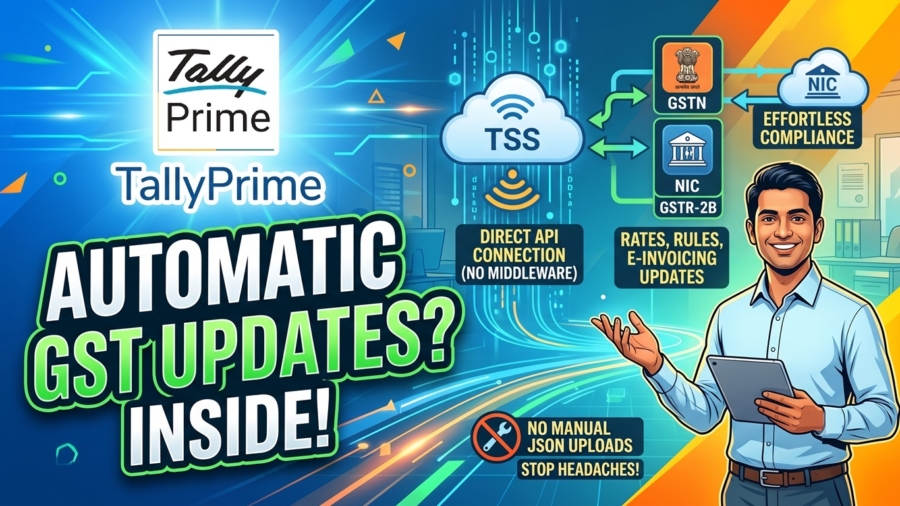
TL;DR:
TallyPrime uses a “native” architecture powered by Tally Software Services (TSS) to deliver automatic GST updates for rates, e-invoicing, and returns directly within your accounting flow. By acting as a direct, secure bridge to government portals, it eliminates the need for middleman tools and keeps you compliant the moment you save an invoice.
Introduction: Why are GST updates still giving us headaches?
TallyPrime stays updated through Tally Software Services (TSS), which acts as a direct API bridge to government portals like the GSTN, IRP, and NIC. Tally is an officially authorized GST Suvidha Provider (GSP), its Tally Software Services (TSS) acts as a secure, in-built gateway.
In my 20 years of helping businesses transition from manual ledgers to ERPs, I’ve seen a recurring nightmare: “middleware.” These are separate tools that act as adapters between your accounting software and the government. In my experience, these tools almost always break exactly when you need them, usually on a deadline night when the government changes a rule or a schema. Compliance shouldn’t be a separate project you tackle at the end of the month; it should be the natural byproduct of making an invoice. TallyPrime is built so that the act of accounting is the act of compliance.
What is the secret behind “No Separate Tool Needed”?
The secret lies in what I call “Native Compliance.” TallyPrime has a built-in GST Suvidha Provider (GSP) client. Instead of extracting data to a third-party utility to generate a JSON file, TallyPrime communicates directly with sovereign portals.
I’ve seen businesses lose days of work because a JSON utility wasn’t compatible with a recent Windows update or a new GST portal patch. TallyPrime avoids this entirely by handling the polling for new rules in the background via TSS.
| The Manual/Middleware Way | The TallyPrime Way (Native) |
| Disconnected Data Flow: Requires manual JSON exports and separate uploads to various portals, often leading to transcription errors. | Direct API Connection: Secure, real-time links to GSTN, IRP, and NIC portals for instant data exchange. |
| Reactive Validation: You usually find errors only after a portal upload fails, forcing you to go back and fix old vouchers. | Real-Time Validation: The software performs pre-validation checks during data entry, catching errors before they leave your desk. |
| Fragmented Filing: Requires separate tax compliance suites or utilities that must be updated independently of your accounting software. | Integrated Filing: One-click filing, signing, and reconciliation happen directly within the software you use for daily billing. |
| Manual Rule Updates: Requires manual patches or waiting for a third-party developer to update their middleware utility. | Automated Polling: Tally Software Services (TSS) polls for new rules and updates statutory configuration files automatically. |
Can you update thousands of item rates in minutes?
When the GST Council realigns rates, like the significant shift to 5%, 18%, and 40% slabs on September 22, 2025, it usually triggers a panic. I recently worked with an FMCG distributor who was terrified of a “deadline night” update. They had over 1,000 items, and 400 of them were changing rates. Updating those one-by-one is an invitation for a tax audit notice.
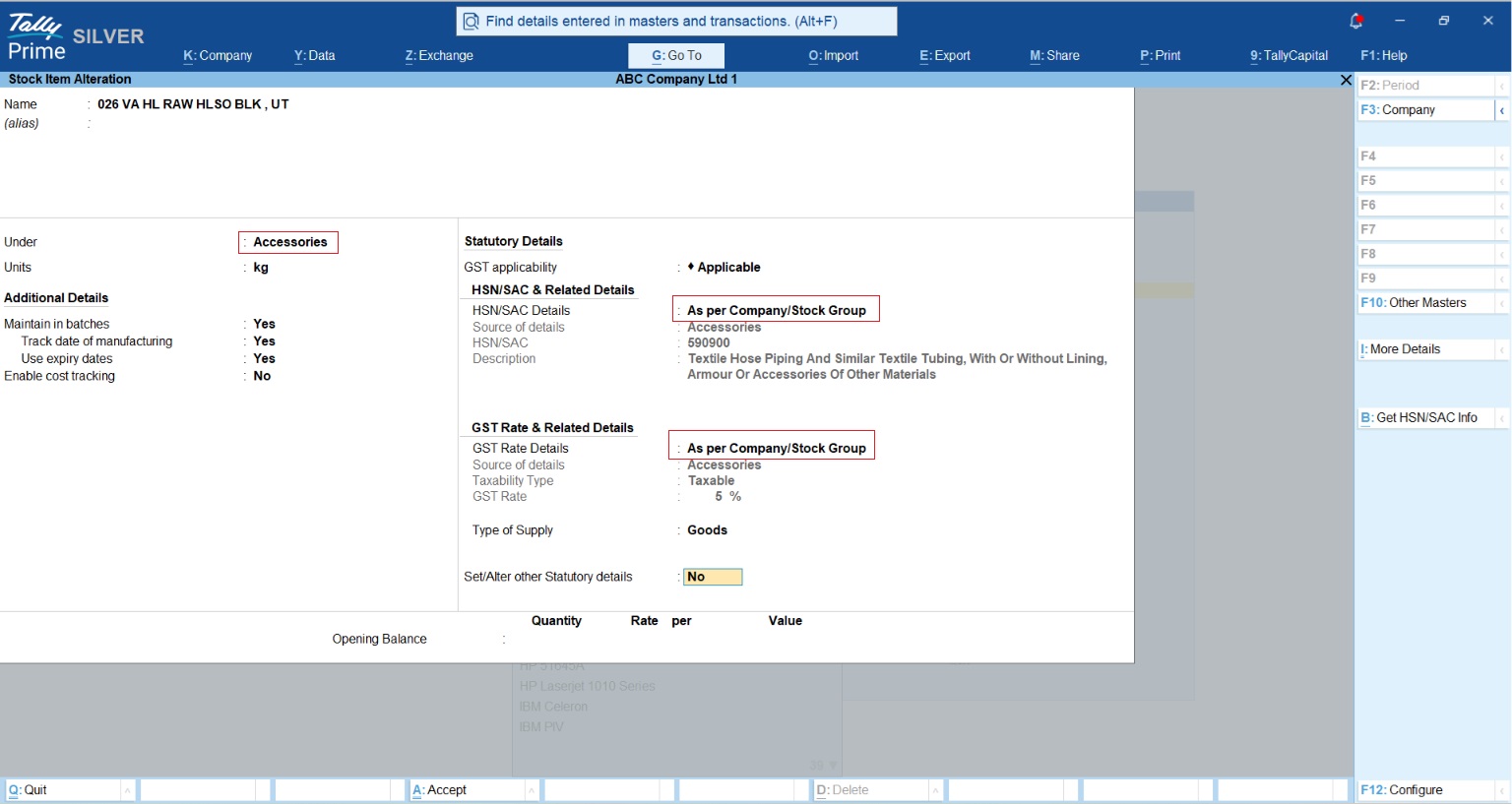
TallyPrime’s “Intelligent GST Hierarchy” is your strategy for mass updates. The system searches for tax parameters in this order:
- Transaction Level (The ultimate override)
- Item Level
- Group Level (The mentor’s secret weapon)
- Ledger Level
- Company Level (The final fallback)
Pro-Tip: The most efficient way to manage a mass update is at the Group Level. For that distributor, we grouped products into families like “Packaged Foods.” By updating the rate once for the group, every item inside inherited the new rate instantly. Crucially, you can configure Tally so that stock items take precedence over ledgers. This flexibility is what prevents “Uncertain Transactions” because the system knows exactly which rule to follow, even when there are exceptions.
How does TallyPrime handle e-Invoicing and e-Way Bills without middleware?
For TallyPrime, these aren’t “extra” features; they are part of your billing heartbeat. Through “Connected Services,” the software communicates in real-time with the IRP and NIC. It automatically calculates pin-to-pin distance and fetches the 12-digit EBN or IRN/QR code to print directly on your invoice.
If you are a manufacturer, you know the production line shouldn’t stop because of a transit document. One veteran tip I always give: when handling returns, set your “Destination Godown” to a location enabled with “Our Stock with Third Party.” This keeps the inventory on your Balance Sheet while correctly reflecting that it is physically at the job worker’s site, a detail that keeps your audit trail clean.
Pro-Tip: Rule 138(1) Proviso Remember that under the Rule 138(1) Proviso, interstate job work has a zero-value threshold. This means e-way bills are mandatory regardless of the consignment value. TallyPrime identifies the “Job Work” sub-type in your Material Out vouchers and handles this trigger automatically.
Also Read How to Generate E-Way Bills For Job Work in TallyPrime
Are you tired of GSTR-2B mismatches? (Enter the IMS)
Input Tax Credit (ITC) reconciliation is where most accountants lose their sleep. TallyPrime’s Invoice Management System (IMS) integration allows you to manage supplier-uploaded invoices directly from a dashboard.
The Books View is a veteran’s best friend. It highlights mismatches in red, showing you exactly where the portal data differs from your records. You can take three primary actions:
- Accept: Confirms the invoice and includes the ITC in your GSTR-2B and 3B calculations.
- Reject: Flags incorrect invoices and moves them to a separate “ITC Rejected” section for audit tracking.
- Pending: Defers the invoice for future review, essential if you’re disputing a price discrepancy and want to avoid claiming premature credit.
Conclusion: A Veteran’s Checklist for Effortless Compliance
In my two decades in accounting, I’ve learned that the best tool is the one you don’t have to think about. To stay ready, keep this checklist on your desk:
- Keep TSS (Tally Software Services) active: Without it, you are “flying blind.” Your core accounting stays, but direct portal connections and automated statutory updates for new government rules will stop.
- Verify GSTIN and HSN Precision: Use the “Verify GSTIN” feature for every new ledger. Also, ensure you use 6-digit HSN codes if your AATO is >₹5Cr; it’s a requirement that many miss until an audit happens.
- Check “Uncertain Transactions” daily: Don’t wait for month-end. Clearing these daily ensures your reports are always filing-ready.
“Compliance shouldn’t be a separate task, it should be the natural result of your daily accounting.”
Frequently Asked Questions (FAQs)
Do I need a separate login for E-Invoicing?
No. Your integrated API credentials work for both e-invoicing and e-way bill activities as the government systems are integrated.
What happens if my TSS expires?
You can still enter data and do basic bookkeeping, but the “connected” heart stops. Direct portal uploads, e-way bill generation, and automated updates for new tax rules will no longer function.
Can I cancel an e-Way Bill from Tally?
Yes, within 24 hours of generation, provided the vehicle has not been intercepted by a GST officer.
Does Tally handle the 180-day “Aging” rule?
Yes. TallyPrime identifies Delivery Challans older than 180 days, ensuring you don’t fall foul of the portal’s restrictions on generating e-way bills for outdated documents.
Can I add remarks to rejected invoices?
Absolutely. You can add remarks to Rejected or Pending invoices in the IMS dashboard to maintain a clear audit trail for future reference.
